> ## Documentation Index
> Fetch the complete documentation index at: https://docs.kwebby.com/llms.txt
> Use this file to discover all available pages before exploring further.
# Customer accounts and the account hub
> Turn on customer accounts and give signed-in customers a friendly home for orders, designs and the birthday club.
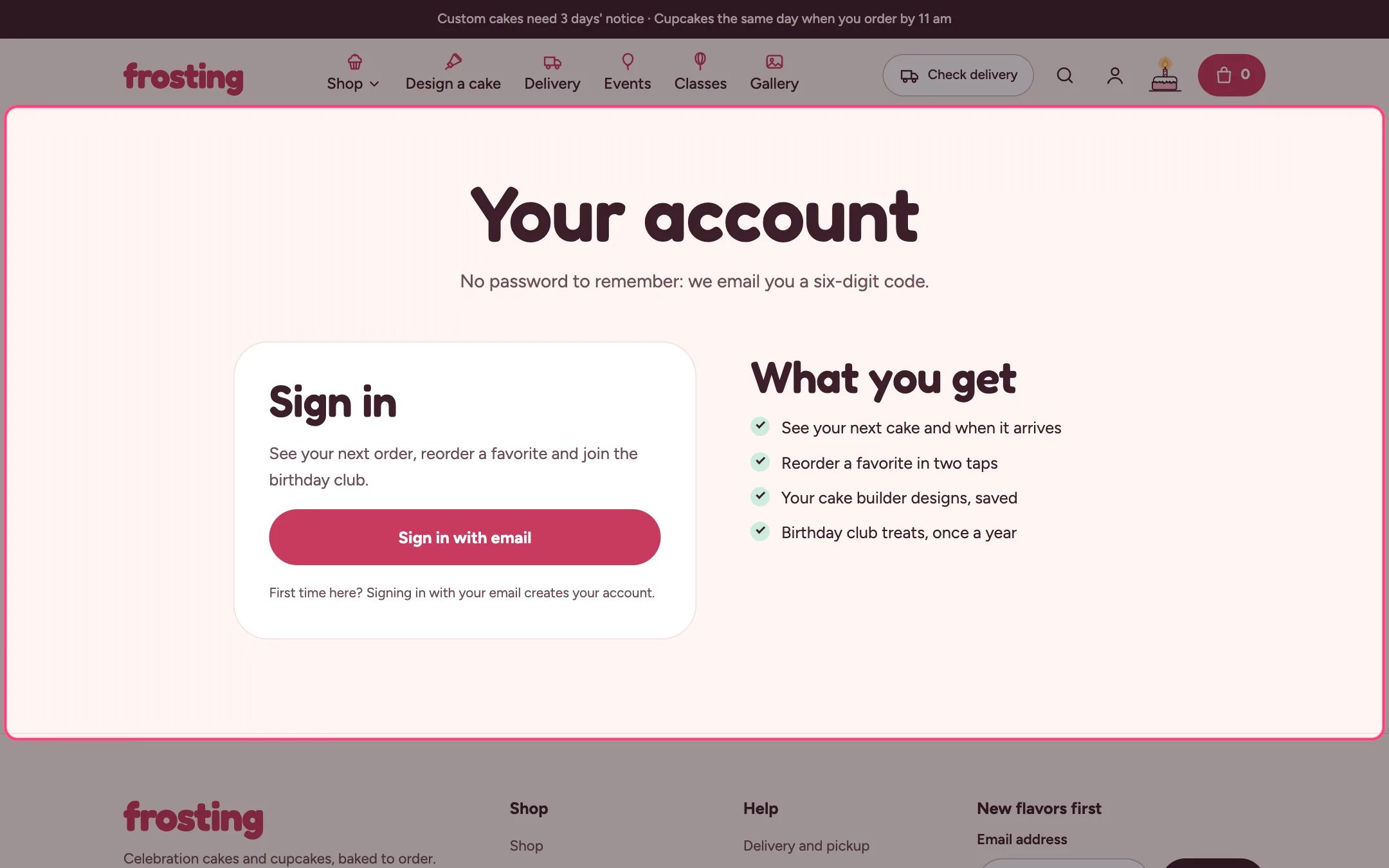 Shopify hosts sign-in, order details, addresses and profile. Frosting adds an account hub page that greets customers and links to those secure pages.
**1. Turn on accounts.** In Settings, Customer accounts, turn on customer accounts. With Shopify's customer accounts, customers sign in with a six-digit code sent by email, so there is no password to remember. Brand the sign-in and account pages in Settings, Checkout and accounts.
**2. Create the hub page.** In Online Store, Pages, add a page such as Your account and choose the account template.
**3. Link it.** Add the page to a menu and choose that menu as the header's Customer account menu, so it shows in the account popover. Set the header's Account hub page to the same page so the mobile menu's Account link goes there.
**4. Set up the hub.** In the theme editor choose Pages, then account. Set Cake builder product, Recent orders to show (1 to 10), Link for order changes, and the birthday club text. For signed-out visitors, write the heading, text and perks.
**What customers see.**
* Coming up: their next order with its delivery or pickup date and time window, and a tracker from Order placed to On its way or Ready to collect. The tracker follows the order's payment and fulfillment status in Shopify admin.
* Orders: recent orders with View and Reorder. Reorder adds the items that are still available back to the cart.
* Saved designs: cake builder designs saved on this device, ready to open in the builder.
* Birthday club: pick a month to get the birthday-club and month tags.
* Addresses and profile: a summary with links to edit them on Shopify's pages.
**Good to know.** Saved designs belong to the browser they were made in. The signed-in view can only be previewed with a real customer account on the live store.
This documentation is built and hosted on [Mintlify](https://mintlify.com), a developer documentation platform.
Shopify hosts sign-in, order details, addresses and profile. Frosting adds an account hub page that greets customers and links to those secure pages.
**1. Turn on accounts.** In Settings, Customer accounts, turn on customer accounts. With Shopify's customer accounts, customers sign in with a six-digit code sent by email, so there is no password to remember. Brand the sign-in and account pages in Settings, Checkout and accounts.
**2. Create the hub page.** In Online Store, Pages, add a page such as Your account and choose the account template.
**3. Link it.** Add the page to a menu and choose that menu as the header's Customer account menu, so it shows in the account popover. Set the header's Account hub page to the same page so the mobile menu's Account link goes there.
**4. Set up the hub.** In the theme editor choose Pages, then account. Set Cake builder product, Recent orders to show (1 to 10), Link for order changes, and the birthday club text. For signed-out visitors, write the heading, text and perks.
**What customers see.**
* Coming up: their next order with its delivery or pickup date and time window, and a tracker from Order placed to On its way or Ready to collect. The tracker follows the order's payment and fulfillment status in Shopify admin.
* Orders: recent orders with View and Reorder. Reorder adds the items that are still available back to the cart.
* Saved designs: cake builder designs saved on this device, ready to open in the builder.
* Birthday club: pick a month to get the birthday-club and month tags.
* Addresses and profile: a summary with links to edit them on Shopify's pages.
**Good to know.** Saved designs belong to the browser they were made in. The signed-in view can only be previewed with a real customer account on the live store.
This documentation is built and hosted on [Mintlify](https://mintlify.com), a developer documentation platform.