> ## Documentation Index
> Fetch the complete documentation index at: https://docs.kwebby.com/llms.txt
> Use this file to discover all available pages before exploring further.
# Menu icons
> Little bakery icons beside your menu items, picked from the titles or chosen by hand.
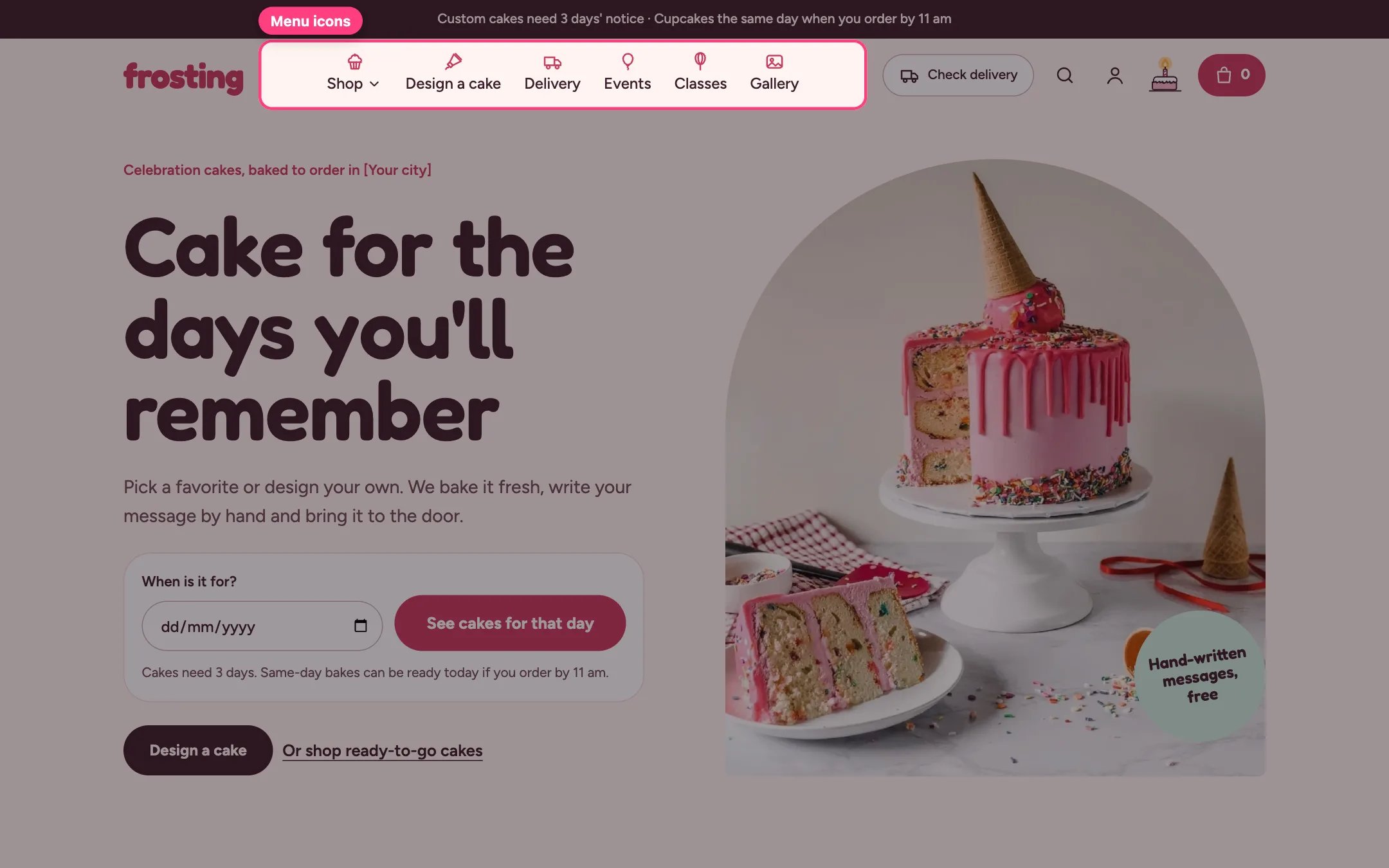
 Frosting can show a small icon with each top-level menu item: above the label on desktop, so the menu needs no extra width, and as an icon tile in the mobile menu.
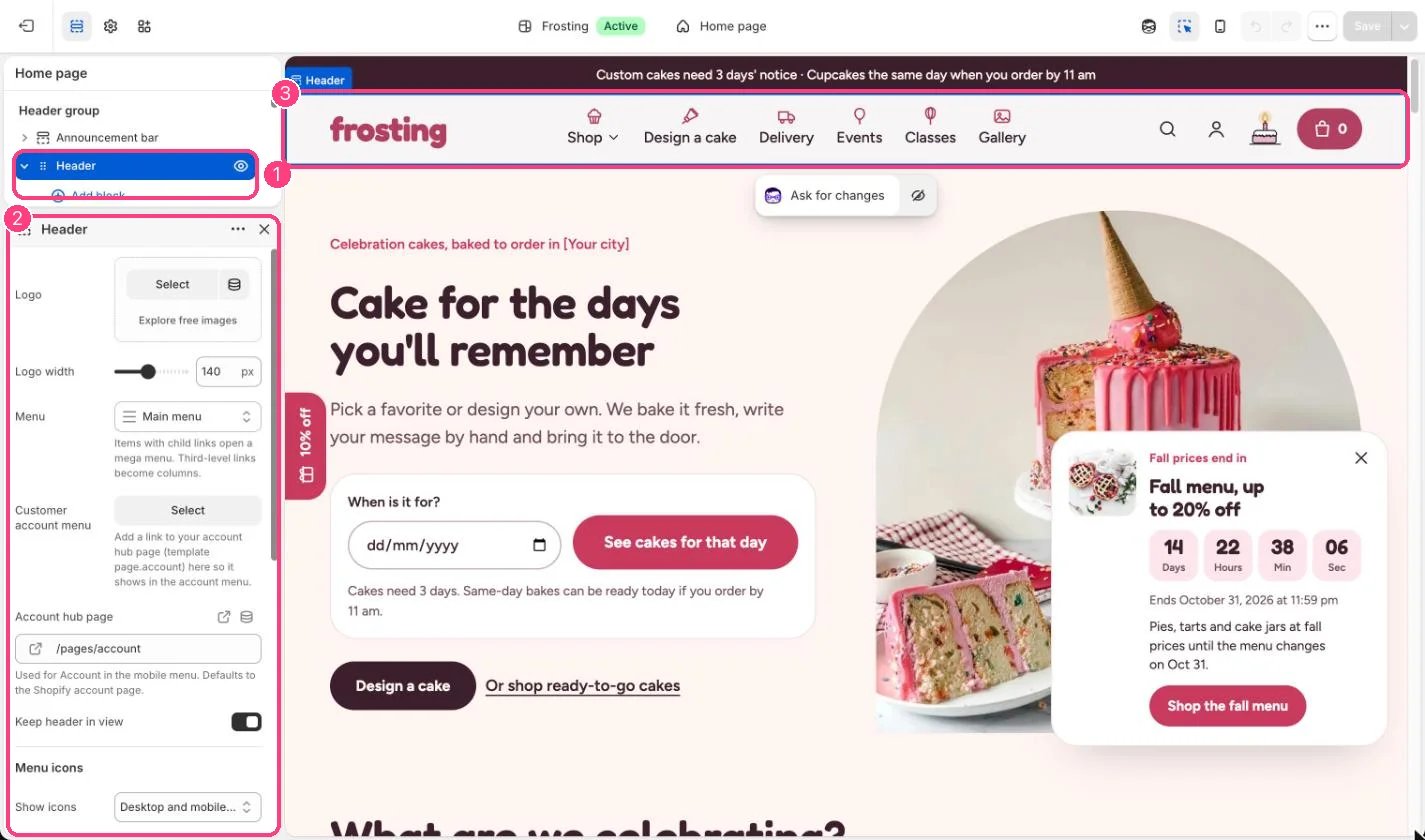
**Turn them on.** In the theme editor select Header. Under Menu icons, set Show icons to Off, Mobile menu only, or Desktop and mobile menus.
**Automatic icons.** With Choose icons from item titles ticked, each title is matched against these words, and the first match wins:
* Home: home
* Design, Build, Custom, Create: piping bag
* Delivery, Pickup, Shipping: delivery van
* Class, Workshop, Course, Lesson: whisk
* Event, Wedding, Party, Celebrate, Catering: balloon
* Gallery, Photo, Lookbook, Inspiration, Portfolio: photo
* Contact, Support: speech bubble
* FAQ, Help, Question, Allergen: information
* About, Story, Team: heart
* Blog, Journal, News, Recipe: book
* Gift: gift
* Visit, Location, Find us: map pin
* Cupcake, Cake, Shop, Catalog, Product, Collection, Order, Bake: cupcake
* Account: person
Because the order matters, Design a cake gets the piping bag, Cake delivery gets the delivery van and Wedding cakes gets the balloon.
**Choose an icon yourself.** Add a Menu icon block, type the top-level item's title exactly as it is spelled in Online Store, Navigation, and pick one of 19 icons or No icon. A block always wins over the automatic match.
**Good to know.** Only top-level items get icons; links inside dropdowns do not. If the menu gets too long for the screen, the header moves it into the menu drawer instead of wrapping onto a second line.
This documentation is built and hosted on [Mintlify](https://mintlify.com), a developer documentation platform.
Frosting can show a small icon with each top-level menu item: above the label on desktop, so the menu needs no extra width, and as an icon tile in the mobile menu.
**Turn them on.** In the theme editor select Header. Under Menu icons, set Show icons to Off, Mobile menu only, or Desktop and mobile menus.
**Automatic icons.** With Choose icons from item titles ticked, each title is matched against these words, and the first match wins:
* Home: home
* Design, Build, Custom, Create: piping bag
* Delivery, Pickup, Shipping: delivery van
* Class, Workshop, Course, Lesson: whisk
* Event, Wedding, Party, Celebrate, Catering: balloon
* Gallery, Photo, Lookbook, Inspiration, Portfolio: photo
* Contact, Support: speech bubble
* FAQ, Help, Question, Allergen: information
* About, Story, Team: heart
* Blog, Journal, News, Recipe: book
* Gift: gift
* Visit, Location, Find us: map pin
* Cupcake, Cake, Shop, Catalog, Product, Collection, Order, Bake: cupcake
* Account: person
Because the order matters, Design a cake gets the piping bag, Cake delivery gets the delivery van and Wedding cakes gets the balloon.
**Choose an icon yourself.** Add a Menu icon block, type the top-level item's title exactly as it is spelled in Online Store, Navigation, and pick one of 19 icons or No icon. A block always wins over the automatic match.
**Good to know.** Only top-level items get icons; links inside dropdowns do not. If the menu gets too long for the screen, the header moves it into the menu drawer instead of wrapping onto a second line.
This documentation is built and hosted on [Mintlify](https://mintlify.com), a developer documentation platform.