> ## Documentation Index
> Fetch the complete documentation index at: https://docs.kwebby.com/llms.txt
> Use this file to discover all available pages before exploring further.
# Set up products for Frosting
> Sizes with servings, notice in days, a short description, a custom badge and same-day bakes.
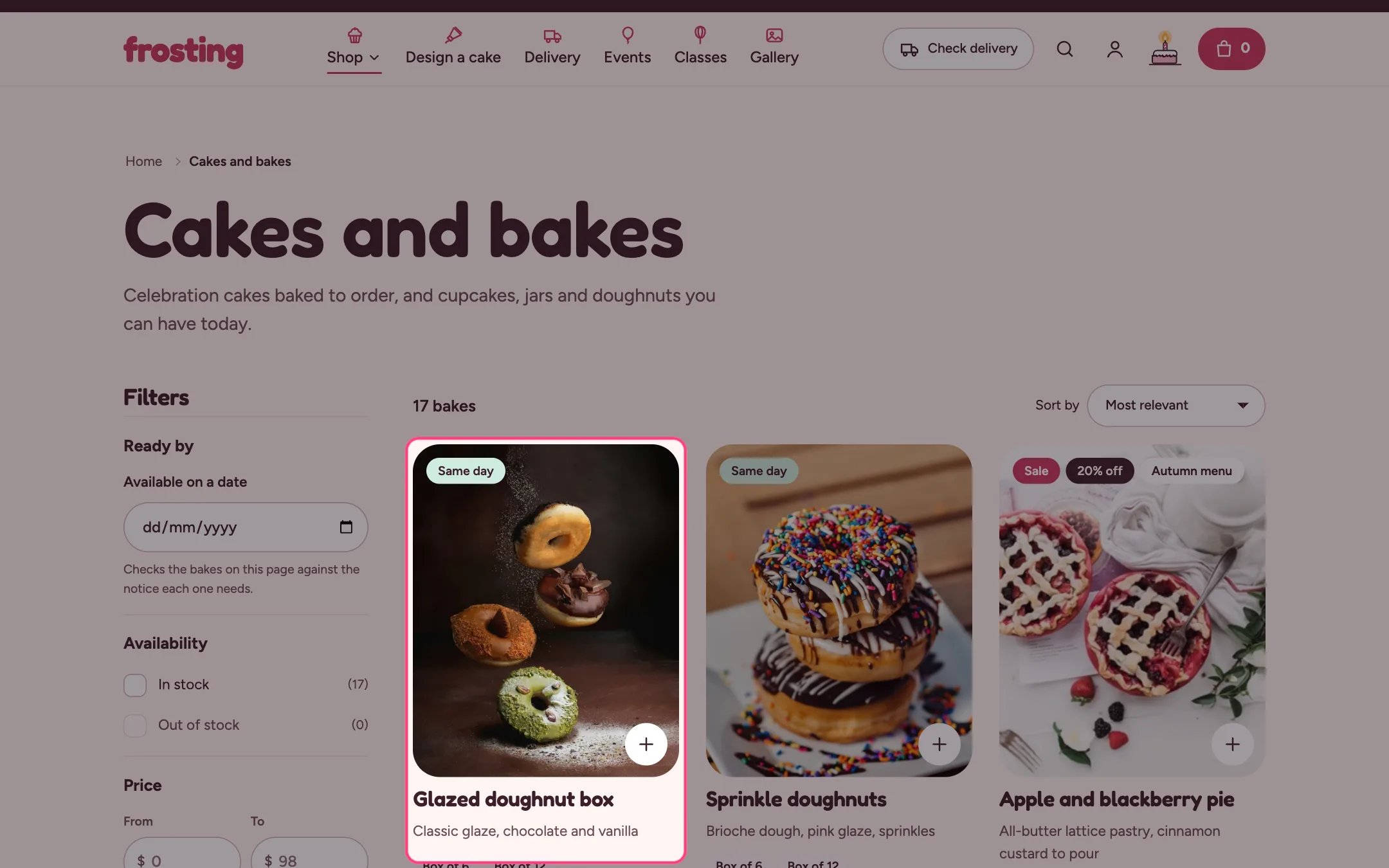 Frosting reads a few product details that Shopify does not have out of the box. You add them once as metafield definitions, then fill them in on each product. None are required: without them the theme falls back to sensible defaults.
**1. Create the metafield definitions.** Go to Settings, Custom data. Choose Products or Variants, then Add definition, and use these names and types:
* Products: custom.lead\_days, Integer (days of notice)
* Products: custom.short\_description, Single line text
* Products: custom.badge, Single line text
* Variants: custom.servings, Single line text
* Variants: custom.tiers, Integer (cake builder only)
* Variants: custom.lead\_days, Integer (cake builder only)
**2. Sizes.** Add sizes as a product option, usually named Size, for example 6 in, 8 in and 10 in. Product cards list up to four sizes, and the product page shows the Size option as tiles with servings and price.
**3. Servings.** On each size variant, fill in custom.servings, for example 8–10 or Serves 8–10. When the value starts with a number the theme adds the word Serves for you.
**4. Notice in days.** Fill in custom.lead\_days on the product, for example 3. The product page then says when it can first be ready, the collection's ready-by filter uses it, and the cart blocks dates that are too soon. Without it, the product uses Default notice for cakes in Theme settings, Delivery and pickup.
**5. Same-day bakes.** Tag cupcakes and other quick bakes with same-day (or the tag you set in Theme settings, Delivery and pickup). With no lead days metafield they need no notice, show the Same day badge on product cards, and say Ready today if you order by your cut-off.
**6. Short description.** Fill in custom.short\_description with one line, for example Vanilla sponge, raspberry jam and lemon buttercream. It shows under the title on product cards and in the product page's Description block set to Short. Without it, the start of the full description is used.
**7. Badge.** Fill in custom.badge with a short word such as Bestseller or New. It shows on product cards and on the product page photo.
**8. Product page extras.** Use the Extras block on the product page for candles or cards that should travel with the cake, and the Cake message block for a message on the cake. Both can be limited to products with a tag.
This documentation is built and hosted on [Mintlify](https://mintlify.com), a developer documentation platform.
Frosting reads a few product details that Shopify does not have out of the box. You add them once as metafield definitions, then fill them in on each product. None are required: without them the theme falls back to sensible defaults.
**1. Create the metafield definitions.** Go to Settings, Custom data. Choose Products or Variants, then Add definition, and use these names and types:
* Products: custom.lead\_days, Integer (days of notice)
* Products: custom.short\_description, Single line text
* Products: custom.badge, Single line text
* Variants: custom.servings, Single line text
* Variants: custom.tiers, Integer (cake builder only)
* Variants: custom.lead\_days, Integer (cake builder only)
**2. Sizes.** Add sizes as a product option, usually named Size, for example 6 in, 8 in and 10 in. Product cards list up to four sizes, and the product page shows the Size option as tiles with servings and price.
**3. Servings.** On each size variant, fill in custom.servings, for example 8–10 or Serves 8–10. When the value starts with a number the theme adds the word Serves for you.
**4. Notice in days.** Fill in custom.lead\_days on the product, for example 3. The product page then says when it can first be ready, the collection's ready-by filter uses it, and the cart blocks dates that are too soon. Without it, the product uses Default notice for cakes in Theme settings, Delivery and pickup.
**5. Same-day bakes.** Tag cupcakes and other quick bakes with same-day (or the tag you set in Theme settings, Delivery and pickup). With no lead days metafield they need no notice, show the Same day badge on product cards, and say Ready today if you order by your cut-off.
**6. Short description.** Fill in custom.short\_description with one line, for example Vanilla sponge, raspberry jam and lemon buttercream. It shows under the title on product cards and in the product page's Description block set to Short. Without it, the start of the full description is used.
**7. Badge.** Fill in custom.badge with a short word such as Bestseller or New. It shows on product cards and on the product page photo.
**8. Product page extras.** Use the Extras block on the product page for candles or cards that should travel with the cake, and the Cake message block for a message on the cake. Both can be limited to products with a tag.
This documentation is built and hosted on [Mintlify](https://mintlify.com), a developer documentation platform.