> ## Documentation Index
> Fetch the complete documentation index at: https://docs.kwebby.com/llms.txt
> Use this file to discover all available pages before exploring further.
# Videos: showcase and shorts
> Show one wide kitchen video and a strip of short vertical clips, uploaded or from YouTube or Vimeo.
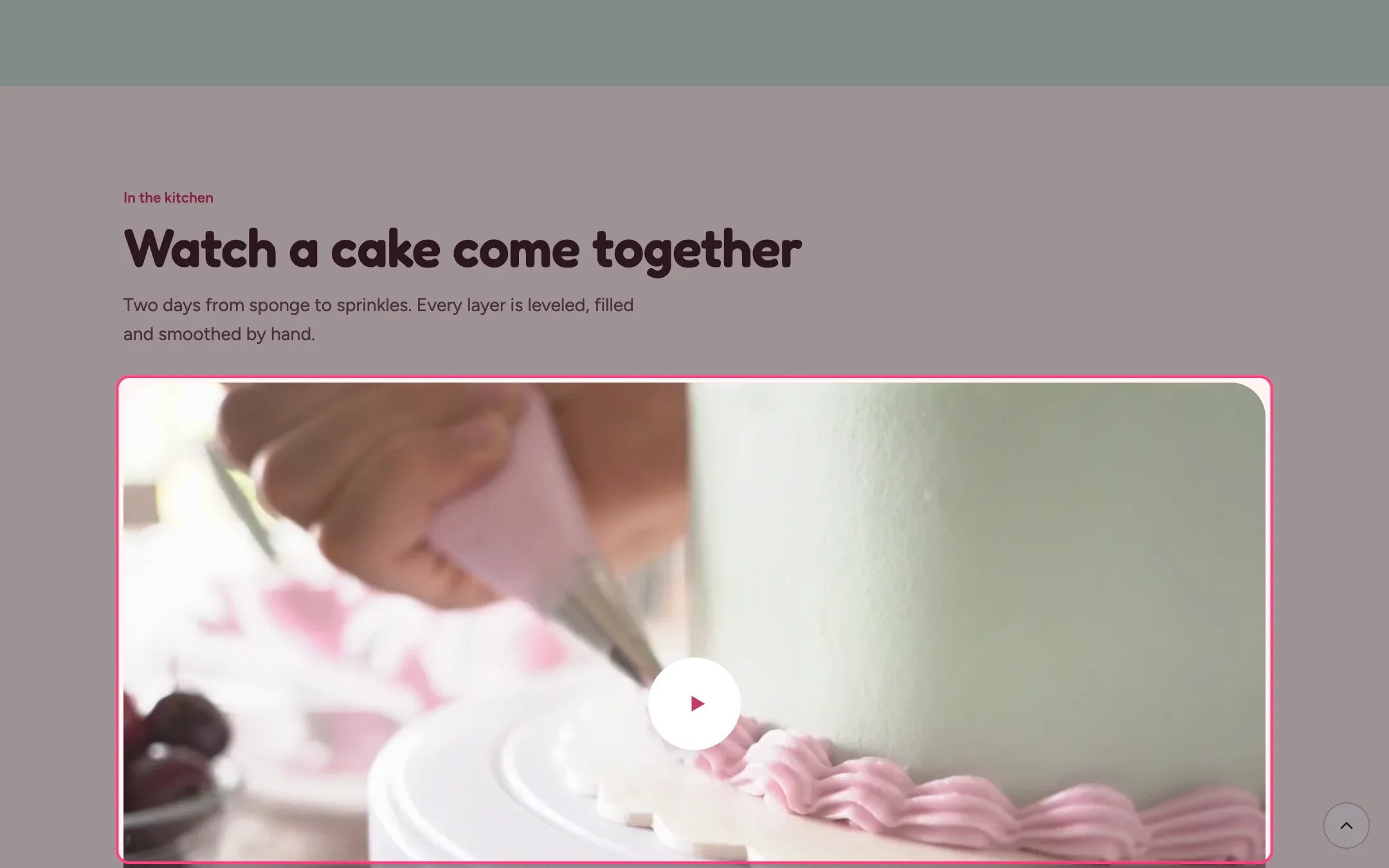
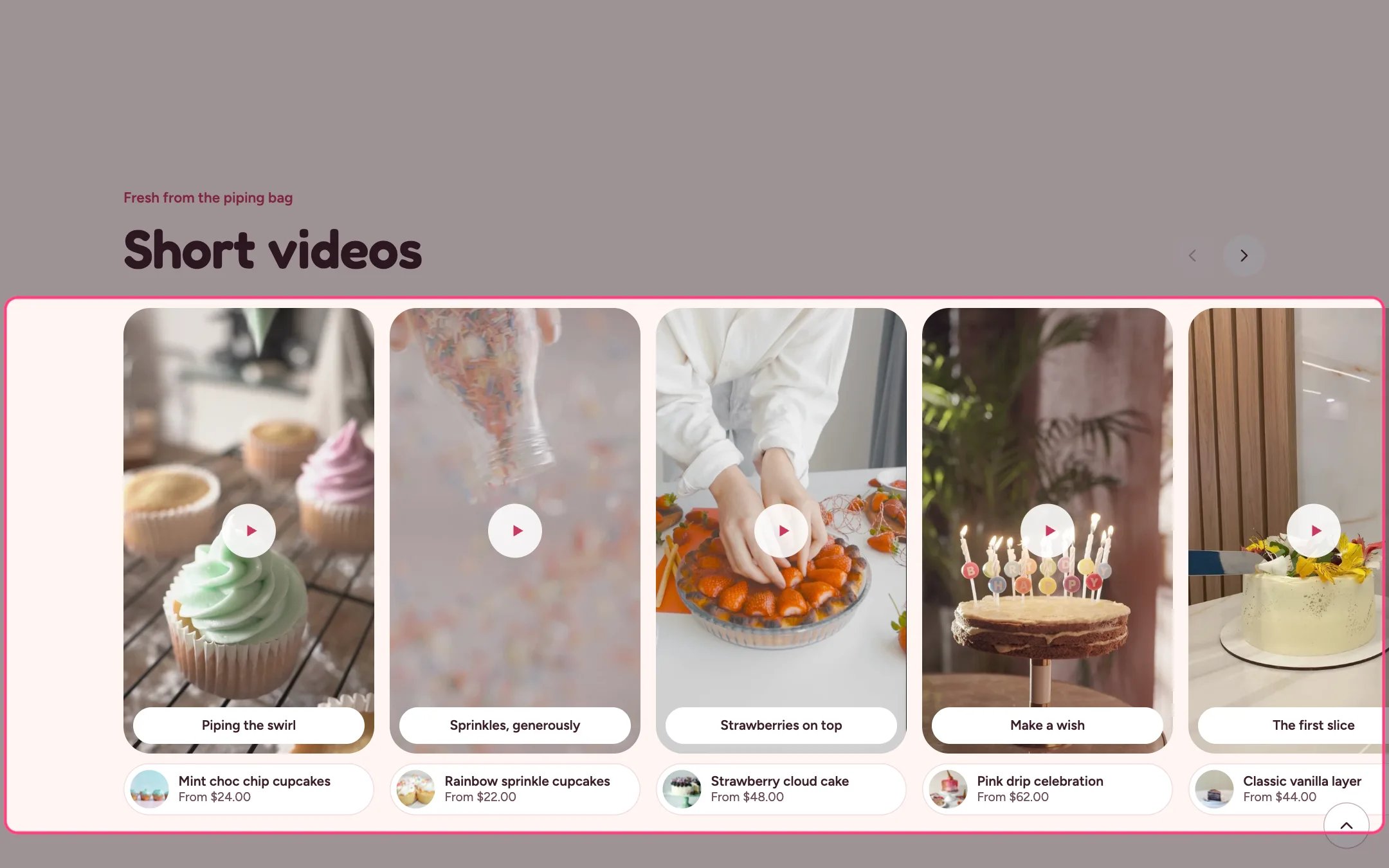 Frosting has two video sections. Both take an uploaded video or a YouTube or Vimeo link, load video only when it is needed, and never autoplay for visitors who ask for reduced motion or turn on data saving.
**Video showcase.** One wide video. Upload it in the Video setting, or paste a YouTube or Vimeo link. With Play muted in the background on, an uploaded video plays silently while on screen and pauses when scrolled past; shoppers can pause it. A YouTube or Vimeo video shows your poster until the shopper presses play, then loads the player in privacy-friendly mode. Add a poster, a Video description for screen readers and an optional credit.
**Short videos.** A sideways strip of up to 16 vertical clips. Uploaded clips play silent previews while on screen. Pressing one opens a full-screen viewer with a sound button, previous and next, arrow keys, and a Shop button when you link a product. Linked products also show their photo, title and price under the clip. YouTube and Vimeo clips play only in the viewer, so give them a poster image.
**Tips.**
* Film short clips in portrait for Short videos and landscape for the showcase.
* Keep clips short and small; the theme picks a sharp but light version of uploaded videos.
* Write captions that say what is happening, such as Piping a buttercream border.
This documentation is built and hosted on [Mintlify](https://mintlify.com), a developer documentation platform.
Frosting has two video sections. Both take an uploaded video or a YouTube or Vimeo link, load video only when it is needed, and never autoplay for visitors who ask for reduced motion or turn on data saving.
**Video showcase.** One wide video. Upload it in the Video setting, or paste a YouTube or Vimeo link. With Play muted in the background on, an uploaded video plays silently while on screen and pauses when scrolled past; shoppers can pause it. A YouTube or Vimeo video shows your poster until the shopper presses play, then loads the player in privacy-friendly mode. Add a poster, a Video description for screen readers and an optional credit.
**Short videos.** A sideways strip of up to 16 vertical clips. Uploaded clips play silent previews while on screen. Pressing one opens a full-screen viewer with a sound button, previous and next, arrow keys, and a Shop button when you link a product. Linked products also show their photo, title and price under the clip. YouTube and Vimeo clips play only in the viewer, so give them a poster image.
**Tips.**
* Film short clips in portrait for Short videos and landscape for the showcase.
* Keep clips short and small; the theme picks a sharp but light version of uploaded videos.
* Write captions that say what is happening, such as Piping a buttercream border.
This documentation is built and hosted on [Mintlify](https://mintlify.com), a developer documentation platform.