> ## Documentation Index
> Fetch the complete documentation index at: https://docs.kwebby.com/llms.txt
> Use this file to discover all available pages before exploring further.
# Announcement bar
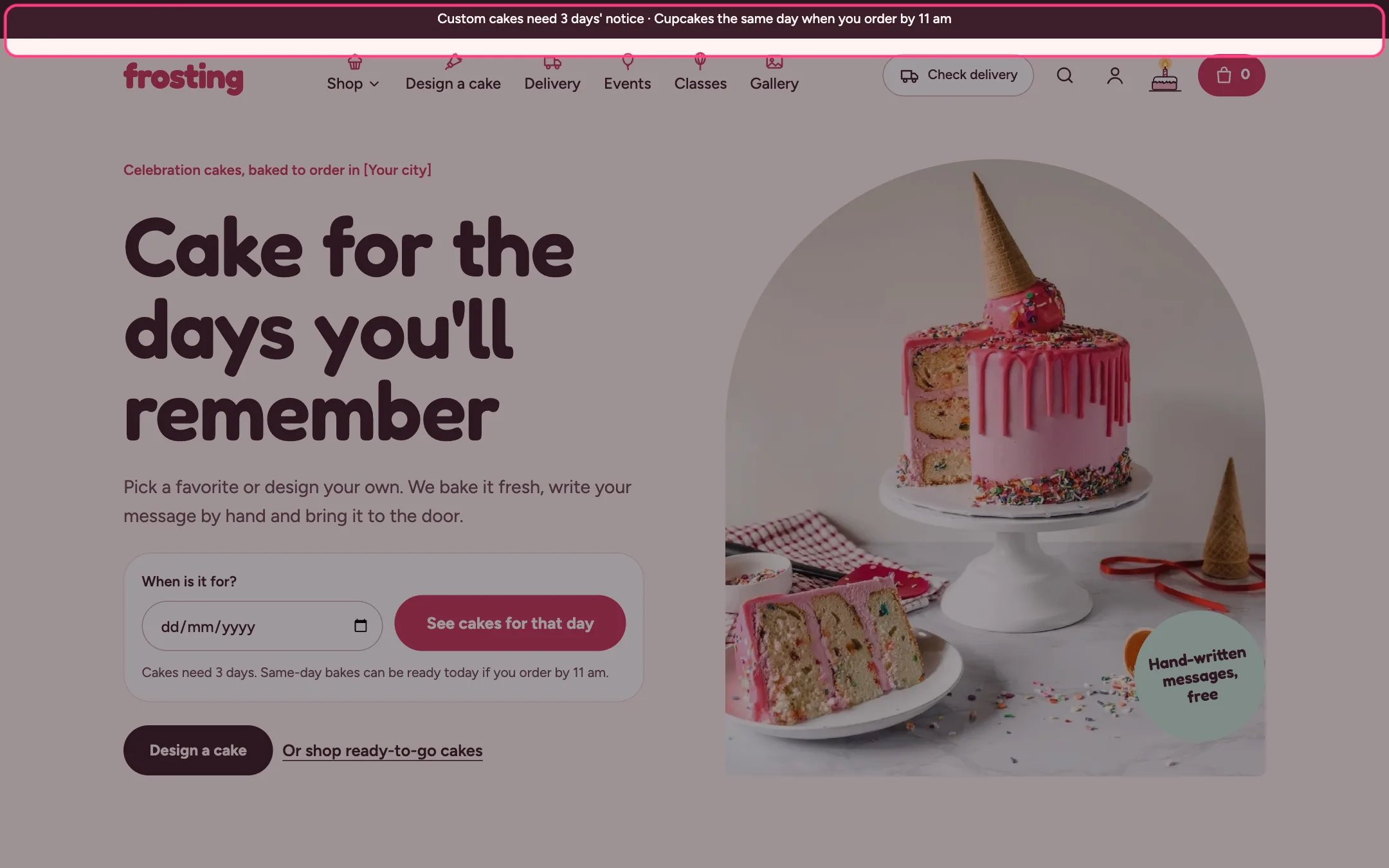
> A slim strip above the header for short, store-wide news such as notice times, holiday closures or a seasonal menu.
 ## Where to find it
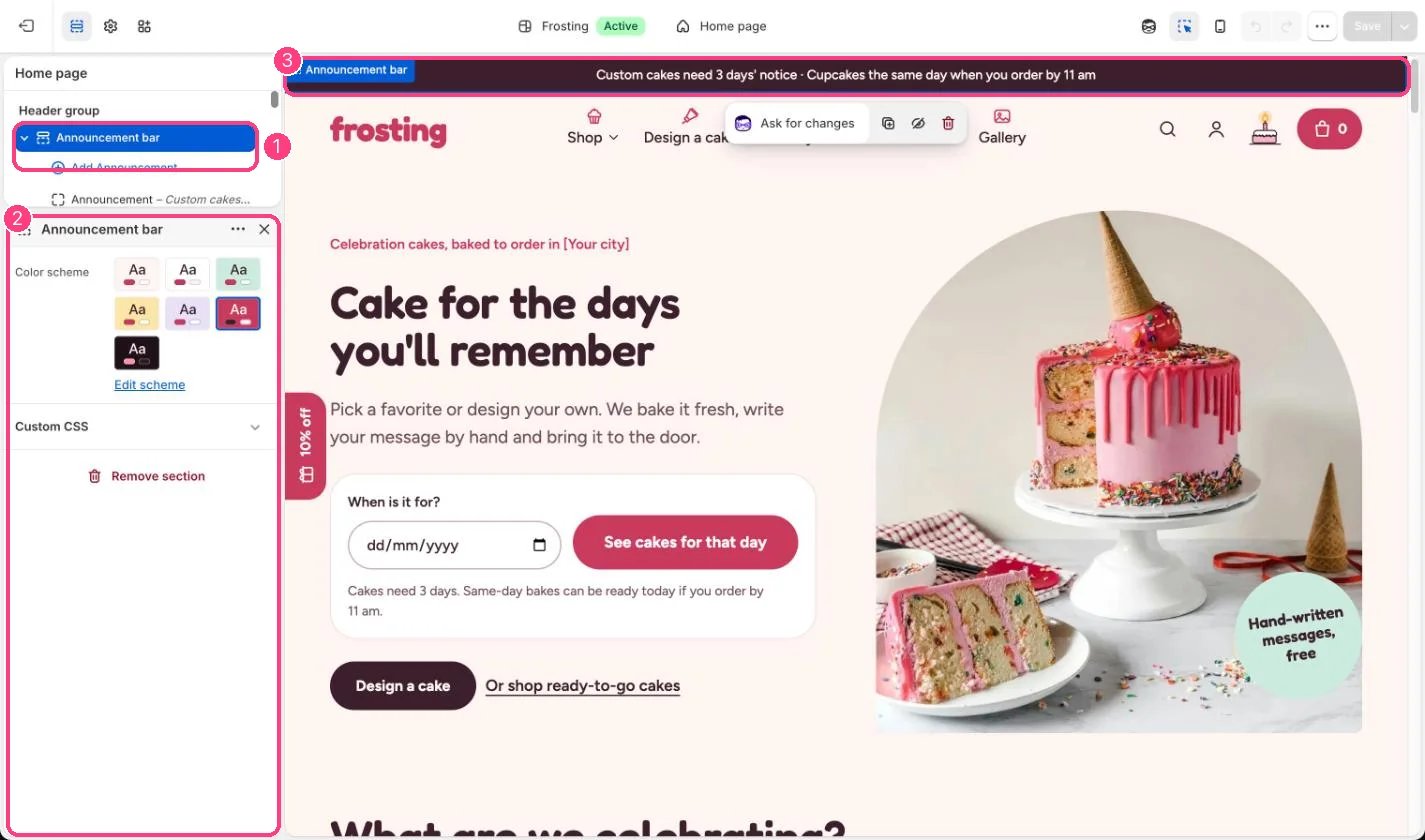
Every page, above the header. In the theme editor open any page, then select Announcement bar in the Header area of the sidebar.
## How it works
* Holds up to 3 announcements. Each one shows as its own centered line.
* An announcement with a link becomes a link; the underline appears on hover or keyboard focus.
* The bar hides itself when it has no announcements.
* In dark mode the bar switches to a soft night shade so it does not glare.
## Where to find it
Every page, above the header. In the theme editor open any page, then select Announcement bar in the Header area of the sidebar.
## How it works
* Holds up to 3 announcements. Each one shows as its own centered line.
* An announcement with a link becomes a link; the underline appears on hover or keyboard focus.
* The bar hides itself when it has no announcements.
* In dark mode the bar switches to a soft night shade so it does not glare.
 ## Edit it
* Select an Announcement block and type the text. Keep it to one short line so it does not wrap on phones.
* Add a link to send shoppers to the delivery page, a collection or the cake builder.
* Use Color scheme to change the bar color. The default is the strawberry scheme.
* Update the default text so it matches your real notice time and same-day cut-off.
## Settings
| Setting | What it does |
| - | - |
| **Color scheme** | Color scheme for this area (edit the schemes in Theme settings → Colors). Default: Scheme 6. |
## Blocks
Up to 3 blocks. Add a block with **Add block** under the section in the sidebar; drag blocks to reorder them.
### Announcement
| Setting | What it does |
| - | - |
| **Text** | Text. Default: Custom cakes need 3 days' notice · Cupcakes the same day when you order by 11 am. |
| **Link** | Link: a page, product, collection or web address. |
The default text mentions 3 days' notice and an 11 am cut-off. It does not update itself when you change Theme settings, Delivery and pickup.
This documentation is built and hosted on [Mintlify](https://mintlify.com), a developer documentation platform.
## Edit it
* Select an Announcement block and type the text. Keep it to one short line so it does not wrap on phones.
* Add a link to send shoppers to the delivery page, a collection or the cake builder.
* Use Color scheme to change the bar color. The default is the strawberry scheme.
* Update the default text so it matches your real notice time and same-day cut-off.
## Settings
| Setting | What it does |
| - | - |
| **Color scheme** | Color scheme for this area (edit the schemes in Theme settings → Colors). Default: Scheme 6. |
## Blocks
Up to 3 blocks. Add a block with **Add block** under the section in the sidebar; drag blocks to reorder them.
### Announcement
| Setting | What it does |
| - | - |
| **Text** | Text. Default: Custom cakes need 3 days' notice · Cupcakes the same day when you order by 11 am. |
| **Link** | Link: a page, product, collection or web address. |
The default text mentions 3 days' notice and an 11 am cut-off. It does not update itself when you change Theme settings, Delivery and pickup.
This documentation is built and hosted on [Mintlify](https://mintlify.com), a developer documentation platform.