> ## Documentation Index
> Fetch the complete documentation index at: https://docs.kwebby.com/llms.txt
> Use this file to discover all available pages before exploring further.
# Bake calendar
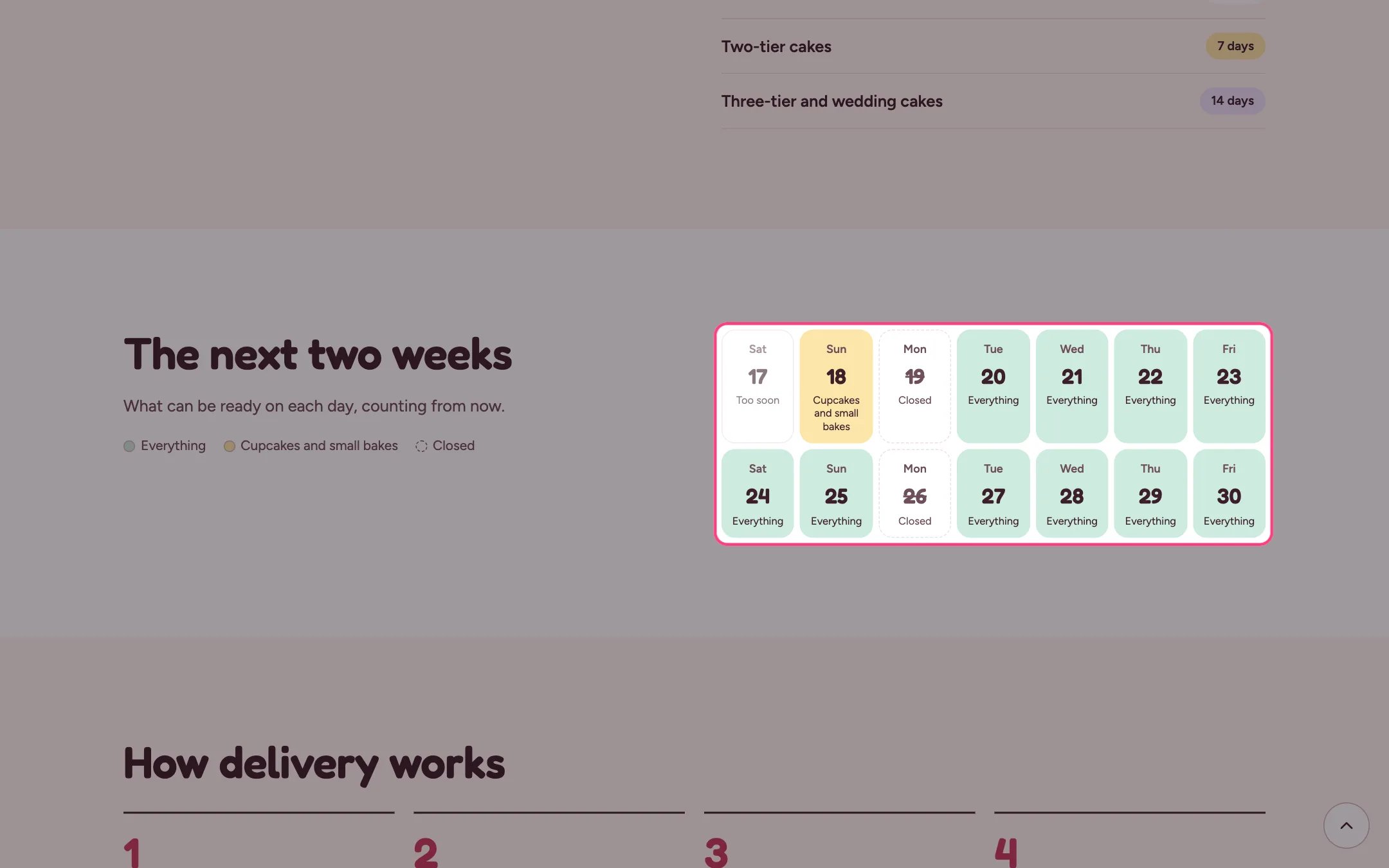
> The next one to four weeks at a glance, showing for each day whether everything, only cupcakes and small bakes, or nothing can be ready.
 ## Where to find it
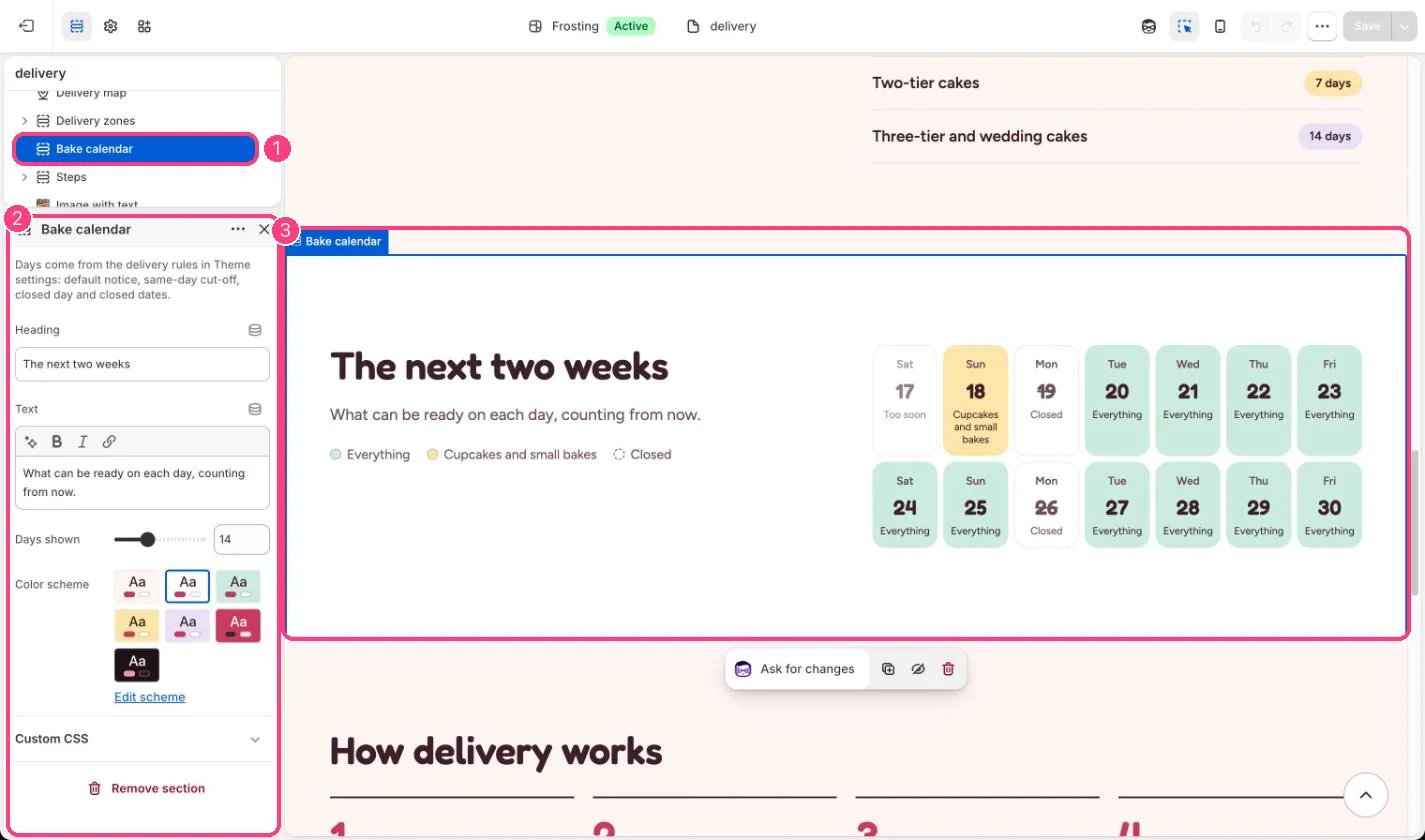
The delivery page. In the theme editor choose Pages, then delivery, and select Bake calendar. Can be added to any page.
## How it works
* Each day is marked Everything, Cupcakes and small bakes, Closed or Too soon.
* Days come from Theme settings, Delivery and pickup: default notice, same-day cut-off, closed day and closed dates.
* It counts from the moment the shopper looks, so after the same-day cut-off today shows as Too soon.
## Where to find it
The delivery page. In the theme editor choose Pages, then delivery, and select Bake calendar. Can be added to any page.
## How it works
* Each day is marked Everything, Cupcakes and small bakes, Closed or Too soon.
* Days come from Theme settings, Delivery and pickup: default notice, same-day cut-off, closed day and closed dates.
* It counts from the moment the shopper looks, so after the same-day cut-off today shows as Too soon.
 ## Edit it
* Set Days shown to 7, 14, 21 or 28.
* Add closed dates for holidays in Theme settings so they show as Closed.
* Edit the heading and text to match how you take orders.
## Settings
Days come from the delivery rules in Theme settings: default notice, same-day cut-off, closed day and closed dates.
| Setting | What it does |
| - | - |
| **Heading** | Text. Default: The next two weeks. |
| **Text** | Formatted text (one line). |
| **Days shown** | Slider from 7 to 28, in steps of 7. Default: 14. |
| **Color scheme** | Color scheme for this area (edit the schemes in Theme settings → Colors). Default: Scheme 2. |
It uses the default notice, not each product's own lead days.
This documentation is built and hosted on [Mintlify](https://mintlify.com), a developer documentation platform.
## Edit it
* Set Days shown to 7, 14, 21 or 28.
* Add closed dates for holidays in Theme settings so they show as Closed.
* Edit the heading and text to match how you take orders.
## Settings
Days come from the delivery rules in Theme settings: default notice, same-day cut-off, closed day and closed dates.
| Setting | What it does |
| - | - |
| **Heading** | Text. Default: The next two weeks. |
| **Text** | Formatted text (one line). |
| **Days shown** | Slider from 7 to 28, in steps of 7. Default: 14. |
| **Color scheme** | Color scheme for this area (edit the schemes in Theme settings → Colors). Default: Scheme 2. |
It uses the default notice, not each product's own lead days.
This documentation is built and hosted on [Mintlify](https://mintlify.com), a developer documentation platform.