> ## Documentation Index
> Fetch the complete documentation index at: https://docs.kwebby.com/llms.txt
> Use this file to discover all available pages before exploring further.
# Blog
> The blog listing with an introduction, tag filters, a large featured article and article cards.
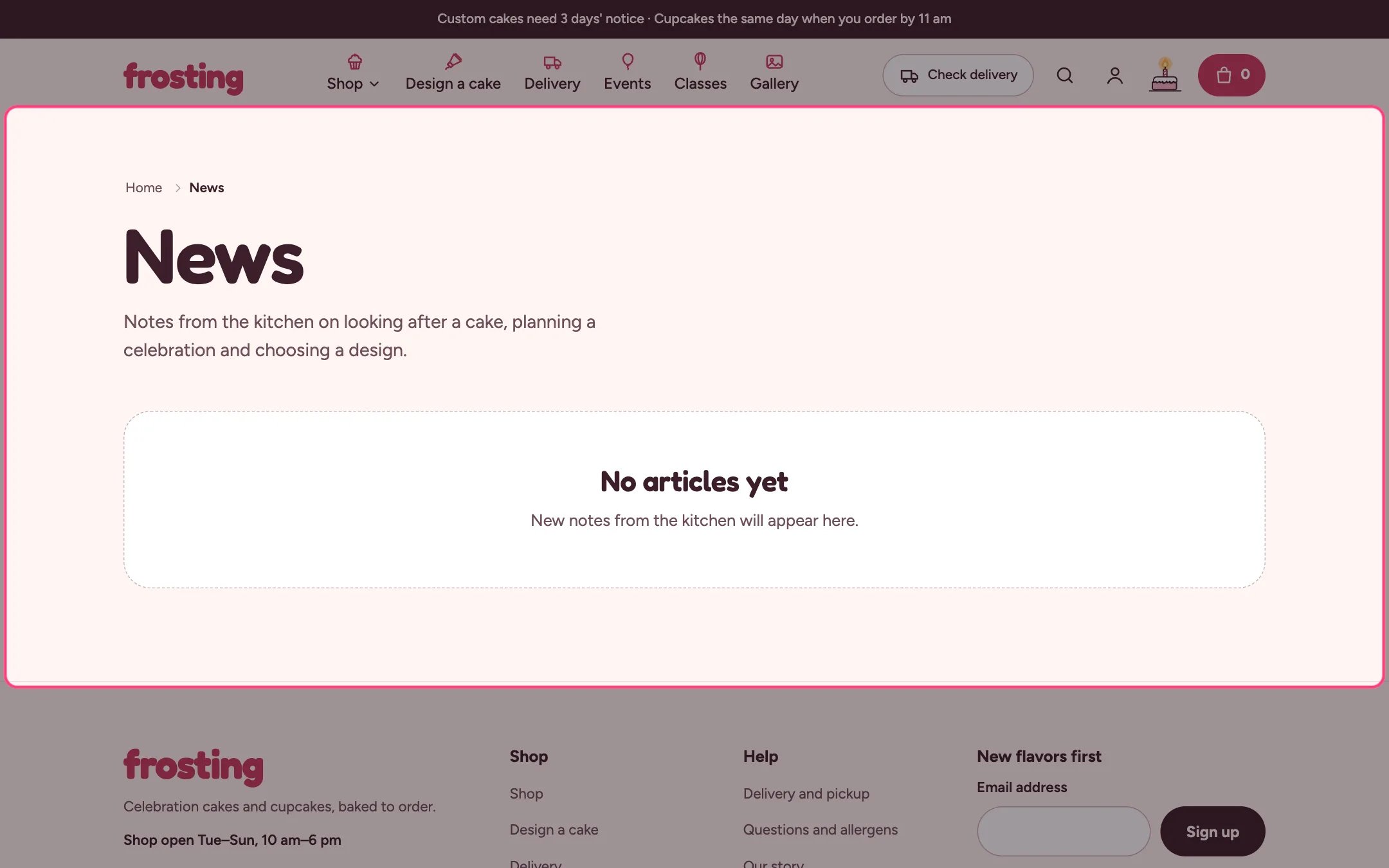 ## Where to find it
Every blog page. In the theme editor choose Blogs in the page selector and select Blog.
## How it works
* The newest article can be featured large on the first page; tag pages list every article as a card.
* Read time is worked out from the word count at 200 words a minute.
* Tag filter chips come from your article tags.
## Where to find it
Every blog page. In the theme editor choose Blogs in the page selector and select Blog.
## How it works
* The newest article can be featured large on the first page; tag pages list every article as a card.
* Read time is worked out from the word count at 200 words a minute.
* Tag filter chips come from your article tags.
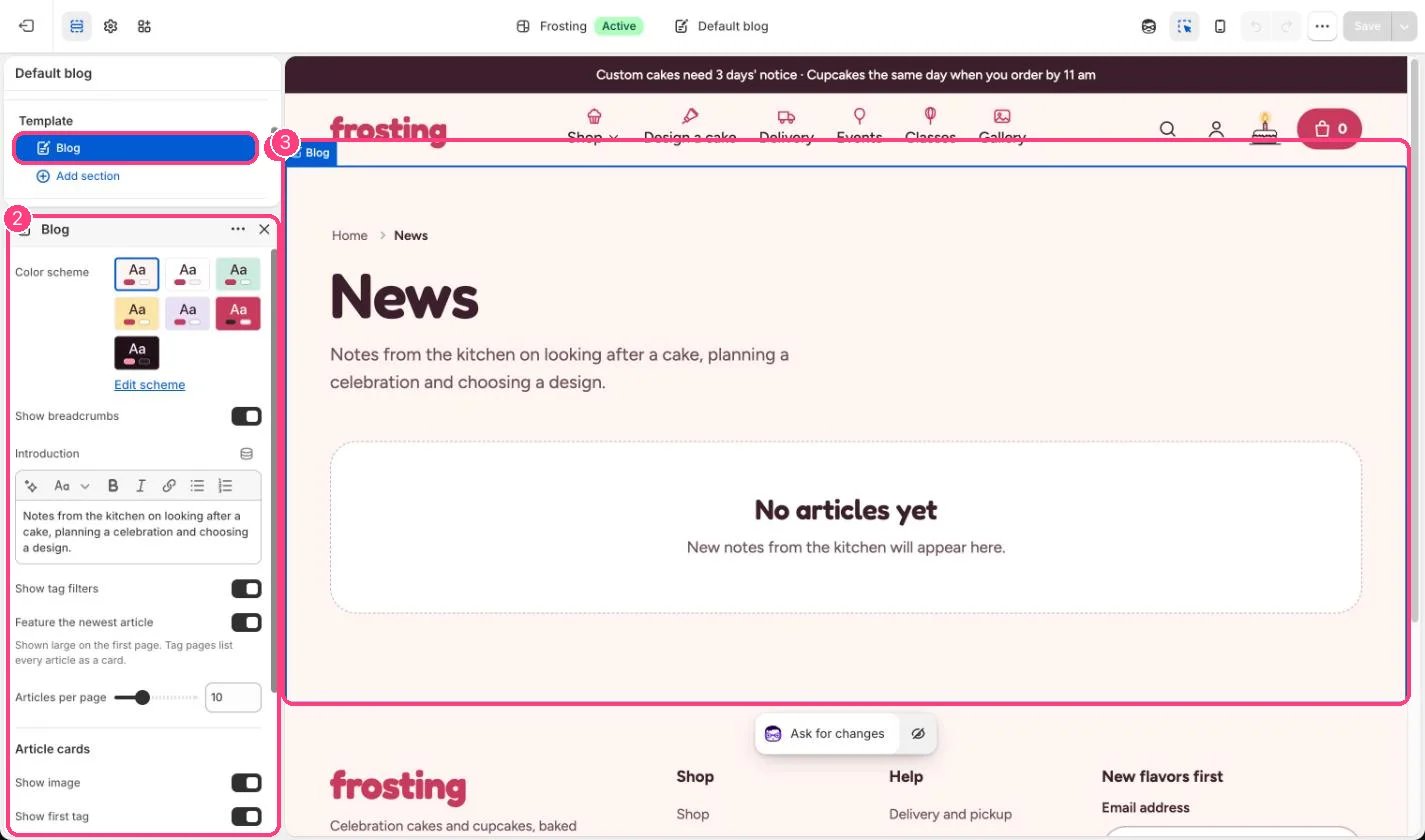 ## Edit it
* Edit the Introduction.
* Set Articles per page (4 to 24).
* Choose what the cards show: image, first tag, read time, and author and date on the featured article.
## Settings
| Setting | What it does |
| - | - |
| **Color scheme** | Color scheme for this area (edit the schemes in Theme settings → Colors). Default: Scheme 1. |
| **Show breadcrumbs** | On or off. Default: on. |
| **Introduction** | Formatted text. |
| **Show tag filters** | On or off. Default: on. |
| **Feature the newest article** | On or off. Shown large on the first page. Tag pages list every article as a card. Default: on. |
| **Articles per page** | Slider from 4 to 24. Default: 10. |
**Article cards**
| Setting | What it does |
| - | - |
| **Show image** | On or off. Default: on. |
| **Show first tag** | On or off. Default: on. |
| **Show read time** | On or off. Worked out from the word count, at 200 words a minute. Default: on. |
| **Show author on the featured article** | On or off. Default: on. |
| **Show date on the featured article** | On or off. Default: on. |
This documentation is built and hosted on [Mintlify](https://mintlify.com), a developer documentation platform.
## Edit it
* Edit the Introduction.
* Set Articles per page (4 to 24).
* Choose what the cards show: image, first tag, read time, and author and date on the featured article.
## Settings
| Setting | What it does |
| - | - |
| **Color scheme** | Color scheme for this area (edit the schemes in Theme settings → Colors). Default: Scheme 1. |
| **Show breadcrumbs** | On or off. Default: on. |
| **Introduction** | Formatted text. |
| **Show tag filters** | On or off. Default: on. |
| **Feature the newest article** | On or off. Shown large on the first page. Tag pages list every article as a card. Default: on. |
| **Articles per page** | Slider from 4 to 24. Default: 10. |
**Article cards**
| Setting | What it does |
| - | - |
| **Show image** | On or off. Default: on. |
| **Show first tag** | On or off. Default: on. |
| **Show read time** | On or off. Worked out from the word count, at 200 words a minute. Default: on. |
| **Show author on the featured article** | On or off. Default: on. |
| **Show date on the featured article** | On or off. Default: on. |
This documentation is built and hosted on [Mintlify](https://mintlify.com), a developer documentation platform.