> ## Documentation Index
> Fetch the complete documentation index at: https://docs.kwebby.com/llms.txt
> Use this file to discover all available pages before exploring further.
# Cake builder teaser
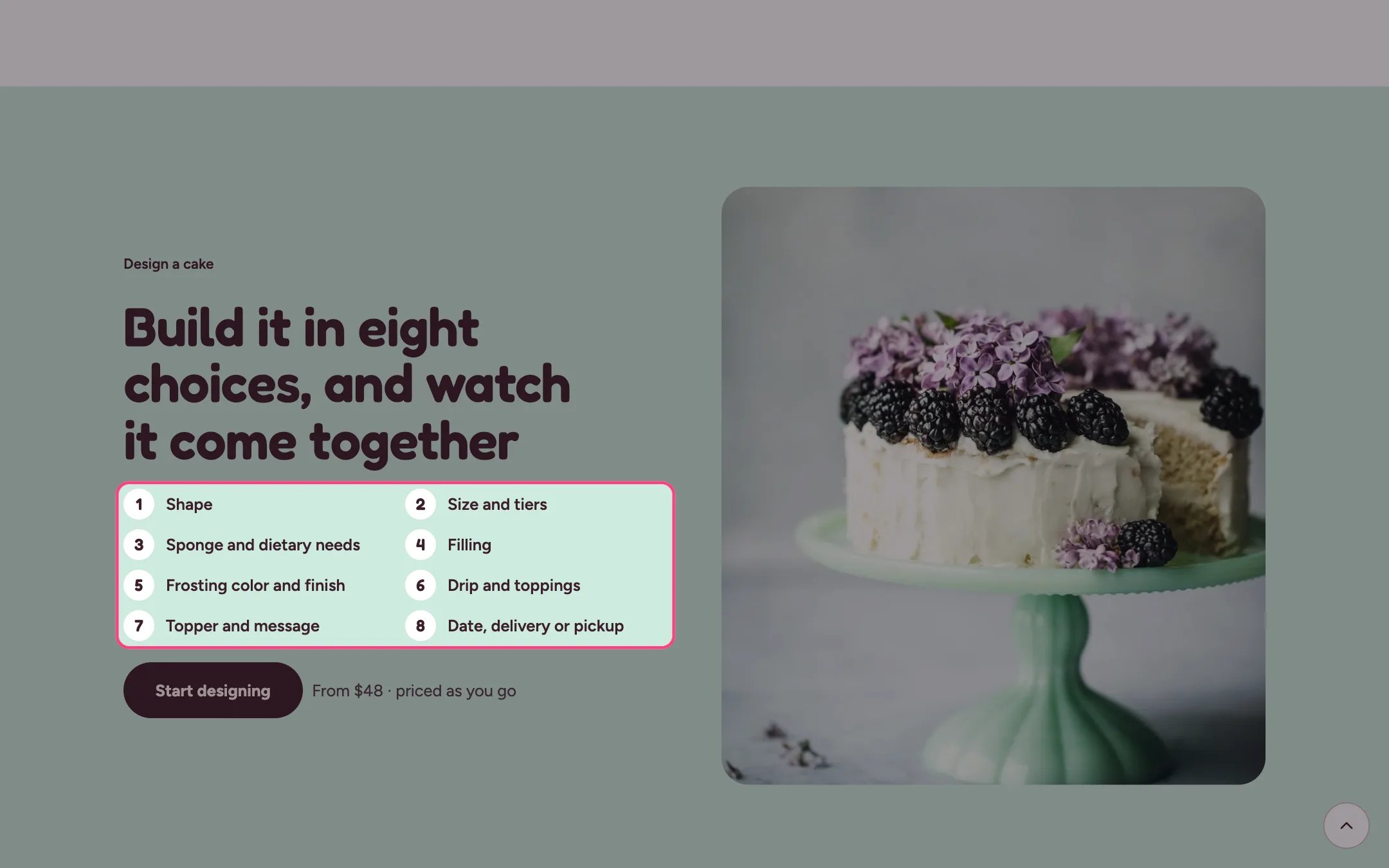
> A home page section that sells the cake builder: a numbered list of choices, a photo, a button and a price note.
 ## Where to find it
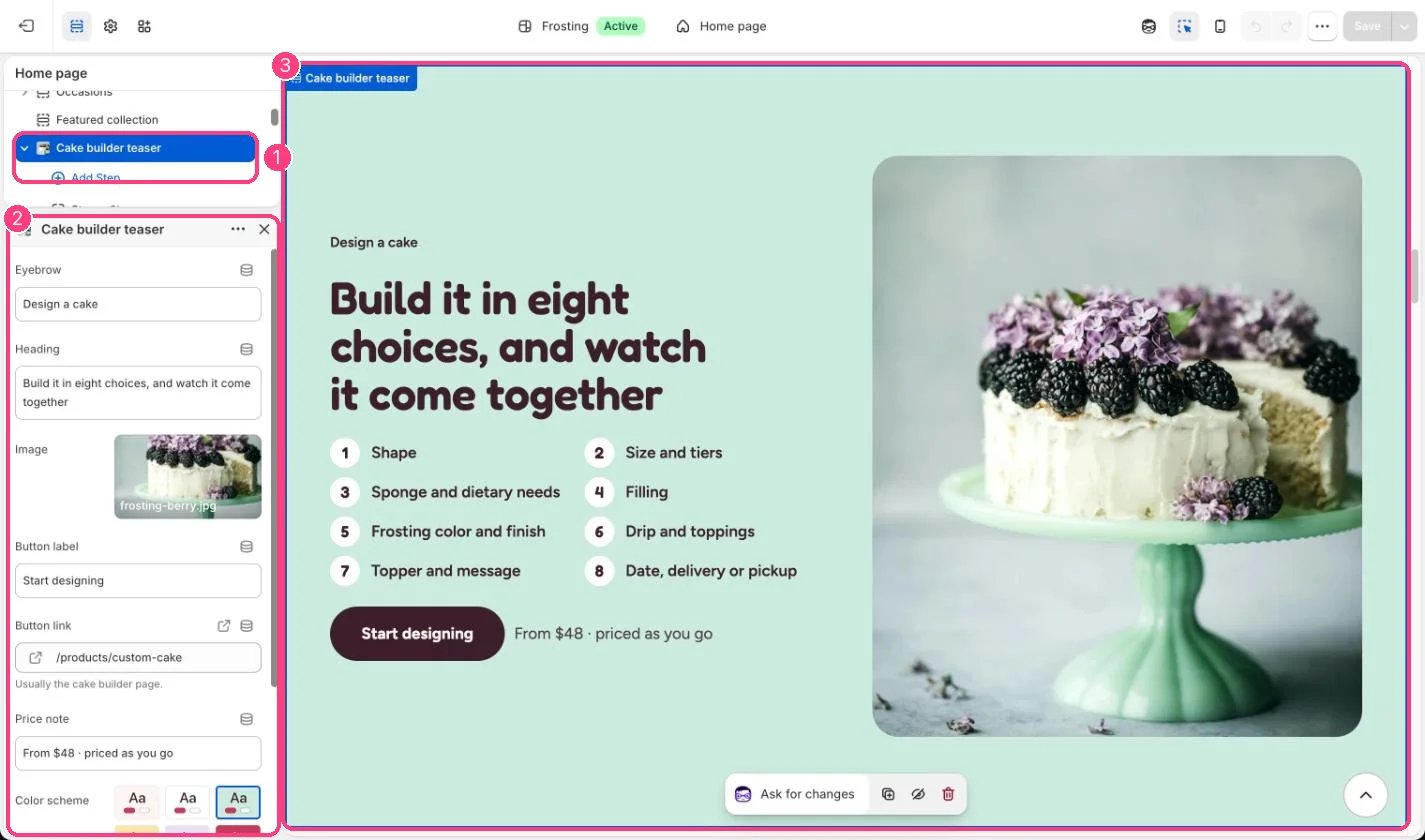
Home page. In the theme editor choose Home page, then select Cake builder teaser. Can be added to any page.
## How it works
* Each Step block becomes one numbered line, up to 12.
* The button sits next to a short price note, such as From \$48 · priced as you go.
* The photo sits beside the text on wide screens and below it on phones. Without a photo, a placeholder drawing shows.
## Where to find it
Home page. In the theme editor choose Home page, then select Cake builder teaser. Can be added to any page.
## How it works
* Each Step block becomes one numbered line, up to 12.
* The button sits next to a short price note, such as From \$48 · priced as you go.
* The photo sits beside the text on wide screens and below it on phones. Without a photo, a placeholder drawing shows.
 ## Edit it
* Set Button link to your Custom cake product, the one that uses the cake-builder template.
* Edit the steps to match the choices you actually offer in the builder.
* Update the price note to your real starting price.
## Settings
| Setting | What it does |
| - | - |
| **Eyebrow** | Text. Default: Design a cake. |
| **Heading** | Text. Default: Build it in eight choices, and watch it come together. |
| **Image** | Image: upload one or choose from Content → Files. |
| **Button label** | Text. Default: Start designing. |
| **Button link** | Link: a page, product, collection or web address. Usually the cake builder page. |
| **Price note** | Text. Default: From \$48 · priced as you go. |
| **Color scheme** | Color scheme for this area (edit the schemes in Theme settings → Colors). Default: Scheme 1. |
## Blocks
Up to 12 blocks. Add a block with **Add block** under the section in the sidebar; drag blocks to reorder them.
### Step
| Setting | What it does |
| - | - |
| **Text** | Text. Default: Shape. |
This documentation is built and hosted on [Mintlify](https://mintlify.com), a developer documentation platform.
## Edit it
* Set Button link to your Custom cake product, the one that uses the cake-builder template.
* Edit the steps to match the choices you actually offer in the builder.
* Update the price note to your real starting price.
## Settings
| Setting | What it does |
| - | - |
| **Eyebrow** | Text. Default: Design a cake. |
| **Heading** | Text. Default: Build it in eight choices, and watch it come together. |
| **Image** | Image: upload one or choose from Content → Files. |
| **Button label** | Text. Default: Start designing. |
| **Button link** | Link: a page, product, collection or web address. Usually the cake builder page. |
| **Price note** | Text. Default: From \$48 · priced as you go. |
| **Color scheme** | Color scheme for this area (edit the schemes in Theme settings → Colors). Default: Scheme 1. |
## Blocks
Up to 12 blocks. Add a block with **Add block** under the section in the sidebar; drag blocks to reorder them.
### Step
| Setting | What it does |
| - | - |
| **Text** | Text. Default: Shape. |
This documentation is built and hosted on [Mintlify](https://mintlify.com), a developer documentation platform.