> ## Documentation Index
> Fetch the complete documentation index at: https://docs.kwebby.com/llms.txt
> Use this file to discover all available pages before exploring further.
# Featured collection
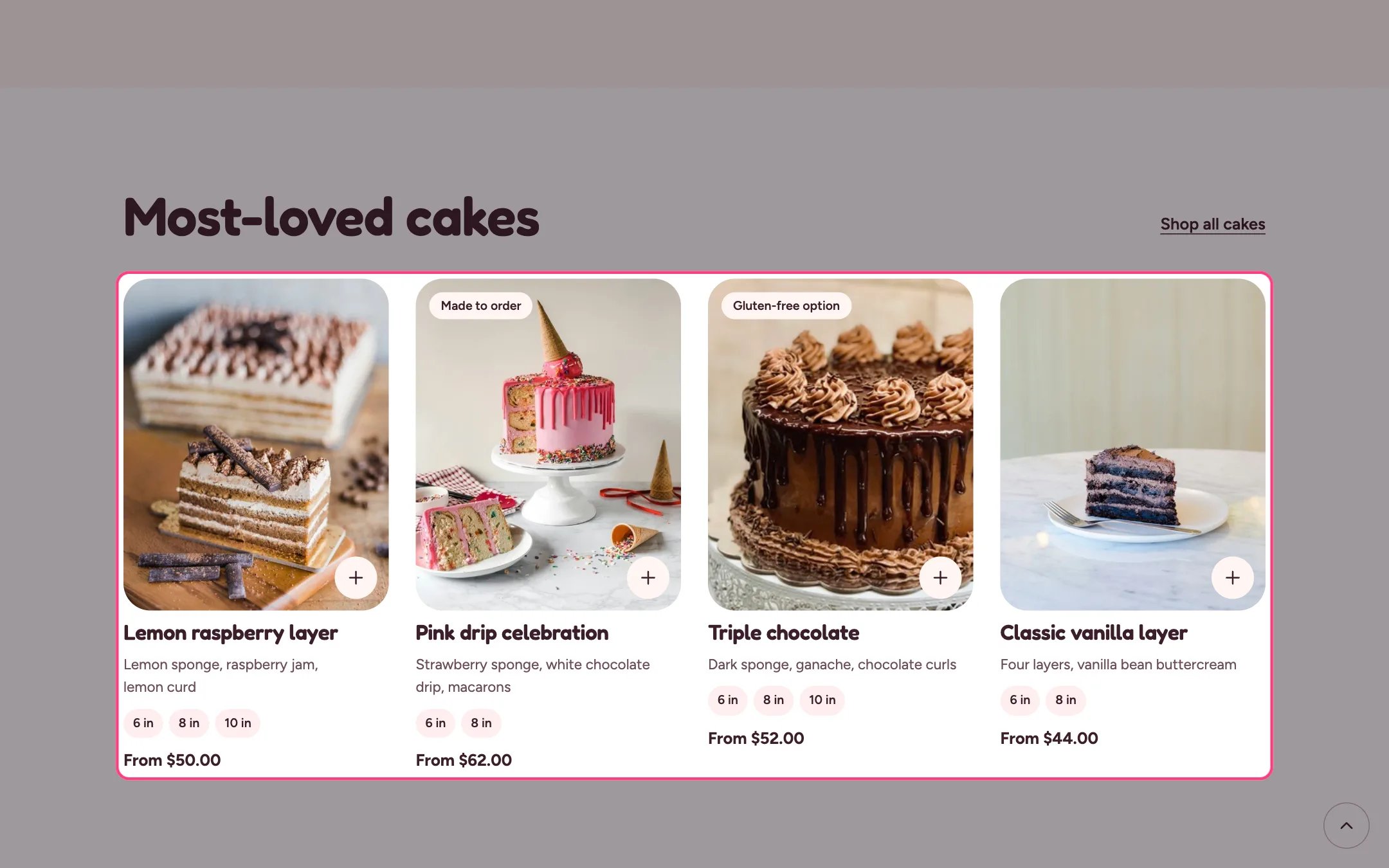
> A grid of product cards from one collection, with a link to see them all.
 ## Where to find it
Home page, the classes page and the delivery area pages. In the theme editor choose Home page, then select the section (default heading Most-loved cakes). Can be added to any page.
## How it works
* Shows 2 to 12 products from the chosen collection as product cards.
* Cards follow Theme settings, Product cards: quick add, hover image, size chips and sale badges.
* Cards show your custom badge, the Same day badge for same-day bakes, and the short description.
* With no collection chosen, sample cards show so you can see the layout.
## Where to find it
Home page, the classes page and the delivery area pages. In the theme editor choose Home page, then select the section (default heading Most-loved cakes). Can be added to any page.
## How it works
* Shows 2 to 12 products from the chosen collection as product cards.
* Cards follow Theme settings, Product cards: quick add, hover image, size chips and sale badges.
* Cards show your custom badge, the Same day badge for same-day bakes, and the short description.
* With no collection chosen, sample cards show so you can see the layout.
 ## Edit it
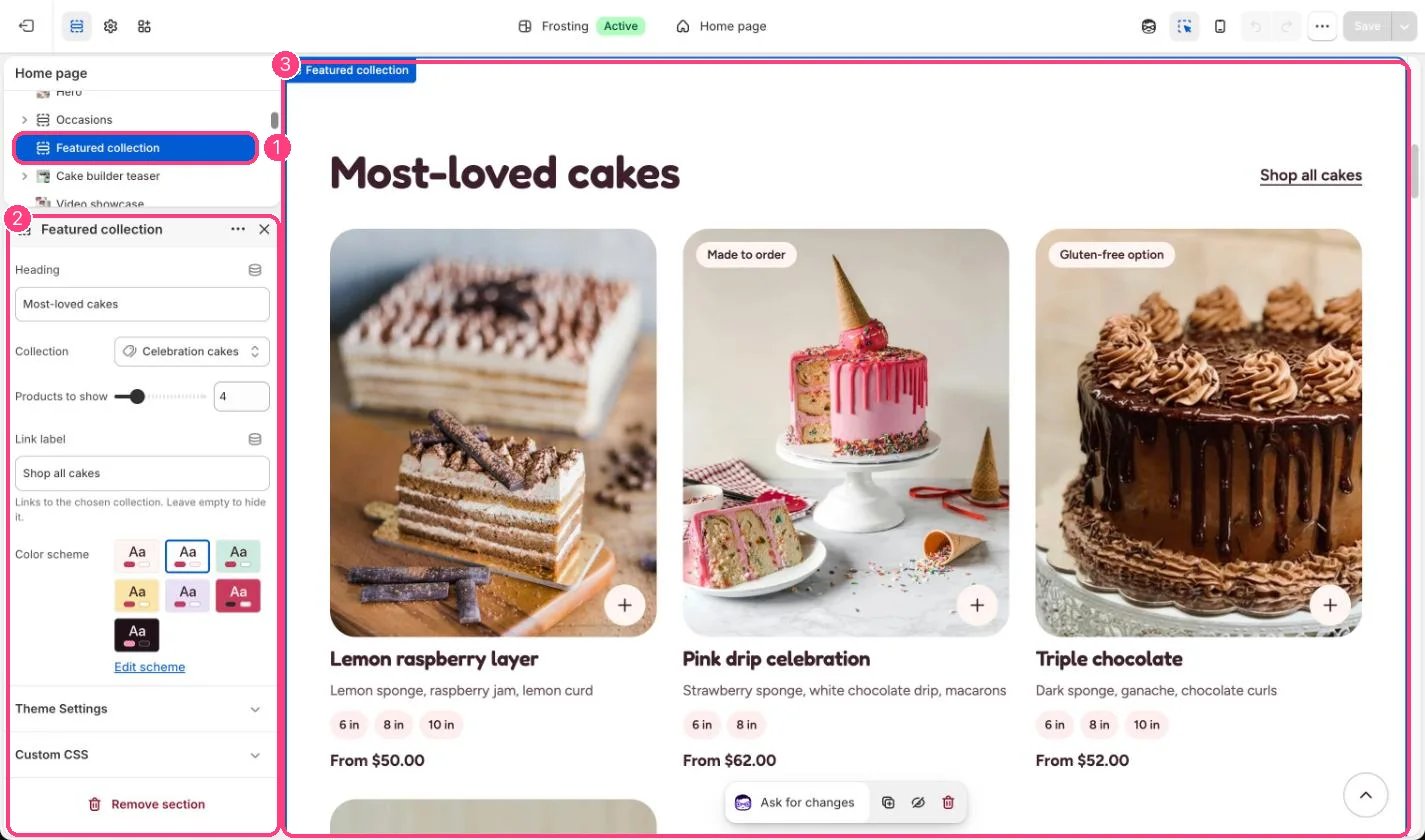
* Choose a collection and set Products to show.
* Change Link label, or leave it empty to hide the link to the collection.
* Turn quick add, the hover image, size chips and sale badges on or off for every card in Theme settings, Product cards.
## Settings
| Setting | What it does |
| - | - |
| **Heading** | Text. Default: Most-loved cakes. |
| **Collection** | Choose a collection. |
| **Products to show** | Slider from 2 to 12. Default: 4. |
| **Link label** | Text. Links to the chosen collection. Leave empty to hide it. Default: Shop all cakes. |
| **Color scheme** | Color scheme for this area (edit the schemes in Theme settings → Colors). Default: Scheme 1. |
This documentation is built and hosted on [Mintlify](https://mintlify.com), a developer documentation platform.
## Edit it
* Choose a collection and set Products to show.
* Change Link label, or leave it empty to hide the link to the collection.
* Turn quick add, the hover image, size chips and sale badges on or off for every card in Theme settings, Product cards.
## Settings
| Setting | What it does |
| - | - |
| **Heading** | Text. Default: Most-loved cakes. |
| **Collection** | Choose a collection. |
| **Products to show** | Slider from 2 to 12. Default: 4. |
| **Link label** | Text. Links to the chosen collection. Leave empty to hide it. Default: Shop all cakes. |
| **Color scheme** | Color scheme for this area (edit the schemes in Theme settings → Colors). Default: Scheme 1. |
This documentation is built and hosted on [Mintlify](https://mintlify.com), a developer documentation platform.