> ## Documentation Index
> Fetch the complete documentation index at: https://docs.kwebby.com/llms.txt
> Use this file to discover all available pages before exploring further.
# Occasions
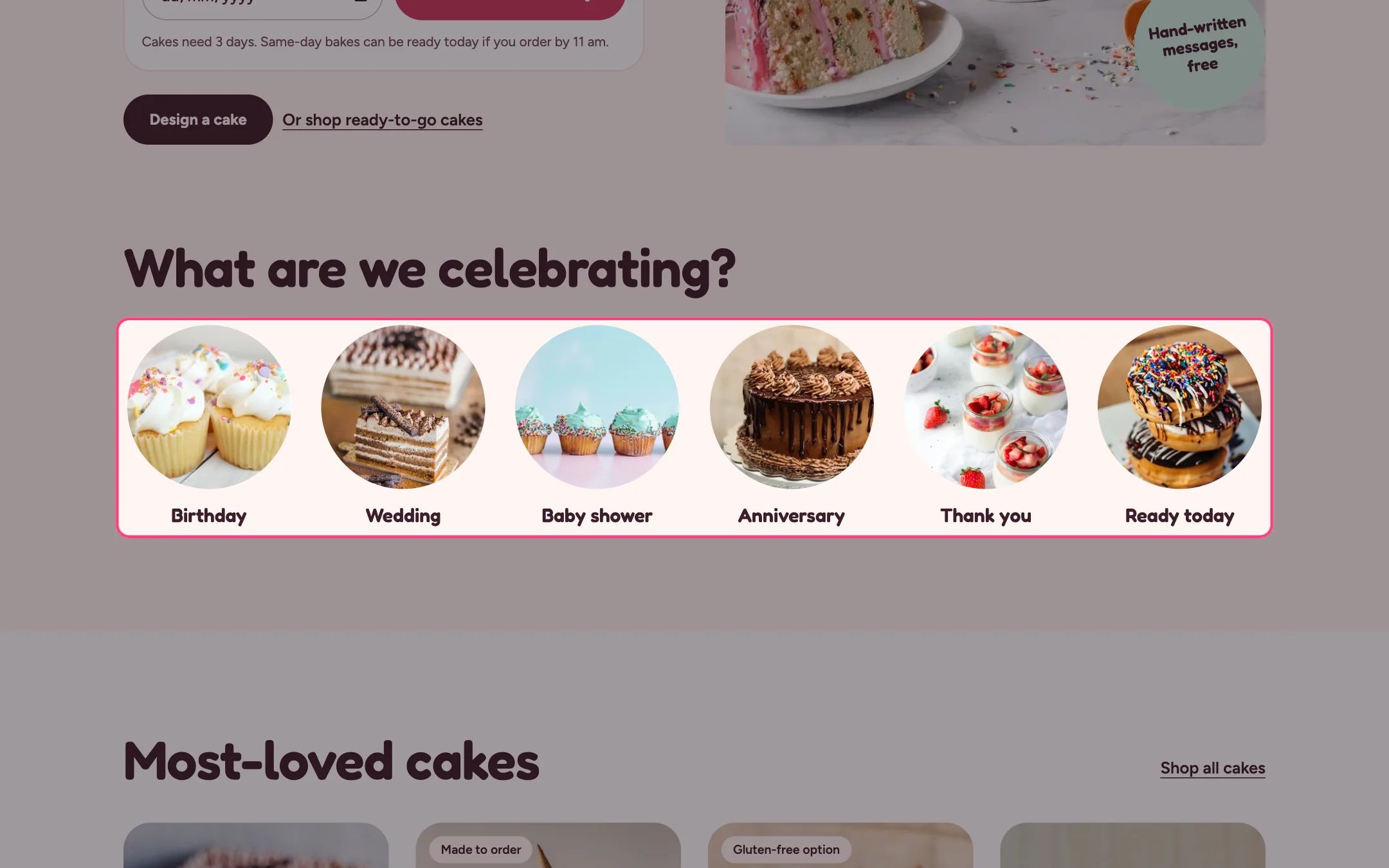
> A row of round photos that send shoppers to cakes for each celebration, such as birthdays, weddings or baby showers.
 ## Where to find it
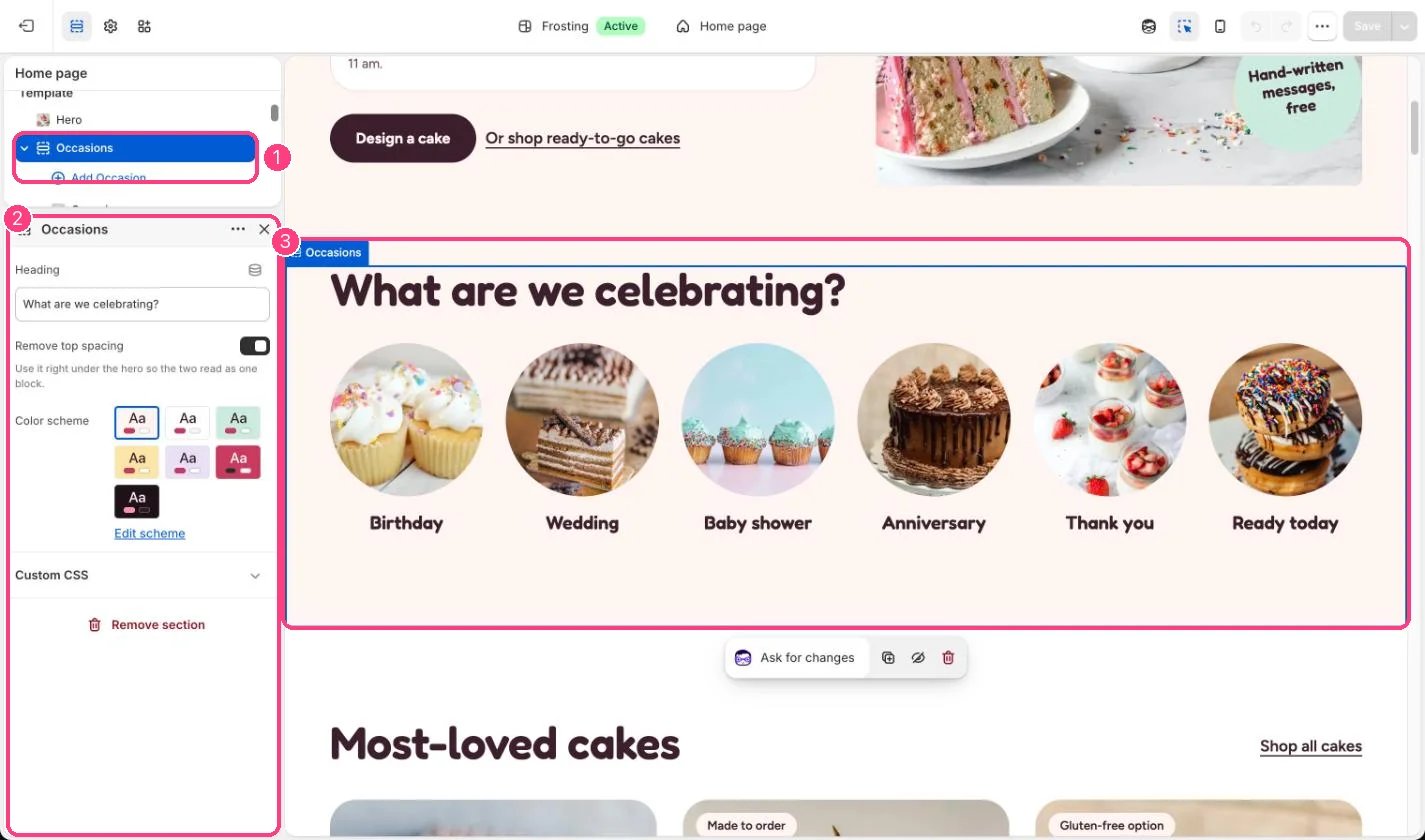
Home page, under the hero. In the theme editor choose Home page, then select Occasions. Can be added to any page with Add section.
## How it works
* Each Occasion block shows a photo cropped to a circle with a label underneath.
* Up to 12 occasions.
* Blocks without a photo show a drawn placeholder so the row keeps its shape.
## Where to find it
Home page, under the hero. In the theme editor choose Home page, then select Occasions. Can be added to any page with Add section.
## How it works
* Each Occasion block shows a photo cropped to a circle with a label underneath.
* Up to 12 occasions.
* Blocks without a photo show a drawn placeholder so the row keeps its shape.
 ## Edit it
* Use square photos so the circle crop looks right.
* Link each occasion to a collection, or to a filtered collection such as birthday cakes.
* Tick Remove top spacing when the section sits right under the hero, so the two read as one block.
## Settings
| Setting | What it does |
| - | - |
| **Heading** | Text. Default: What are we celebrating?. |
| **Remove top spacing** | On or off. Use it right under the hero so the two read as one block. Default: off. |
| **Color scheme** | Color scheme for this area (edit the schemes in Theme settings → Colors). Default: Scheme 1. |
## Blocks
Up to 12 blocks. Add a block with **Add block** under the section in the sidebar; drag blocks to reorder them.
### Occasion
| Setting | What it does |
| - | - |
| **Image** | Image: upload one or choose from Content → Files. Cropped to a circle. Square images work best. |
| **Label** | Text. Default: Birthday. |
| **Link** | Link: a page, product, collection or web address. A collection, or a filtered collection such as birthday cakes. |
This documentation is built and hosted on [Mintlify](https://mintlify.com), a developer documentation platform.
## Edit it
* Use square photos so the circle crop looks right.
* Link each occasion to a collection, or to a filtered collection such as birthday cakes.
* Tick Remove top spacing when the section sits right under the hero, so the two read as one block.
## Settings
| Setting | What it does |
| - | - |
| **Heading** | Text. Default: What are we celebrating?. |
| **Remove top spacing** | On or off. Use it right under the hero so the two read as one block. Default: off. |
| **Color scheme** | Color scheme for this area (edit the schemes in Theme settings → Colors). Default: Scheme 1. |
## Blocks
Up to 12 blocks. Add a block with **Add block** under the section in the sidebar; drag blocks to reorder them.
### Occasion
| Setting | What it does |
| - | - |
| **Image** | Image: upload one or choose from Content → Files. Cropped to a circle. Square images work best. |
| **Label** | Text. Default: Birthday. |
| **Link** | Link: a page, product, collection or web address. A collection, or a filtered collection such as birthday cakes. |
This documentation is built and hosted on [Mintlify](https://mintlify.com), a developer documentation platform.