> ## Documentation Index
> Fetch the complete documentation index at: https://docs.kwebby.com/llms.txt
> Use this file to discover all available pages before exploring further.
# Page
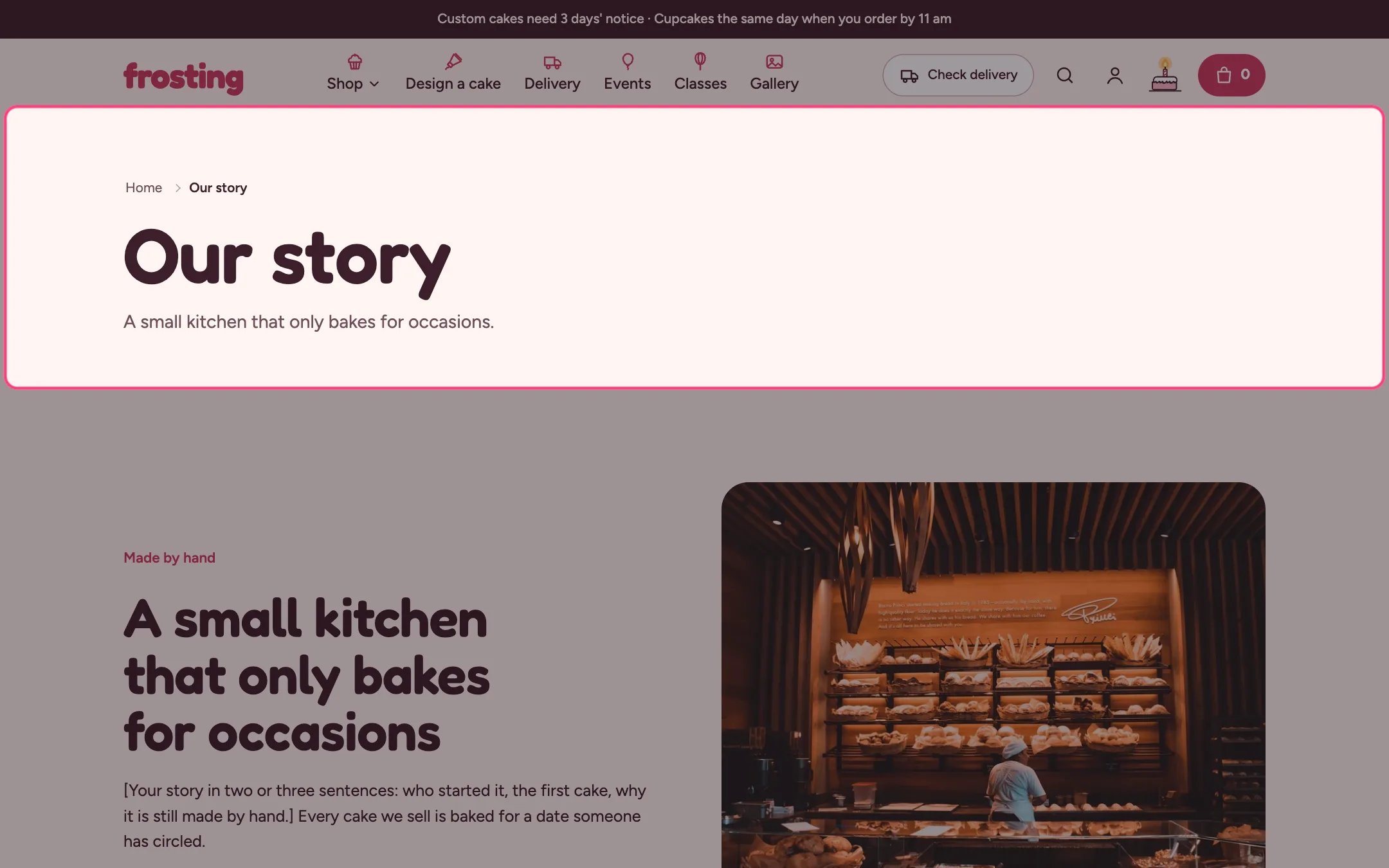
> The title and content of a page, as long-form text or as a short introduction above other sections.
 ## Where to find it
Every page template: default, about, classes, contact, delivery, events, FAQ and gallery. In the theme editor choose Pages, then the template, and select Page.
## How it works
* Long text shows the content as readable body copy.
* Short introduction shows the content as a lead paragraph under the title, for pages where other sections follow.
* Narrow width keeps lines short.
## Where to find it
Every page template: default, about, classes, contact, delivery, events, FAQ and gallery. In the theme editor choose Pages, then the template, and select Page.
## How it works
* Long text shows the content as readable body copy.
* Short introduction shows the content as a lead paragraph under the title, for pages where other sections follow.
* Narrow width keeps lines short.
 ## Edit it
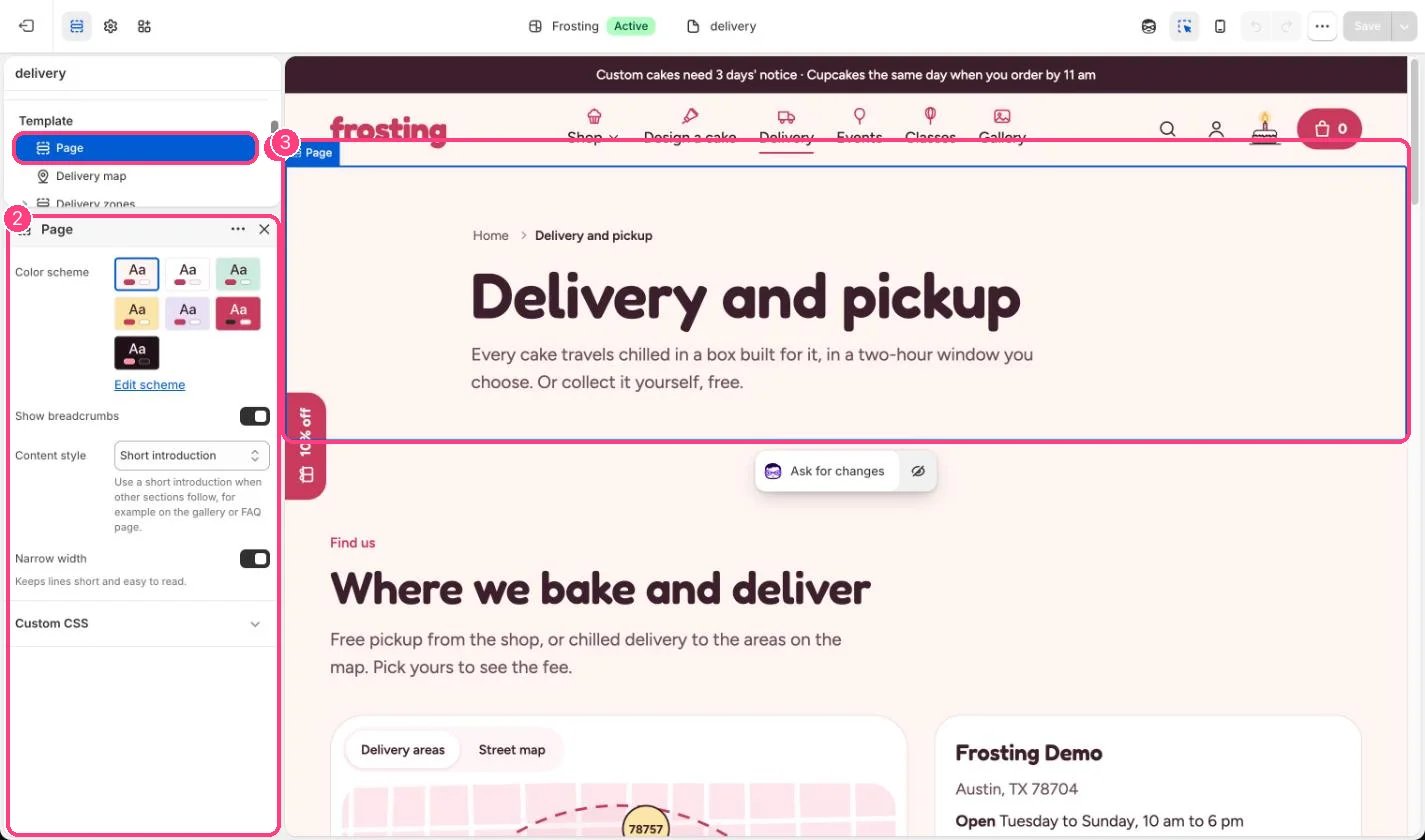
* Choose Content style for each template: Long text or Short introduction.
* Write the content in Online Store, Pages.
* Untick Show breadcrumbs to hide the Home trail above the title.
## Settings
| Setting | What it does |
| - | - |
| **Color scheme** | Color scheme for this area (edit the schemes in Theme settings → Colors). Default: Scheme 1. |
| **Show breadcrumbs** | On or off. Default: on. |
| **Content style** | Options: Long text, Short introduction. Use a short introduction when other sections follow, for example on the gallery or FAQ page. Default: Long text. |
| **Narrow width** | On or off. Keeps lines short and easy to read. Default: on. |
This documentation is built and hosted on [Mintlify](https://mintlify.com), a developer documentation platform.
## Edit it
* Choose Content style for each template: Long text or Short introduction.
* Write the content in Online Store, Pages.
* Untick Show breadcrumbs to hide the Home trail above the title.
## Settings
| Setting | What it does |
| - | - |
| **Color scheme** | Color scheme for this area (edit the schemes in Theme settings → Colors). Default: Scheme 1. |
| **Show breadcrumbs** | On or off. Default: on. |
| **Content style** | Options: Long text, Short introduction. Use a short introduction when other sections follow, for example on the gallery or FAQ page. Default: Long text. |
| **Narrow width** | On or off. Keeps lines short and easy to read. Default: on. |
This documentation is built and hosted on [Mintlify](https://mintlify.com), a developer documentation platform.