> ## Documentation Index
> Fetch the complete documentation index at: https://docs.kwebby.com/llms.txt
> Use this file to discover all available pages before exploring further.
# Testimonials
> Customer quotes in cards, or the reviews block from your reviews app.
 ## Where to find it
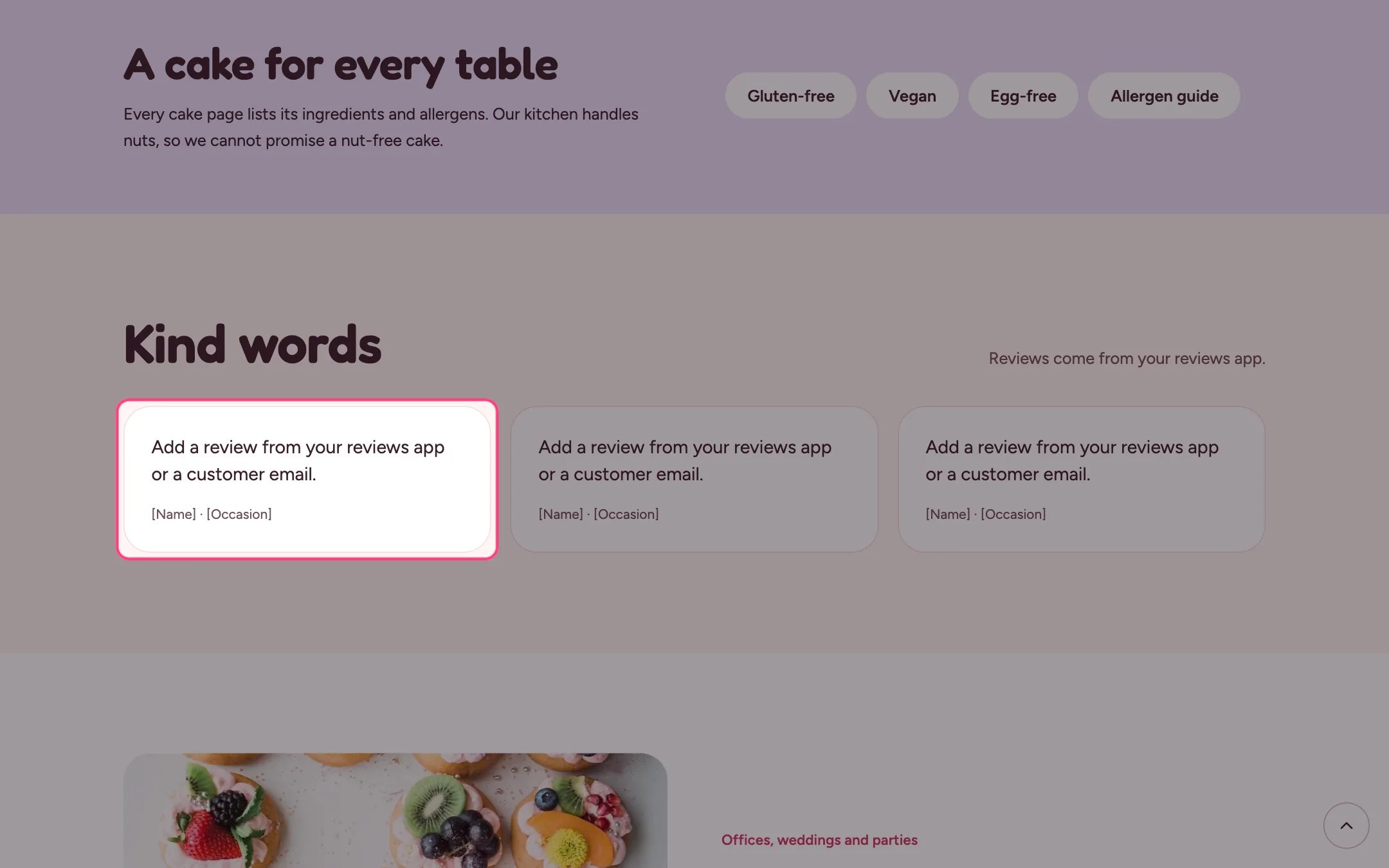
Home page. In the theme editor choose Home page, then select the section (default heading Kind words). Can be added to any page.
## How it works
* Up to 12 blocks: Quote blocks and app blocks from a reviews app.
* An app block spans the full width of the section.
* Each quote shows the name and a detail such as the occasion.
## Where to find it
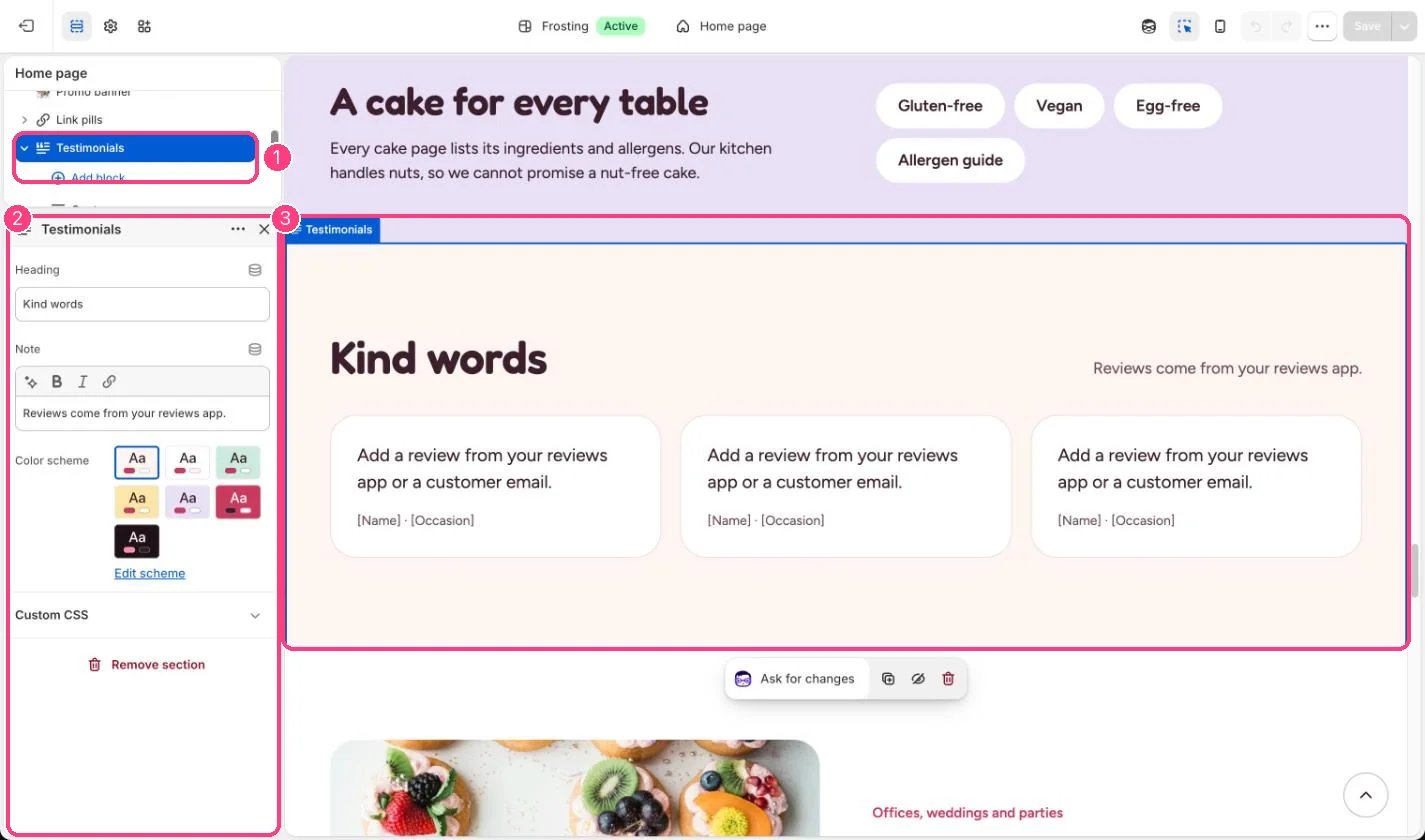
Home page. In the theme editor choose Home page, then select the section (default heading Kind words). Can be added to any page.
## How it works
* Up to 12 blocks: Quote blocks and app blocks from a reviews app.
* An app block spans the full width of the section.
* Each quote shows the name and a detail such as the occasion.
 ## Edit it
* Use real words from real customers, with their permission.
* To show app reviews, add the app's block from Add block, Apps.
* Replace \[Occasion] in each quote's detail, or clear it.
## Settings
| Setting | What it does |
| - | - |
| **Heading** | Text. Default: Kind words. |
| **Note** | Formatted text (one line). |
| **Color scheme** | Color scheme for this area (edit the schemes in Theme settings → Colors). Default: Scheme 1. |
## Blocks
Up to 12 blocks. Add a block with **Add block** under the section in the sidebar; drag blocks to reorder them.
### App blocks
Blocks from apps you have installed, such as reviews or subscriptions. Click **Add block** and choose one from the Apps tab; its settings come from the app.
### Quote
| Setting | What it does |
| - | - |
| **Quote** | Text (several lines). Use real words from a real customer, with their permission. Default: Add a review from your reviews app or a customer email. |
| **Name** | Text. Default: \[Name]. |
| **Detail** | Text. For example the occasion or the cake they ordered. Default: \[Occasion]. |
This documentation is built and hosted on [Mintlify](https://mintlify.com), a developer documentation platform.
## Edit it
* Use real words from real customers, with their permission.
* To show app reviews, add the app's block from Add block, Apps.
* Replace \[Occasion] in each quote's detail, or clear it.
## Settings
| Setting | What it does |
| - | - |
| **Heading** | Text. Default: Kind words. |
| **Note** | Formatted text (one line). |
| **Color scheme** | Color scheme for this area (edit the schemes in Theme settings → Colors). Default: Scheme 1. |
## Blocks
Up to 12 blocks. Add a block with **Add block** under the section in the sidebar; drag blocks to reorder them.
### App blocks
Blocks from apps you have installed, such as reviews or subscriptions. Click **Add block** and choose one from the Apps tab; its settings come from the app.
### Quote
| Setting | What it does |
| - | - |
| **Quote** | Text (several lines). Use real words from a real customer, with their permission. Default: Add a review from your reviews app or a customer email. |
| **Name** | Text. Default: \[Name]. |
| **Detail** | Text. For example the occasion or the cake they ordered. Default: \[Occasion]. |
This documentation is built and hosted on [Mintlify](https://mintlify.com), a developer documentation platform.