> ## Documentation Index
> Fetch the complete documentation index at: https://docs.kwebby.com/llms.txt
> Use this file to discover all available pages before exploring further.
# Video showcase
> One wide video, uploaded or from YouTube or Vimeo, to show your kitchen at work.
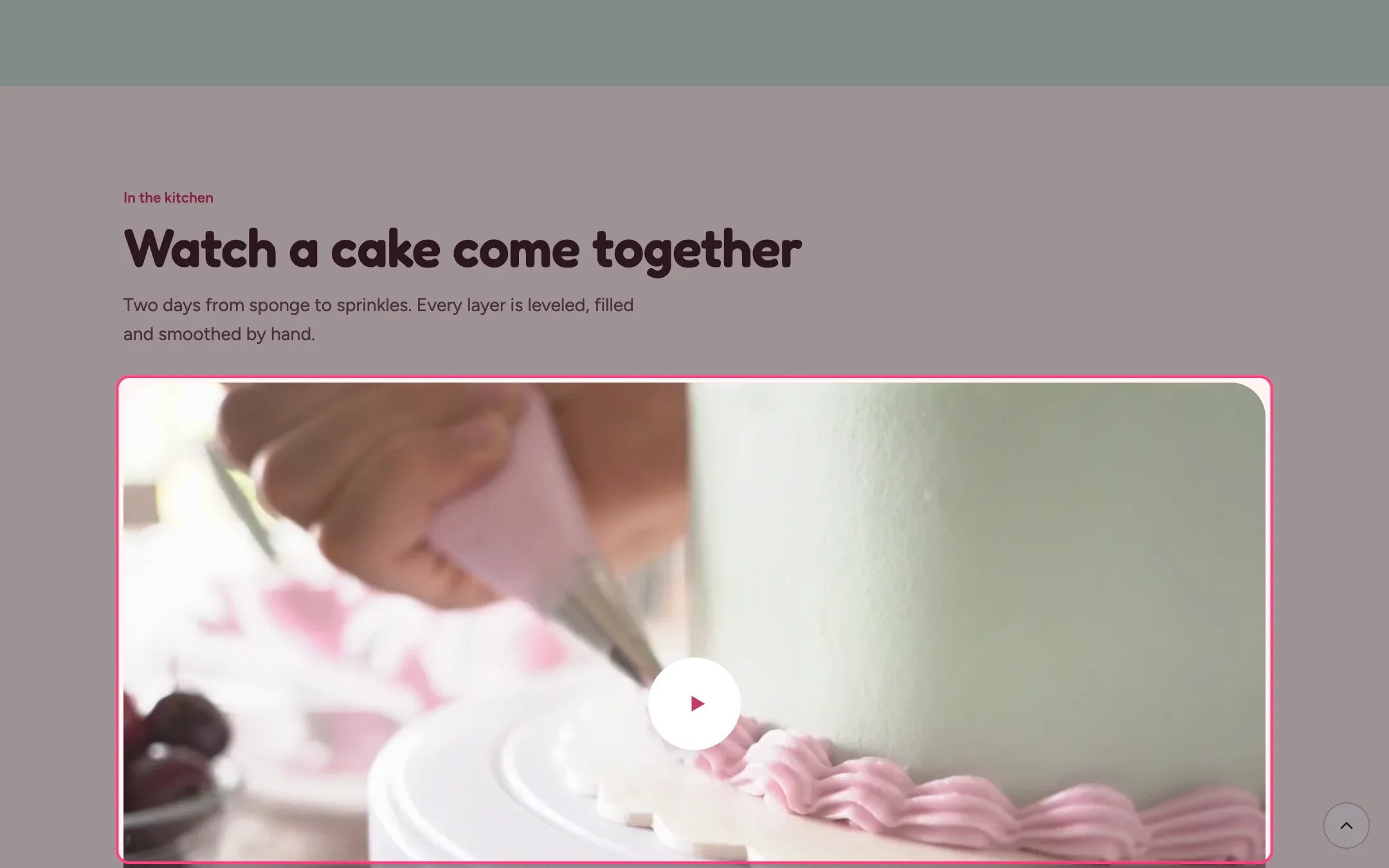 ## Where to find it
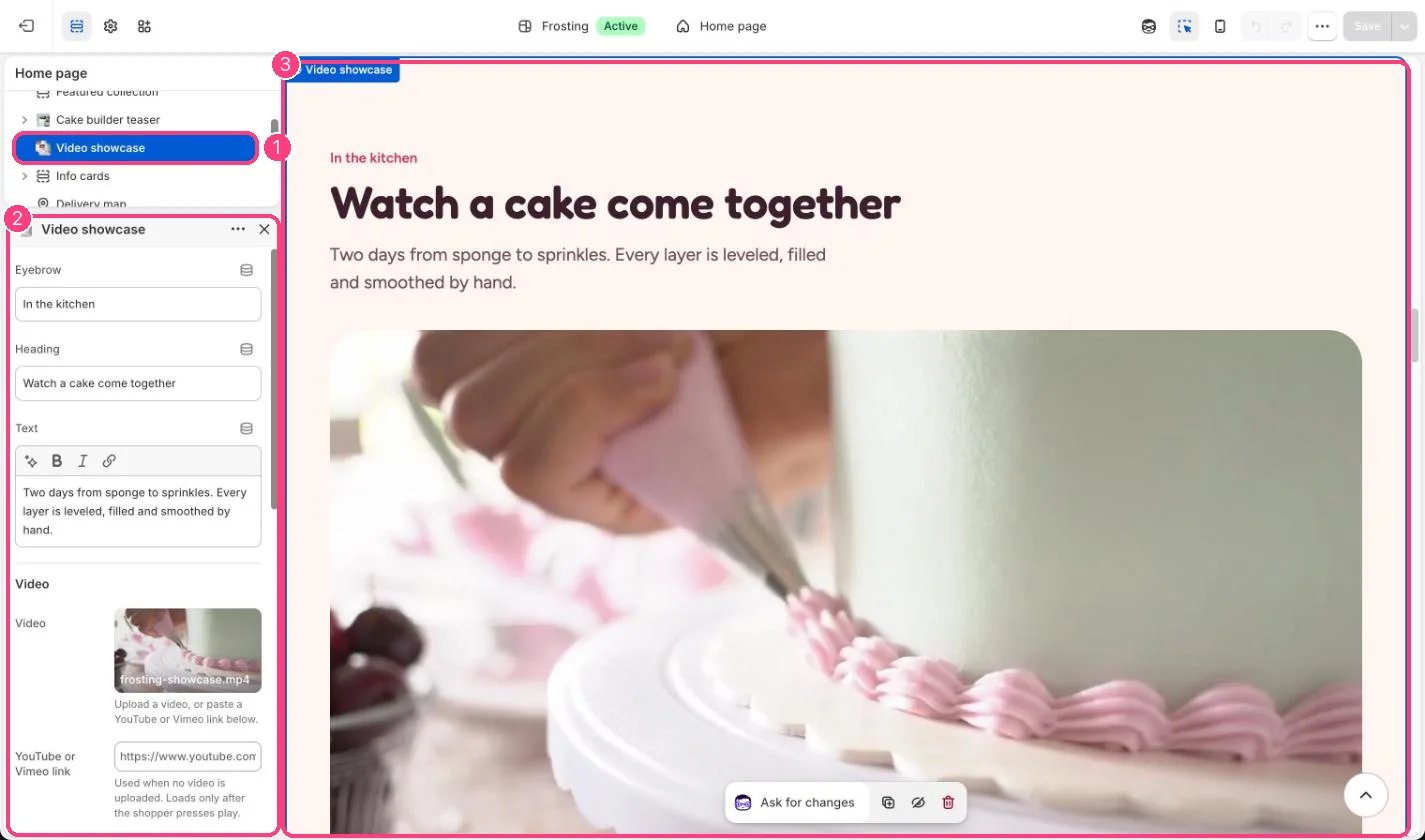
Home page. In the theme editor choose Home page, then select Video showcase. Can be added to any page.
## How it works
* An uploaded video loads only when needed. With Play muted in the background on, it plays silently while on screen and pauses when scrolled away.
* Background playback never runs for visitors who ask for reduced motion or turn on data saving.
* A YouTube or Vimeo link shows your poster image until the shopper presses play. Only then does the player load, using YouTube's privacy-enhanced mode or Vimeo's do-not-track option.
* Uploaded videos have a play and pause button; the description is read out to screen reader users.
## Where to find it
Home page. In the theme editor choose Home page, then select Video showcase. Can be added to any page.
## How it works
* An uploaded video loads only when needed. With Play muted in the background on, it plays silently while on screen and pauses when scrolled away.
* Background playback never runs for visitors who ask for reduced motion or turn on data saving.
* A YouTube or Vimeo link shows your poster image until the shopper presses play. Only then does the player load, using YouTube's privacy-enhanced mode or Vimeo's do-not-track option.
* Uploaded videos have a play and pause button; the description is read out to screen reader users.
 ## Edit it
* Upload a video, or paste a YouTube or Vimeo link. An uploaded video wins when both are set.
* Add a poster image, especially for YouTube and Vimeo links.
* Write a Video description that says what happens in the video.
* Add a Credit, for example who filmed it.
## Settings
| Setting | What it does |
| - | - |
| **Eyebrow** | Text. Default: In the kitchen. |
| **Heading** | Text. Default: Watch a cake come together. |
| **Text** | Formatted text (one line). |
**Video**
| Setting | What it does |
| - | - |
| **Video** | Video: upload one or choose from Content → Files. Upload a video, or paste a YouTube or Vimeo link below. |
| **YouTube or Vimeo link** | YouTube or Vimeo link. Used when no video is uploaded. Loads only after the shopper presses play. |
| **Poster image** | Image: upload one or choose from Content → Files. Shown before the video plays. Recommended for YouTube and Vimeo links. |
| **Video description** | Text. Read by screen readers. Default: Piping a buttercream border on a layer cake. |
| **Play muted in the background while on screen** | On or off. Uploaded videos only. Never plays for visitors who prefer reduced motion or save data. Default: on. |
| **Credit** | Formatted text (one line). For example who filmed the video. |
| **Color scheme** | Color scheme for this area (edit the schemes in Theme settings → Colors). Default: Scheme 1. |
This documentation is built and hosted on [Mintlify](https://mintlify.com), a developer documentation platform.
## Edit it
* Upload a video, or paste a YouTube or Vimeo link. An uploaded video wins when both are set.
* Add a poster image, especially for YouTube and Vimeo links.
* Write a Video description that says what happens in the video.
* Add a Credit, for example who filmed it.
## Settings
| Setting | What it does |
| - | - |
| **Eyebrow** | Text. Default: In the kitchen. |
| **Heading** | Text. Default: Watch a cake come together. |
| **Text** | Formatted text (one line). |
**Video**
| Setting | What it does |
| - | - |
| **Video** | Video: upload one or choose from Content → Files. Upload a video, or paste a YouTube or Vimeo link below. |
| **YouTube or Vimeo link** | YouTube or Vimeo link. Used when no video is uploaded. Loads only after the shopper presses play. |
| **Poster image** | Image: upload one or choose from Content → Files. Shown before the video plays. Recommended for YouTube and Vimeo links. |
| **Video description** | Text. Read by screen readers. Default: Piping a buttercream border on a layer cake. |
| **Play muted in the background while on screen** | On or off. Uploaded videos only. Never plays for visitors who prefer reduced motion or save data. Default: on. |
| **Credit** | Formatted text (one line). For example who filmed the video. |
| **Color scheme** | Color scheme for this area (edit the schemes in Theme settings → Colors). Default: Scheme 1. |
This documentation is built and hosted on [Mintlify](https://mintlify.com), a developer documentation platform.