> ## Documentation Index
> Fetch the complete documentation index at: https://docs.kwebby.com/llms.txt
> Use this file to discover all available pages before exploring further.
# Search
> Search suggestions in the header search box.
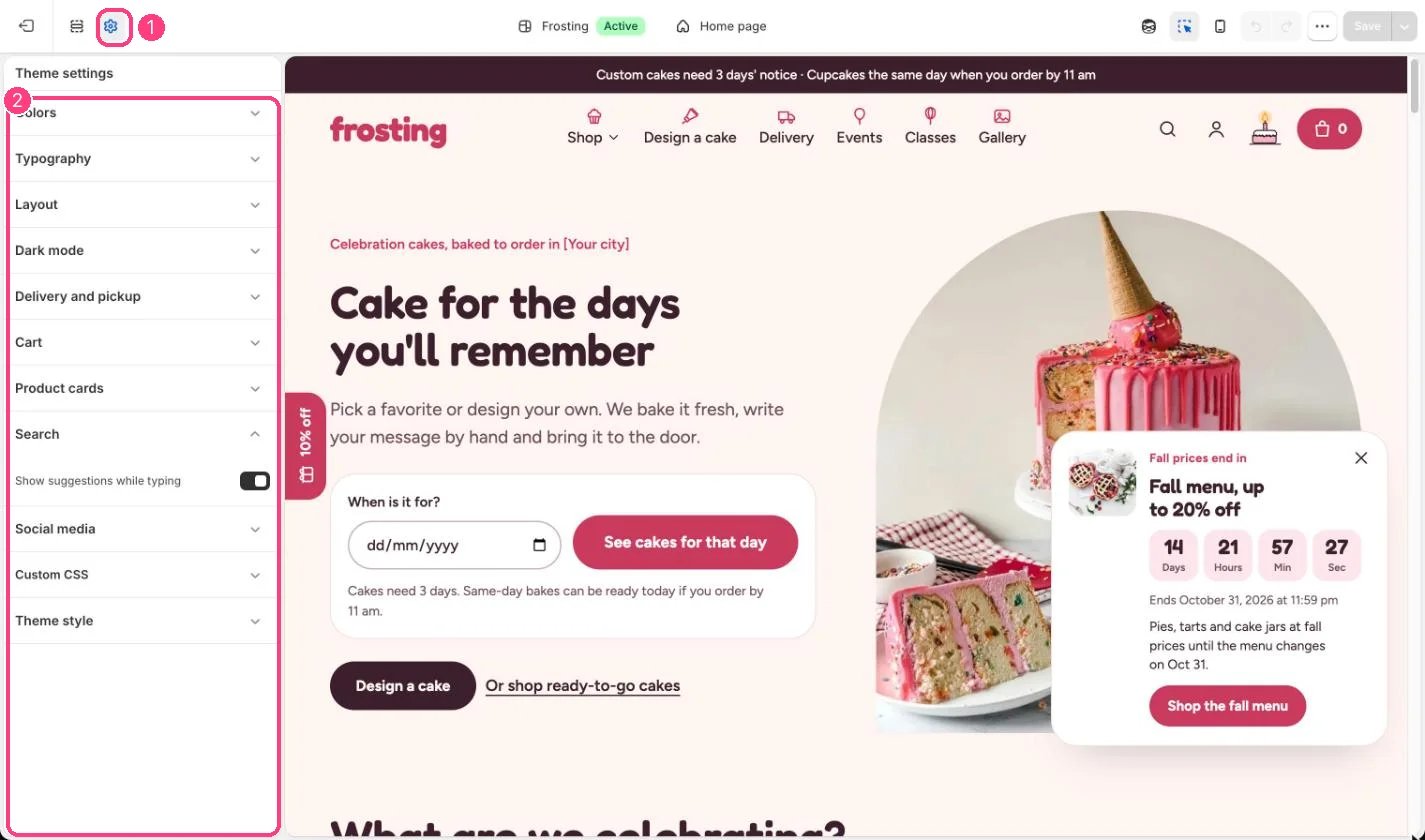
**Where:** in the theme editor, open **Theme settings** (the gear icon at the top of the left sidebar) and choose **Search**.
 ## How it works
* Suggestions show products, collections, articles and pages as shoppers type.
* Builder add-ons with the seo.hidden metafield are always left out.
* In this version, unticking Show suggestions while typing does not turn the suggestions off.
## Edit it
* Set the popular searches shown before typing in the Header section, Search.
## Settings
| Setting | What it does |
| - | - |
| **Show suggestions while typing** | On or off. Default: on. |
This documentation is built and hosted on [Mintlify](https://mintlify.com), a developer documentation platform.
## How it works
* Suggestions show products, collections, articles and pages as shoppers type.
* Builder add-ons with the seo.hidden metafield are always left out.
* In this version, unticking Show suggestions while typing does not turn the suggestions off.
## Edit it
* Set the popular searches shown before typing in the Header section, Search.
## Settings
| Setting | What it does |
| - | - |
| **Show suggestions while typing** | On or off. Default: on. |
This documentation is built and hosted on [Mintlify](https://mintlify.com), a developer documentation platform.