> ## Documentation Index
> Fetch the complete documentation index at: https://docs.kwebby.com/llms.txt
> Use this file to discover all available pages before exploring further.
# Typography
> The fonts for headings and body text, and the overall heading size.
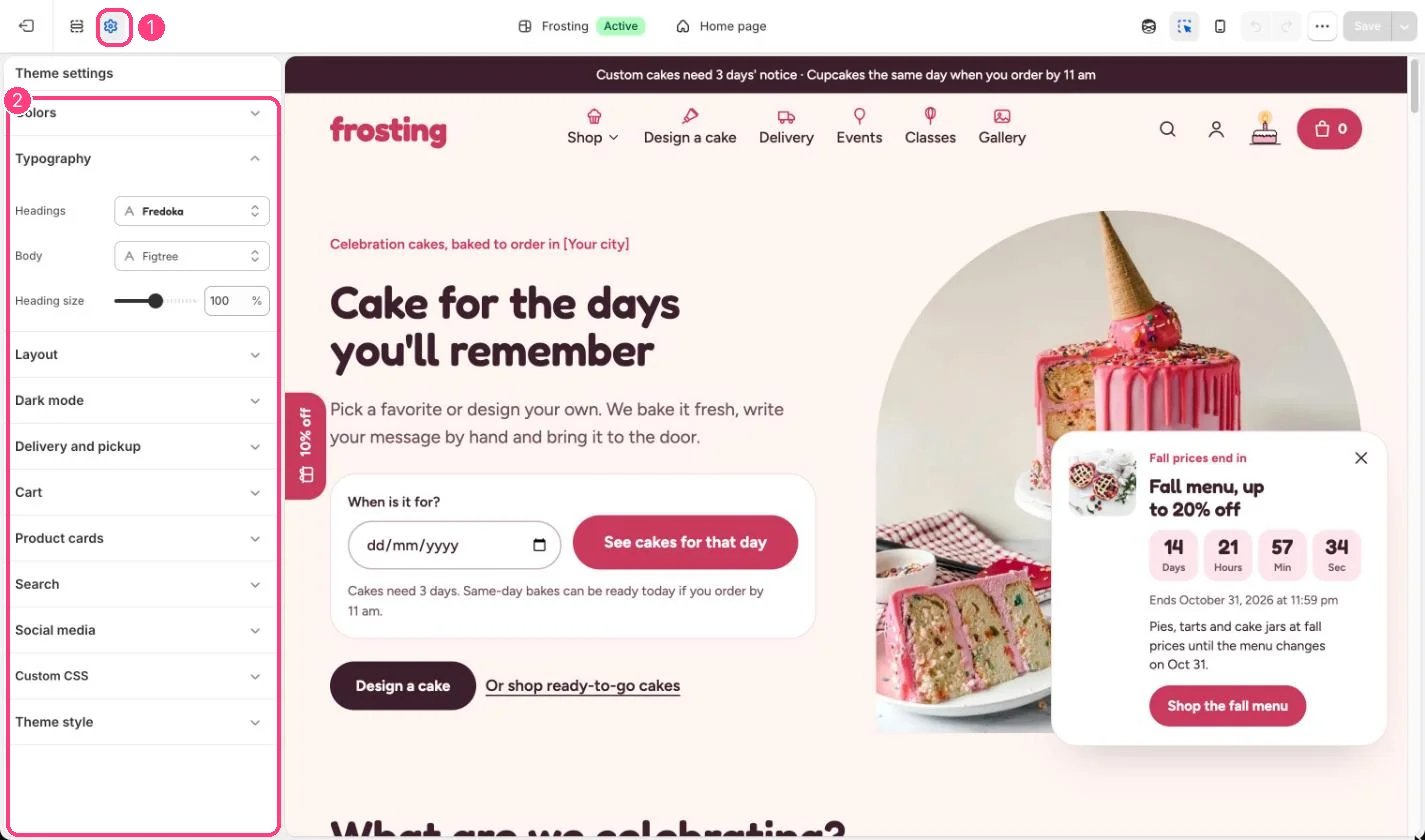
**Where:** in the theme editor, open **Theme settings** (the gear icon at the top of the left sidebar) and choose **Typography**.
 ## How it works
* Headings default to Fredoka and body text to Figtree, both from Shopify's font library.
* Heading size scales every heading from 80 to 120 percent.
## Edit it
* Choose fonts from the font picker.
* Lower Heading size if long cake names wrap awkwardly on phones.
## Settings
| Setting | What it does |
| - | - |
| **Headings** | Font from Shopify's font library. Default: fredoka\_n6. |
| **Body** | Font from Shopify's font library. Default: figtree\_n4. |
| **Heading size** | Slider from 80 to 120 %, in steps of 5. Default: 100 %. |
This documentation is built and hosted on [Mintlify](https://mintlify.com), a developer documentation platform.
## How it works
* Headings default to Fredoka and body text to Figtree, both from Shopify's font library.
* Heading size scales every heading from 80 to 120 percent.
## Edit it
* Choose fonts from the font picker.
* Lower Heading size if long cake names wrap awkwardly on phones.
## Settings
| Setting | What it does |
| - | - |
| **Headings** | Font from Shopify's font library. Default: fredoka\_n6. |
| **Body** | Font from Shopify's font library. Default: figtree\_n4. |
| **Heading size** | Slider from 80 to 120 %, in steps of 5. Default: 100 %. |
This documentation is built and hosted on [Mintlify](https://mintlify.com), a developer documentation platform.