> ## Documentation Index
> Fetch the complete documentation index at: https://docs.kwebby.com/llms.txt
> Use this file to discover all available pages before exploring further.
# 404 page
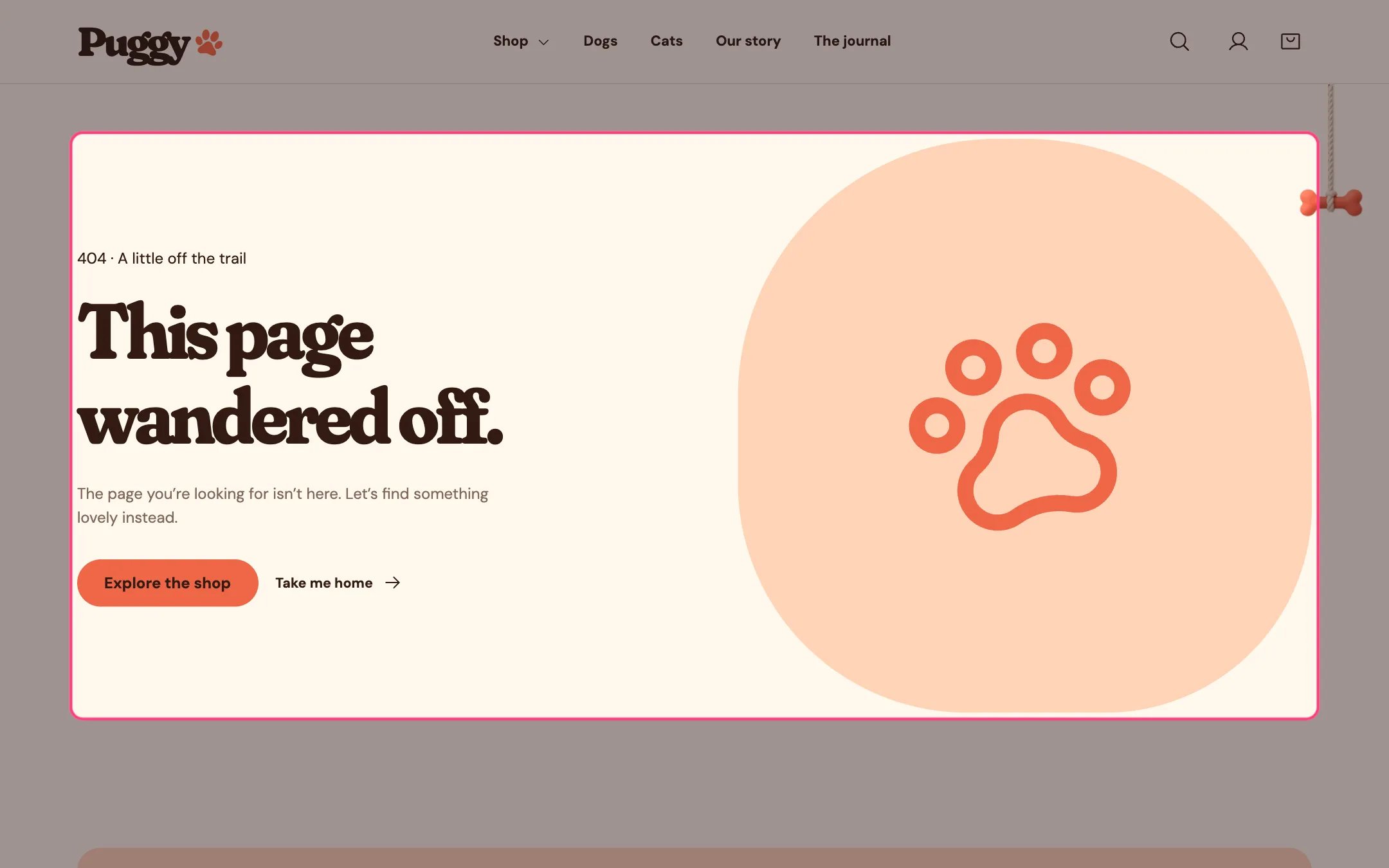
> The page shoppers see when a link is broken, with friendly text and links back to the shop and the home page.
 ## Where to find it
Any missing page. Choose 404 page in the top page selector, then select 404 page.
## How it works
* Shows a short message with an Explore the shop button and a Take me home link.
* Shows your image, or a large paw when no image is chosen.
## Where to find it
Any missing page. Choose 404 page in the top page selector, then select 404 page.
## How it works
* Shows a short message with an Explore the shop button and a Take me home link.
* Shows your image, or a large paw when no image is chosen.
 ## Edit it
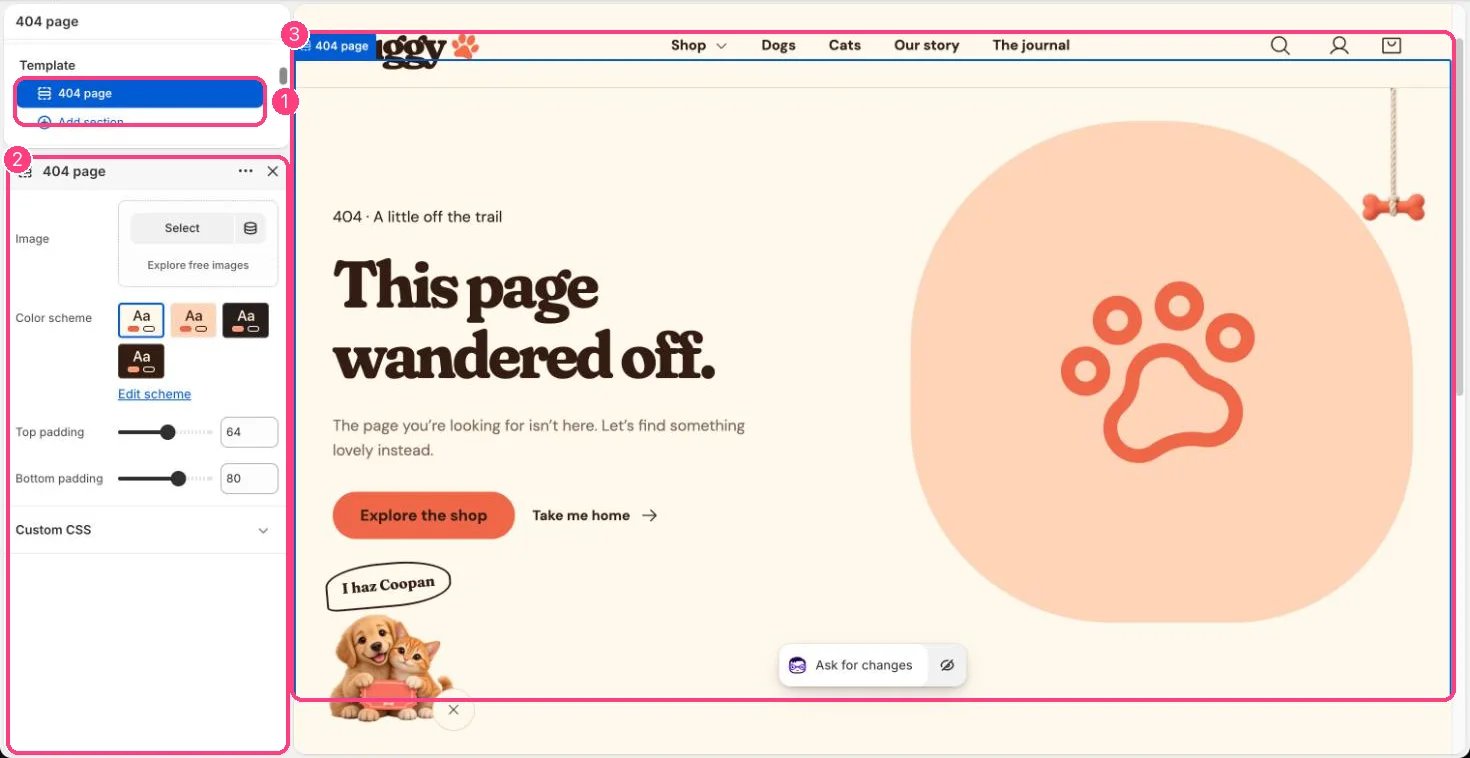
* Choose an Image, Color scheme, Top padding and Bottom padding.
* To change the words, go to Online Store > Themes, open the menu beside Puggy, choose Edit default theme content and search for This page wandered off.
## Settings
| Setting | What it does |
| - | - |
| **Image** | Image: upload one or choose from Content → Files. |
| **Color scheme** | Color scheme for this area (edit the schemes in Theme settings → Colors). Default: Scheme 1. |
| **Top padding** | Slider from 0 to 120, in steps of 4. Default: 64. |
| **Bottom padding** | Slider from 0 to 120, in steps of 4. Default: 80. |
This documentation is built and hosted on [Mintlify](https://mintlify.com), a developer documentation platform.
## Edit it
* Choose an Image, Color scheme, Top padding and Bottom padding.
* To change the words, go to Online Store > Themes, open the menu beside Puggy, choose Edit default theme content and search for This page wandered off.
## Settings
| Setting | What it does |
| - | - |
| **Image** | Image: upload one or choose from Content → Files. |
| **Color scheme** | Color scheme for this area (edit the schemes in Theme settings → Colors). Default: Scheme 1. |
| **Top padding** | Slider from 0 to 120, in steps of 4. Default: 64. |
| **Bottom padding** | Slider from 0 to 120, in steps of 4. Default: 80. |
This documentation is built and hosted on [Mintlify](https://mintlify.com), a developer documentation platform.