> ## Documentation Index
> Fetch the complete documentation index at: https://docs.kwebby.com/llms.txt
> Use this file to discover all available pages before exploring further.
# Custom Liquid
> A section for your own Liquid, HTML or embed code, such as a video embed or a small widget.
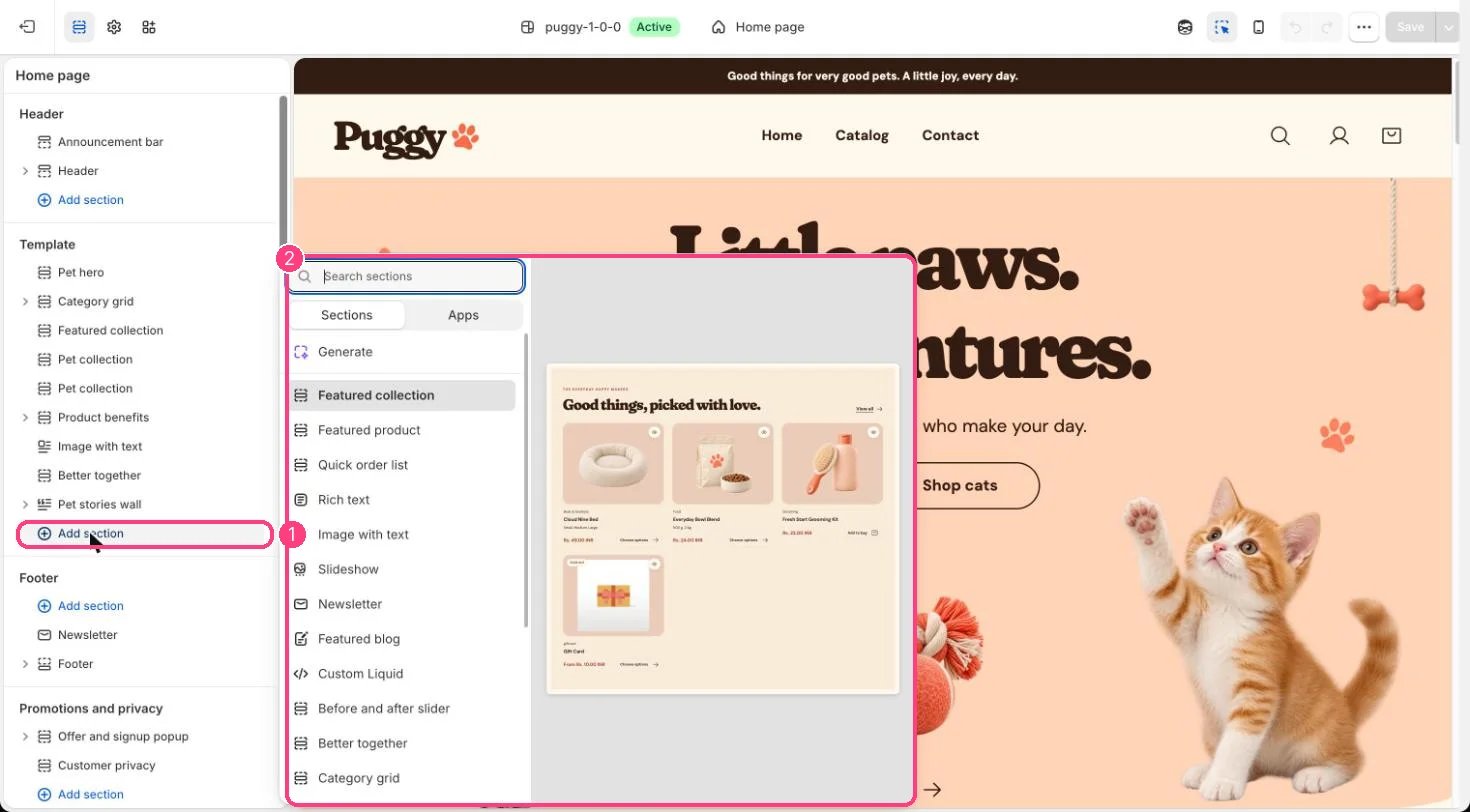 ## Where to find it
Add it to any page with Add section > Custom Liquid.
## How it works
* Outputs your code inside the theme's page width, with the color scheme and spacing you choose.
## Edit it
* Paste your code into Custom Liquid.
* Set the Color scheme and spacing, then preview on desktop and phone before saving.
## Settings
| Setting | What it does |
| - | - |
| **Custom Liquid** | Liquid code. |
| **Color scheme** | Color scheme for this area (edit the schemes in Theme settings → Colors). Default: Scheme 1. |
| **Top spacing** | Slider from 0 to 120 px, in steps of 4. Default: 64 px. |
| **Bottom spacing** | Slider from 0 to 120 px, in steps of 4. Default: 64 px. |
Code you add here is yours to maintain. Broken code can affect the page around it.
This documentation is built and hosted on [Mintlify](https://mintlify.com), a developer documentation platform.
## Where to find it
Add it to any page with Add section > Custom Liquid.
## How it works
* Outputs your code inside the theme's page width, with the color scheme and spacing you choose.
## Edit it
* Paste your code into Custom Liquid.
* Set the Color scheme and spacing, then preview on desktop and phone before saving.
## Settings
| Setting | What it does |
| - | - |
| **Custom Liquid** | Liquid code. |
| **Color scheme** | Color scheme for this area (edit the schemes in Theme settings → Colors). Default: Scheme 1. |
| **Top spacing** | Slider from 0 to 120 px, in steps of 4. Default: 64 px. |
| **Bottom spacing** | Slider from 0 to 120 px, in steps of 4. Default: 64 px. |
Code you add here is yours to maintain. Broken code can affect the page around it.
This documentation is built and hosted on [Mintlify](https://mintlify.com), a developer documentation platform.