> ## Documentation Index
> Fetch the complete documentation index at: https://docs.kwebby.com/llms.txt
> Use this file to discover all available pages before exploring further.
# Newsletter
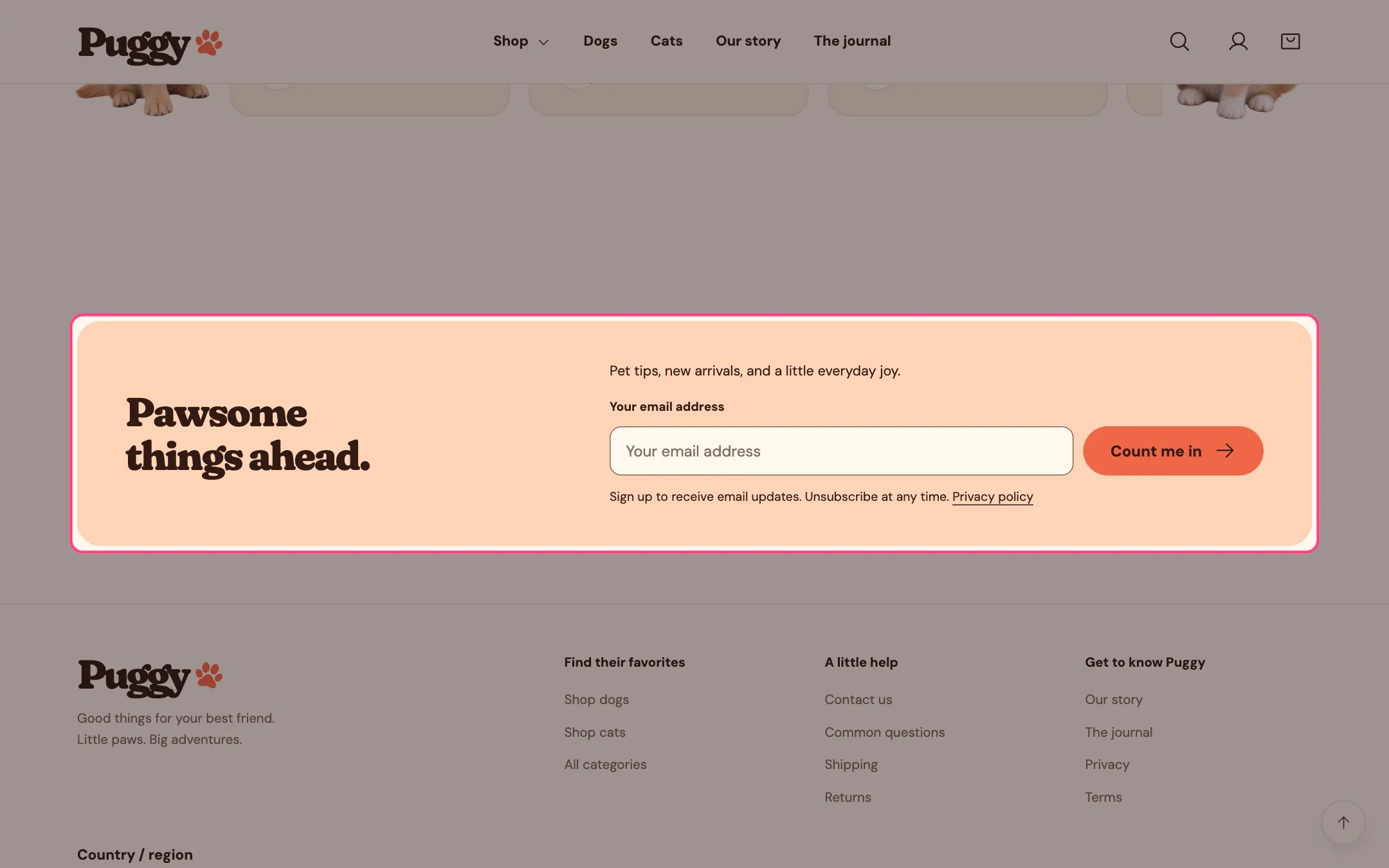
> An email signup panel that adds subscribers to your Shopify customer list. It sits just above the footer by default.
 ## Where to find it
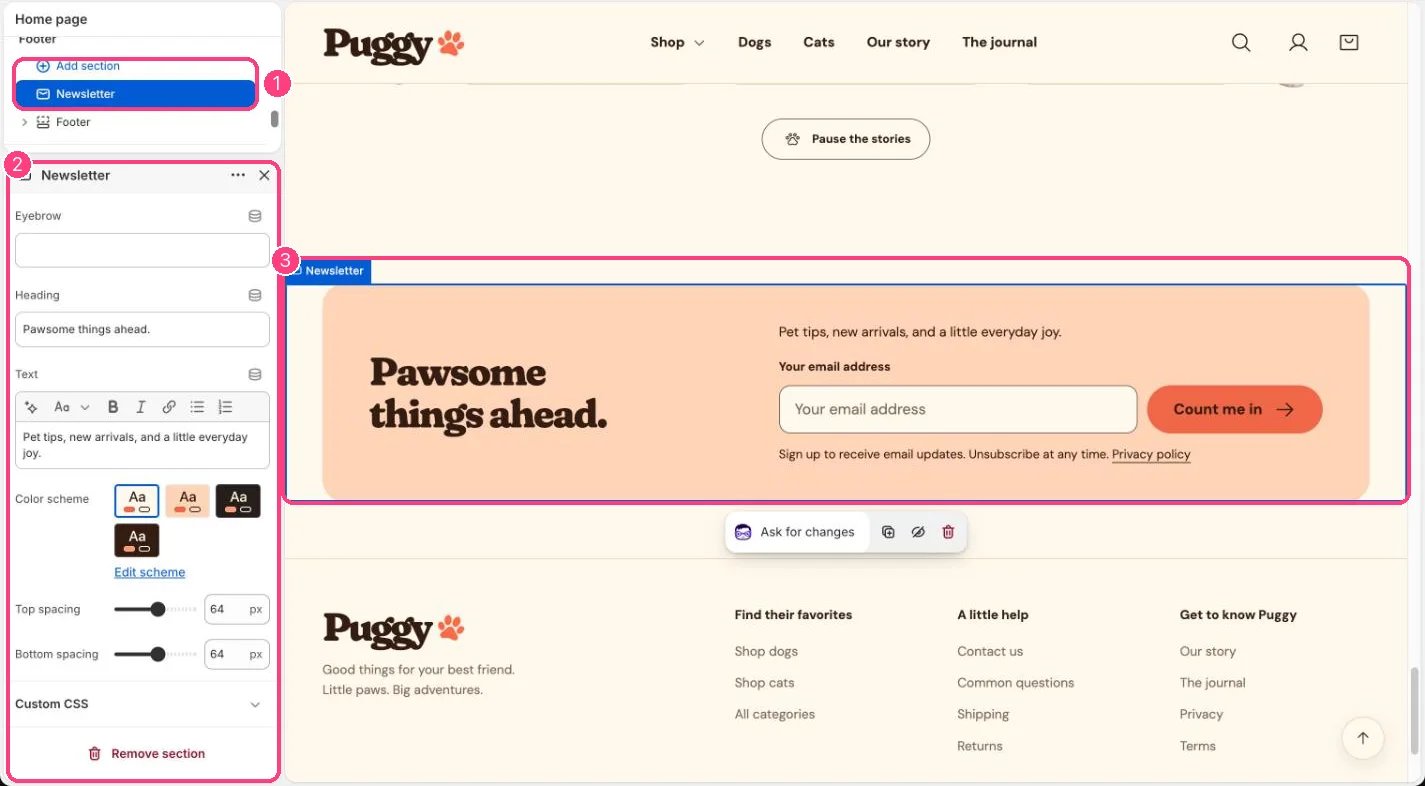
Every page, in the Footer area. In the theme editor, select Newsletter in the Footer area of the sidebar. You can also add it to any page with Add section > Newsletter.
## How it works
* Uses Shopify's own customer signup form. New subscribers appear in Customers, tagged newsletter and subscribed to email marketing.
* After signing up, shoppers see a thank-you message in place of the form. Errors appear right under the email field.
* A short consent line sits under the form, with a link to your privacy policy when one is published.
* The heading sits beside the form on larger screens and above it on phones, inside a rounded peach panel.
## Where to find it
Every page, in the Footer area. In the theme editor, select Newsletter in the Footer area of the sidebar. You can also add it to any page with Add section > Newsletter.
## How it works
* Uses Shopify's own customer signup form. New subscribers appear in Customers, tagged newsletter and subscribed to email marketing.
* After signing up, shoppers see a thank-you message in place of the form. Errors appear right under the email field.
* A short consent line sits under the form, with a link to your privacy policy when one is published.
* The heading sits beside the form on larger screens and above it on phones, inside a rounded peach panel.
 ## Edit it
* Edit Eyebrow, Heading and Text.
* Pick a Color scheme and set Top spacing and Bottom spacing (0 to 120 px).
* Find new subscribers in Shopify admin under Customers, filtered by the newsletter tag or by email subscription status.
## Settings
| Setting | What it does |
| - | - |
| **Eyebrow** | Text. Default: A little everyday joy. |
| **Heading** | Text. Default: Pawsome things ahead. |
| **Text** | Formatted text. |
| **Color scheme** | Color scheme for this area (edit the schemes in Theme settings → Colors). Default: Scheme 1. |
| **Top spacing** | Slider from 0 to 120 px, in steps of 4. Default: 64 px. |
| **Bottom spacing** | Slider from 0 to 120 px, in steps of 4. Default: 64 px. |
This form collects email only. For SMS or WhatsApp signups with their own consent choices, use Shopify Forms (see the Email signups, forms and consent guide).
This documentation is built and hosted on [Mintlify](https://mintlify.com), a developer documentation platform.
## Edit it
* Edit Eyebrow, Heading and Text.
* Pick a Color scheme and set Top spacing and Bottom spacing (0 to 120 px).
* Find new subscribers in Shopify admin under Customers, filtered by the newsletter tag or by email subscription status.
## Settings
| Setting | What it does |
| - | - |
| **Eyebrow** | Text. Default: A little everyday joy. |
| **Heading** | Text. Default: Pawsome things ahead. |
| **Text** | Formatted text. |
| **Color scheme** | Color scheme for this area (edit the schemes in Theme settings → Colors). Default: Scheme 1. |
| **Top spacing** | Slider from 0 to 120 px, in steps of 4. Default: 64 px. |
| **Bottom spacing** | Slider from 0 to 120 px, in steps of 4. Default: 64 px. |
This form collects email only. For SMS or WhatsApp signups with their own consent choices, use Shopify Forms (see the Email signups, forms and consent guide).
This documentation is built and hosted on [Mintlify](https://mintlify.com), a developer documentation platform.