> ## Documentation Index
> Fetch the complete documentation index at: https://docs.kwebby.com/llms.txt
> Use this file to discover all available pages before exploring further.
# Press coverage
> Logos and quotes from publications that featured your brand.
 ## Where to find it
Not on a default template. Add it to any page with Add section > Press coverage.
## How it works
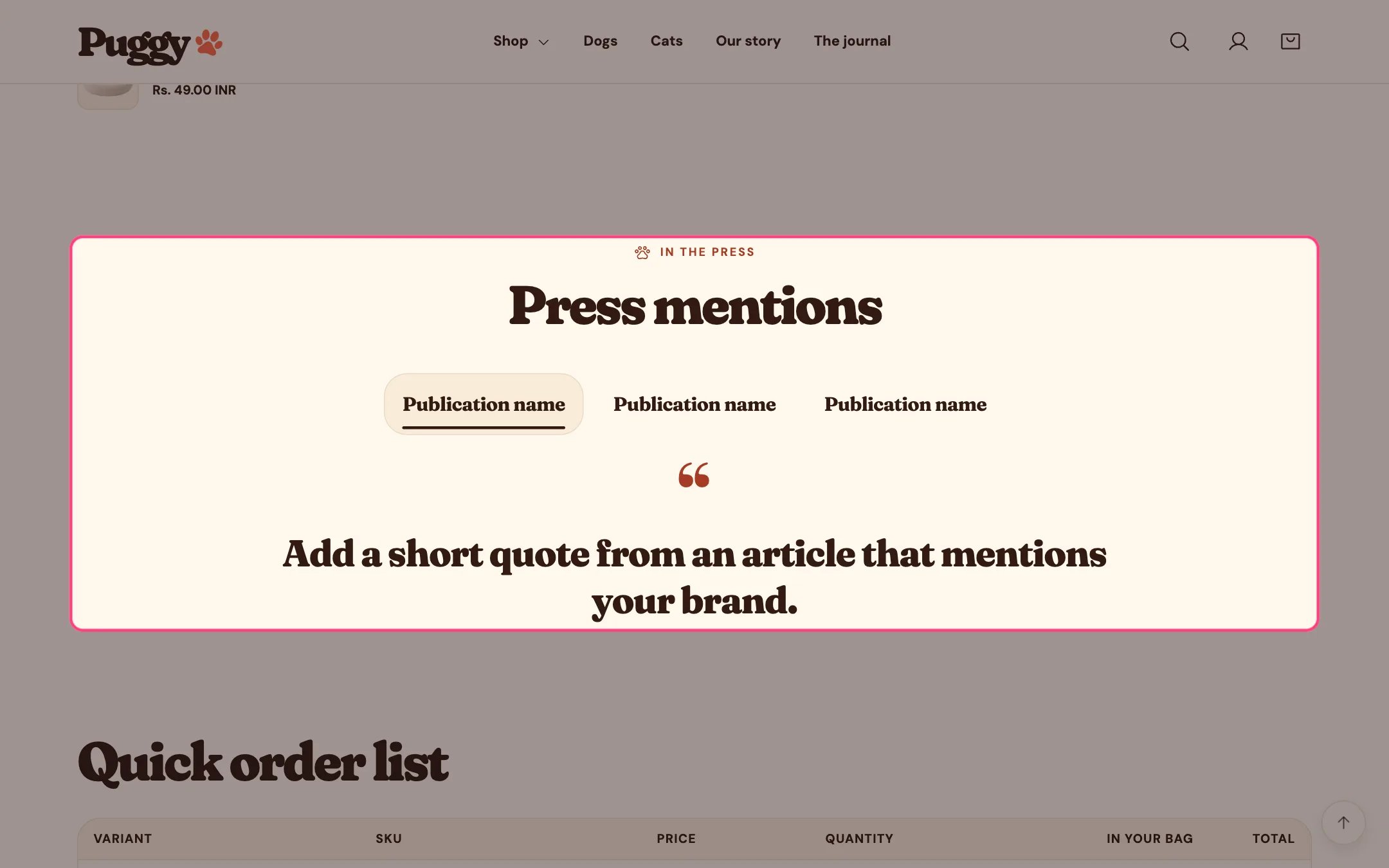
* Logo row with featured quote: shoppers select a logo to read its quote below, and arrow keys move between logos.
* Grid of quote cards shows every quote at once.
* Mentions without a quote show as a logo only. Without a logo, the publication name shows instead.
* Logos can show in grayscale and return to color on hover, focus and selection.
* Each mention can link to the article.
* Up to 10 mentions.
## Where to find it
Not on a default template. Add it to any page with Add section > Press coverage.
## How it works
* Logo row with featured quote: shoppers select a logo to read its quote below, and arrow keys move between logos.
* Grid of quote cards shows every quote at once.
* Mentions without a quote show as a logo only. Without a logo, the publication name shows instead.
* Logos can show in grayscale and return to color on hover, focus and selection.
* Each mention can link to the article.
* Up to 10 mentions.
 ## Edit it
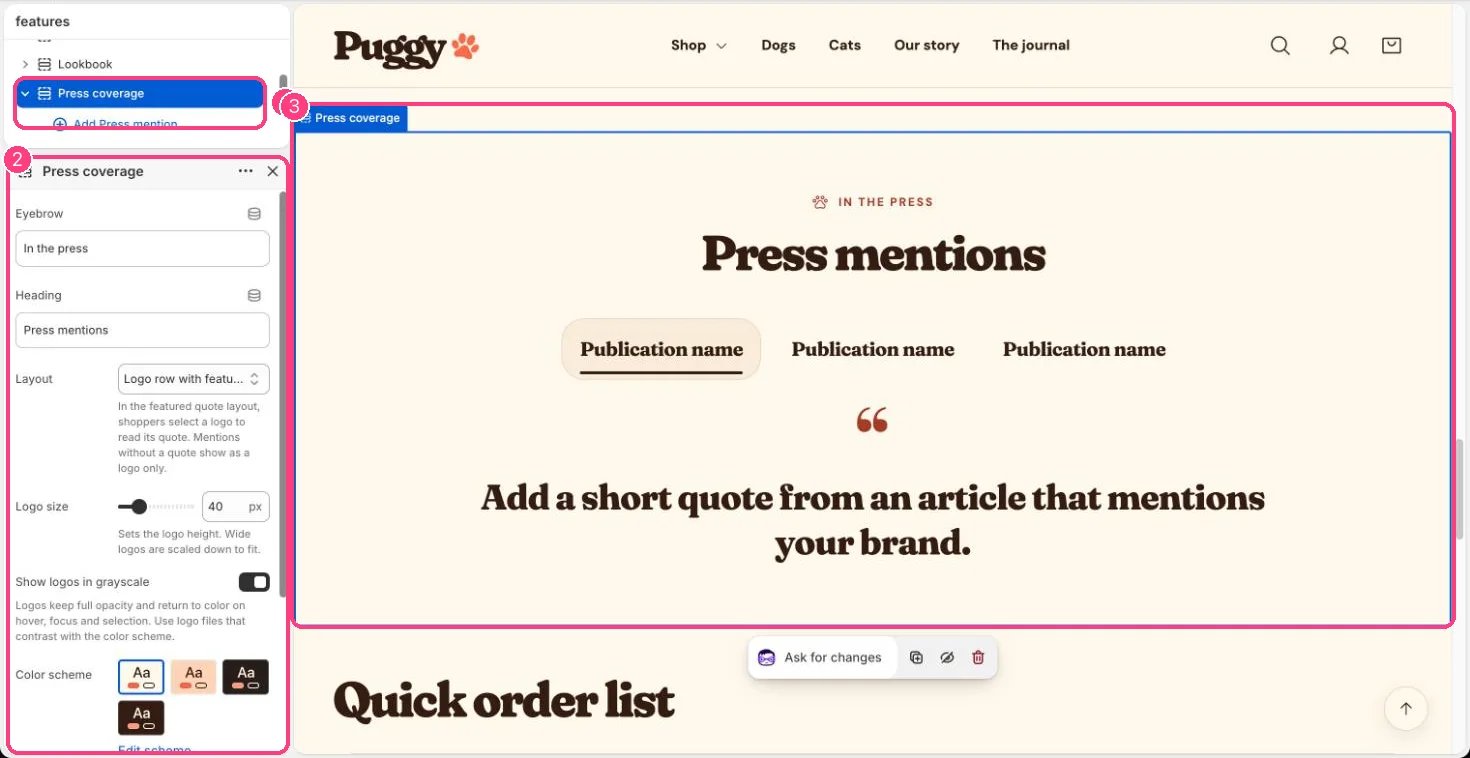
* Click Add block > Press mention, then add a Logo (SVG or transparent PNG works best), Publication name, Quote, Article link and Link label.
* Choose a Layout and Logo size (24 to 96 px), and turn Show logos in grayscale on or off.
## Settings
| Setting | What it does |
| - | - |
| **Eyebrow** | Text. Default: In the press. |
| **Heading** | Text. Default: Press mentions. |
| **Layout** | Options: Logo row with featured quote, Grid of quote cards. In the featured quote layout, shoppers select a logo to read its quote. Mentions without a quote show as a logo only. Default: Logo row with featured quote. |
| **Logo size** | Slider from 24 to 96 px, in steps of 4. Sets the logo height. Wide logos are scaled down to fit. Default: 40 px. |
| **Show logos in grayscale** | On or off. Logos keep full opacity and return to color on hover, focus and selection. Use logo files that contrast with the color scheme. Default: on. |
| **Color scheme** | Color scheme for this area (edit the schemes in Theme settings → Colors). Default: Scheme 1. |
| **Top spacing** | Slider from 0 to 120 px, in steps of 4. Default: 64 px. |
| **Bottom spacing** | Slider from 0 to 120 px, in steps of 4. Default: 64 px. |
## Blocks
Up to 10 blocks. Add a block with **Add block** under the section in the sidebar; drag blocks to reorder them.
### Press mention
| Setting | What it does |
| - | - |
| **Logo** | Image: upload one or choose from Content → Files. SVG or transparent PNG files work best. |
| **Publication name** | Text. Used as the logo's alternative text, and shown instead of the logo when no logo is uploaded. Default: Publication name. |
| **Quote** | Text (several lines). Only quote articles that were actually published. Leave empty to show the logo only. Default: Add a short quote from an article that mentions your brand. |
| **Article link** | Link: a page, product, collection or web address. |
| **Link label** | Text. Leave empty to use the default label. |
Only quote articles that were actually published, and only use logos you have permission to show.
This documentation is built and hosted on [Mintlify](https://mintlify.com), a developer documentation platform.
## Edit it
* Click Add block > Press mention, then add a Logo (SVG or transparent PNG works best), Publication name, Quote, Article link and Link label.
* Choose a Layout and Logo size (24 to 96 px), and turn Show logos in grayscale on or off.
## Settings
| Setting | What it does |
| - | - |
| **Eyebrow** | Text. Default: In the press. |
| **Heading** | Text. Default: Press mentions. |
| **Layout** | Options: Logo row with featured quote, Grid of quote cards. In the featured quote layout, shoppers select a logo to read its quote. Mentions without a quote show as a logo only. Default: Logo row with featured quote. |
| **Logo size** | Slider from 24 to 96 px, in steps of 4. Sets the logo height. Wide logos are scaled down to fit. Default: 40 px. |
| **Show logos in grayscale** | On or off. Logos keep full opacity and return to color on hover, focus and selection. Use logo files that contrast with the color scheme. Default: on. |
| **Color scheme** | Color scheme for this area (edit the schemes in Theme settings → Colors). Default: Scheme 1. |
| **Top spacing** | Slider from 0 to 120 px, in steps of 4. Default: 64 px. |
| **Bottom spacing** | Slider from 0 to 120 px, in steps of 4. Default: 64 px. |
## Blocks
Up to 10 blocks. Add a block with **Add block** under the section in the sidebar; drag blocks to reorder them.
### Press mention
| Setting | What it does |
| - | - |
| **Logo** | Image: upload one or choose from Content → Files. SVG or transparent PNG files work best. |
| **Publication name** | Text. Used as the logo's alternative text, and shown instead of the logo when no logo is uploaded. Default: Publication name. |
| **Quote** | Text (several lines). Only quote articles that were actually published. Leave empty to show the logo only. Default: Add a short quote from an article that mentions your brand. |
| **Article link** | Link: a page, product, collection or web address. |
| **Link label** | Text. Leave empty to use the default label. |
Only quote articles that were actually published, and only use logos you have permission to show.
This documentation is built and hosted on [Mintlify](https://mintlify.com), a developer documentation platform.