> ## Documentation Index
> Fetch the complete documentation index at: https://docs.kwebby.com/llms.txt
> Use this file to discover all available pages before exploring further.
# Rich text
> A heading, formatted text and an optional button for short messages between other sections.
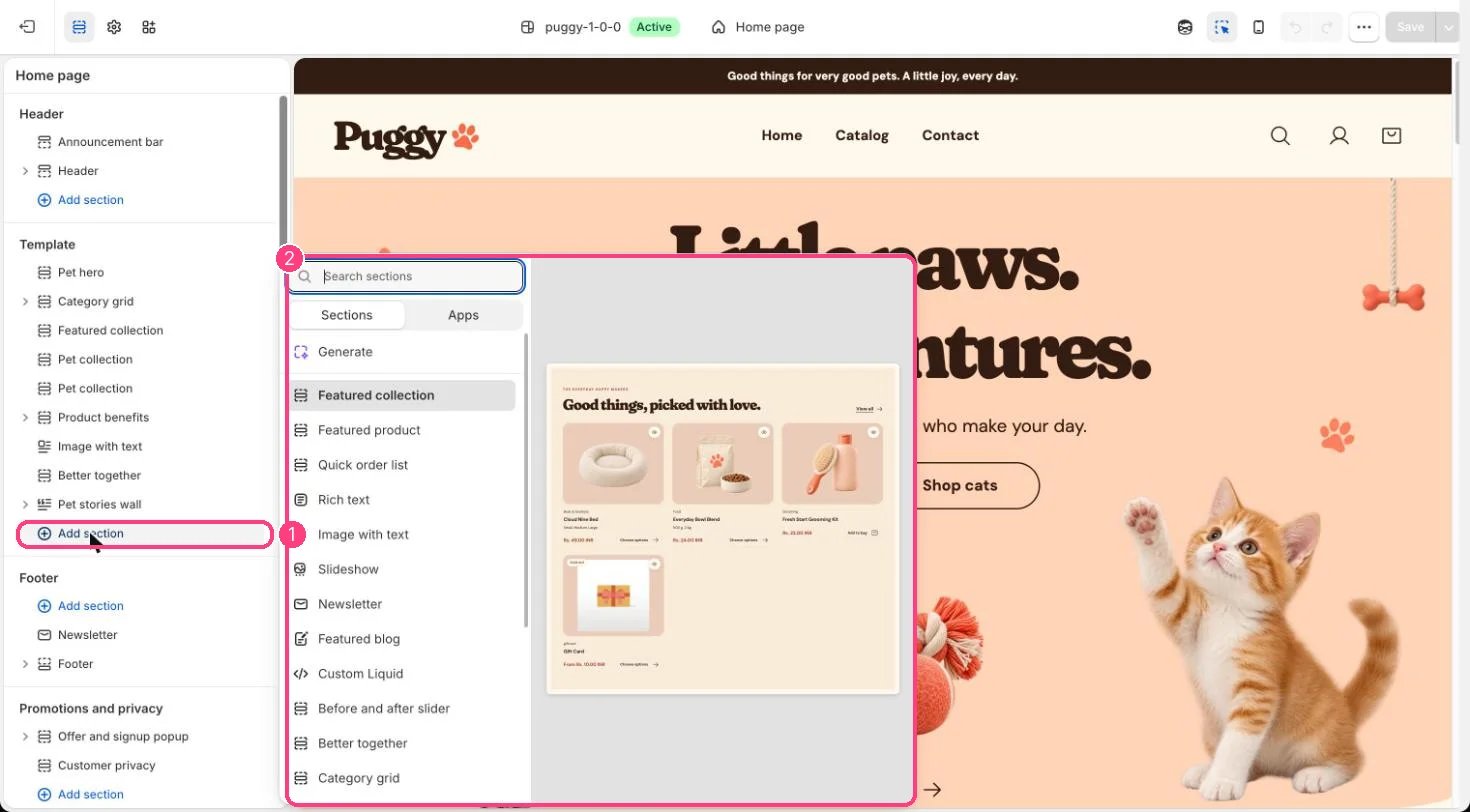 ## Where to find it
Not on a default template. Add it to any page with Add section > Rich text.
## How it works
* Text can be centered or left aligned.
* Lists and quotes use the theme's text styling.
* The button appears only when Button label has text, and blank eyebrows and headings are hidden.
* The block fades in as it scrolls into view when scroll animations are on.
## Edit it
* Edit Eyebrow, Heading and Text, and choose an Alignment.
* Add a Button label together with a Button link.
* Set the Color scheme and spacing.
## Settings
| Setting | What it does |
| - | - |
| **Eyebrow** | Text. |
| **Heading** | Text. Default: A little care goes a long way. |
| **Text** | Formatted text. |
| **Alignment** | Options: Left, Center. Default: Center. |
| **Button label** | Text. |
| **Button link** | Link: a page, product, collection or web address. |
| **Color scheme** | Color scheme for this area (edit the schemes in Theme settings → Colors). Default: Scheme 1. |
| **Top spacing** | Slider from 0 to 120 px, in steps of 4. Default: 64 px. |
| **Bottom spacing** | Slider from 0 to 120 px, in steps of 4. Default: 64 px. |
This documentation is built and hosted on [Mintlify](https://mintlify.com), a developer documentation platform.
## Where to find it
Not on a default template. Add it to any page with Add section > Rich text.
## How it works
* Text can be centered or left aligned.
* Lists and quotes use the theme's text styling.
* The button appears only when Button label has text, and blank eyebrows and headings are hidden.
* The block fades in as it scrolls into view when scroll animations are on.
## Edit it
* Edit Eyebrow, Heading and Text, and choose an Alignment.
* Add a Button label together with a Button link.
* Set the Color scheme and spacing.
## Settings
| Setting | What it does |
| - | - |
| **Eyebrow** | Text. |
| **Heading** | Text. Default: A little care goes a long way. |
| **Text** | Formatted text. |
| **Alignment** | Options: Left, Center. Default: Center. |
| **Button label** | Text. |
| **Button link** | Link: a page, product, collection or web address. |
| **Color scheme** | Color scheme for this area (edit the schemes in Theme settings → Colors). Default: Scheme 1. |
| **Top spacing** | Slider from 0 to 120 px, in steps of 4. Default: 64 px. |
| **Bottom spacing** | Slider from 0 to 120 px, in steps of 4. Default: 64 px. |
This documentation is built and hosted on [Mintlify](https://mintlify.com), a developer documentation platform.