
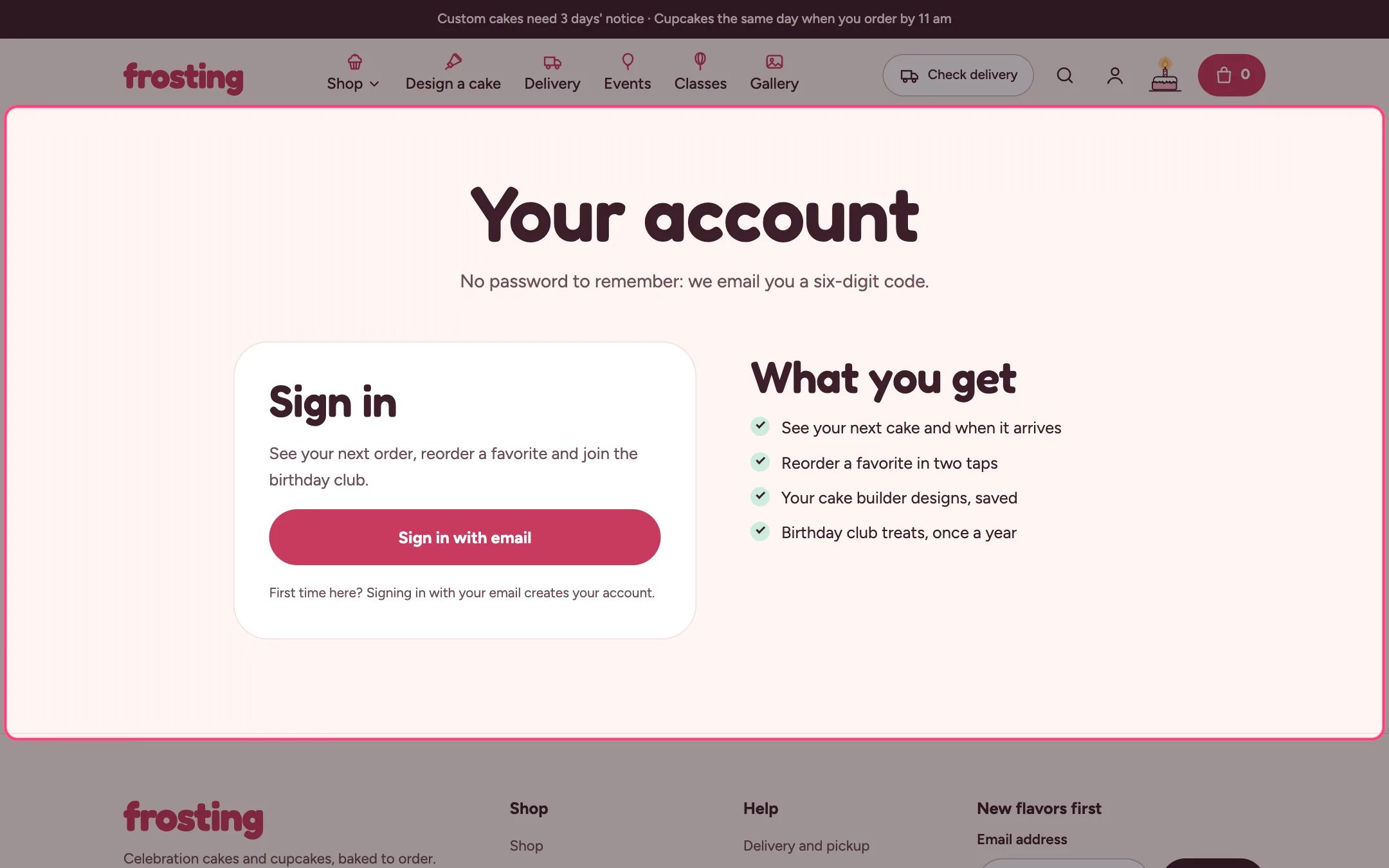
Account hub, highlighted on the demo store
Where to find it
The page that uses the account template. In the theme editor choose Pages, then account, and select Account hub. Preview it signed out; the signed-in view needs a real customer.How it works
- Signed out, it shows your heading, a sign-in button to Shopify’s account sign-in and a list of perks.
- Signed in, it shows Coming up: the next order with its delivery or pickup date, time window and a four-step tracker that follows the order’s payment and fulfillment status.
- Recent orders (1 to 10) each have View and Reorder; reorder adds the available items back to the cart.
- Saved designs from the cake builder on this device open in the builder with the design loaded.
- The birthday club form saves the month as a customer tag.
- Addresses and profile are summarized here and edited on Shopify’s account pages.
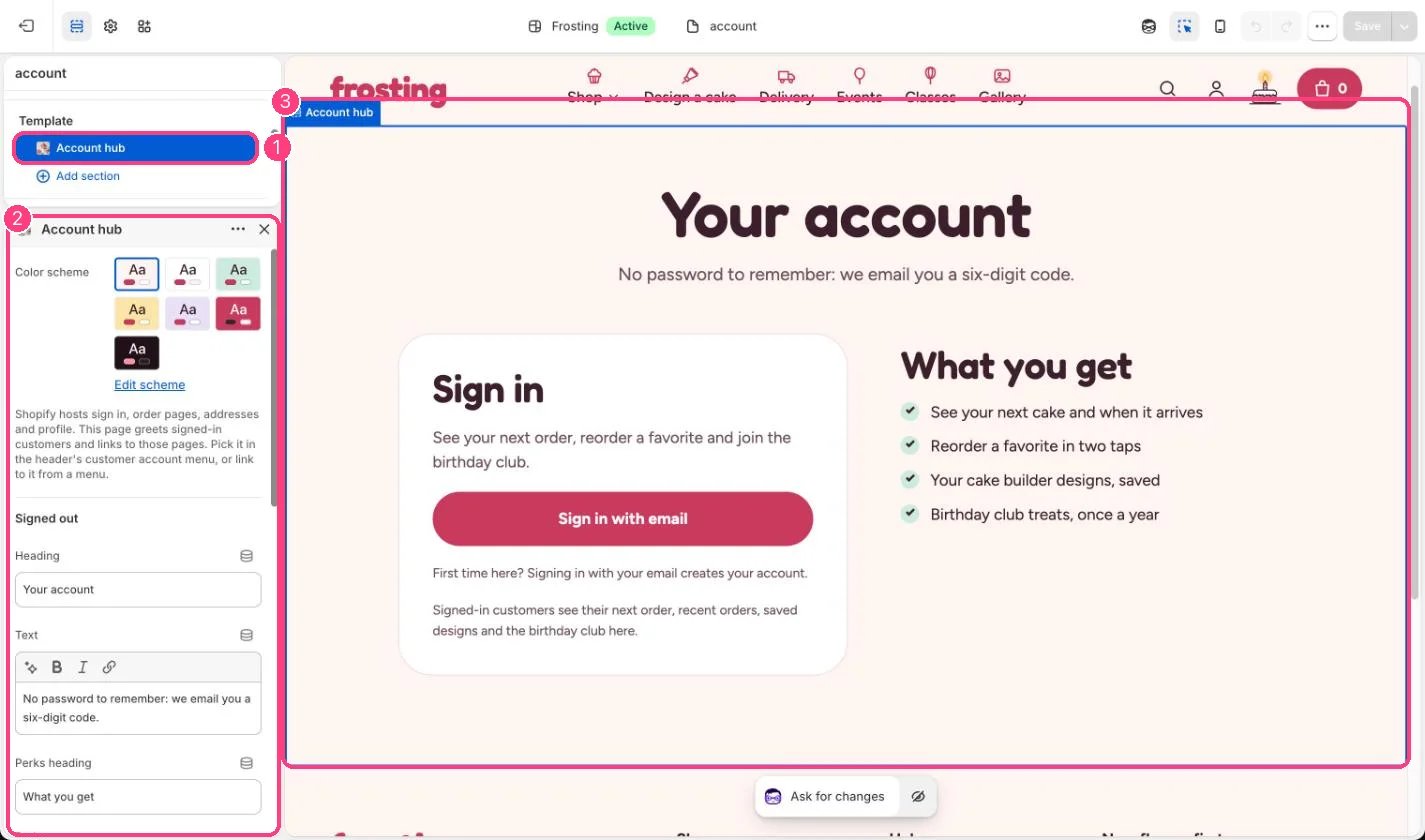
In the theme editor: 1 the section in the sidebar · 2 its settings · 3 the section in the preview
Edit it
- Create a page such as Your account and choose the account template.
- Set Cake builder product so saved designs open in the builder.
- Set Link for order changes, for example your contact page.
- Write the perks one per line.
- Link the page from the header’s Customer account menu and the Account hub page setting.
Settings
Signed out
Signed in