
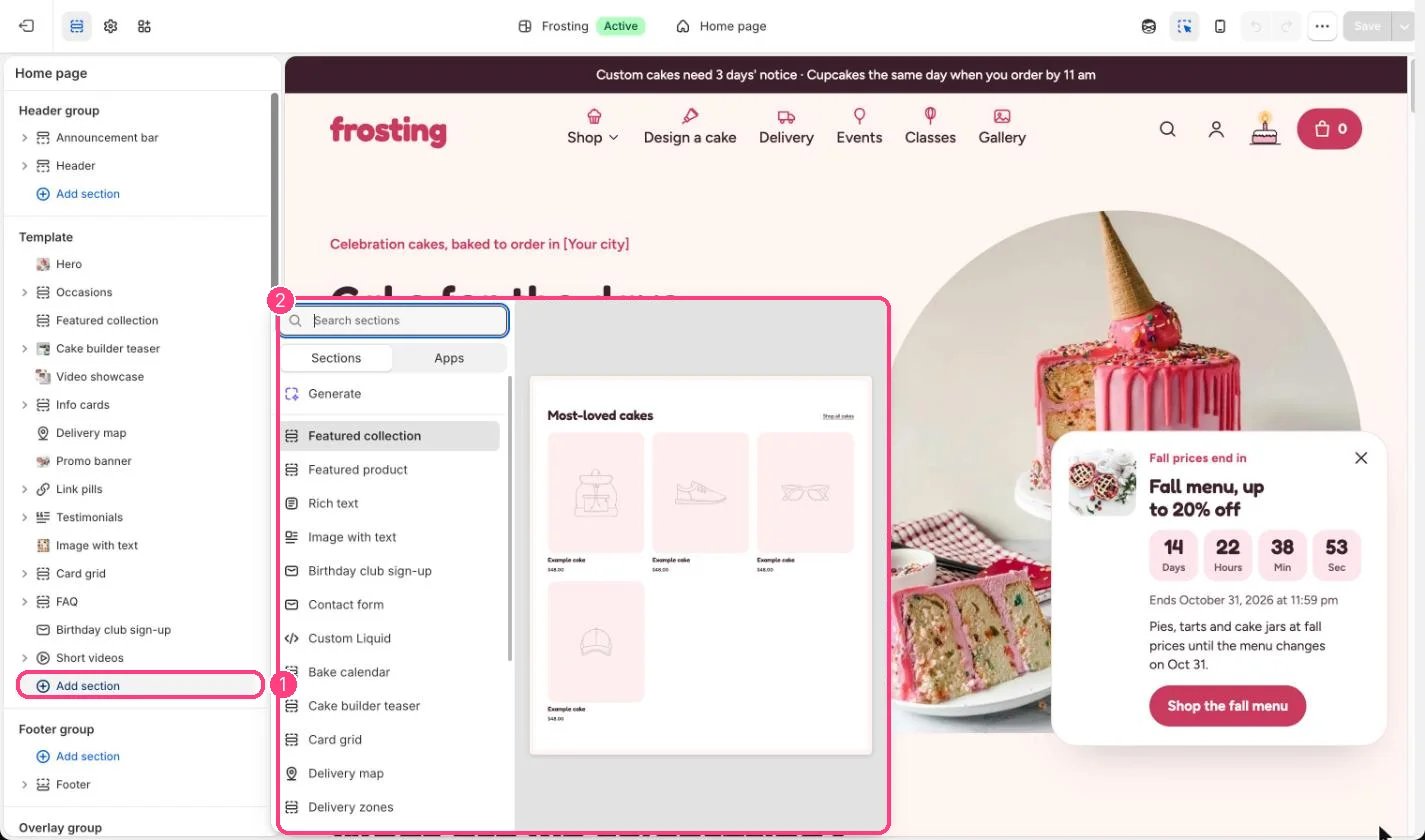
Not on the demo pages: add it with 1 Add section, then pick it in 2 the list
Where to find it
Not on any default template. Add it to any page with Add section, Rich text.How it works
- Up to 12 blocks: one Eyebrow, plus Heading, Text and Button blocks in any order.
- Text can be left aligned or centered, with a width from 480 to 1200 px.
- Buttons come in four styles: accent, dark, light and outline.
Edit it
- Use Spacing Tight to sit it closer to the sections around it.
- Tick Larger text on a Text block for an introduction.
- Choose Alignment (left or center) and Text width (480 to 1200 px).