
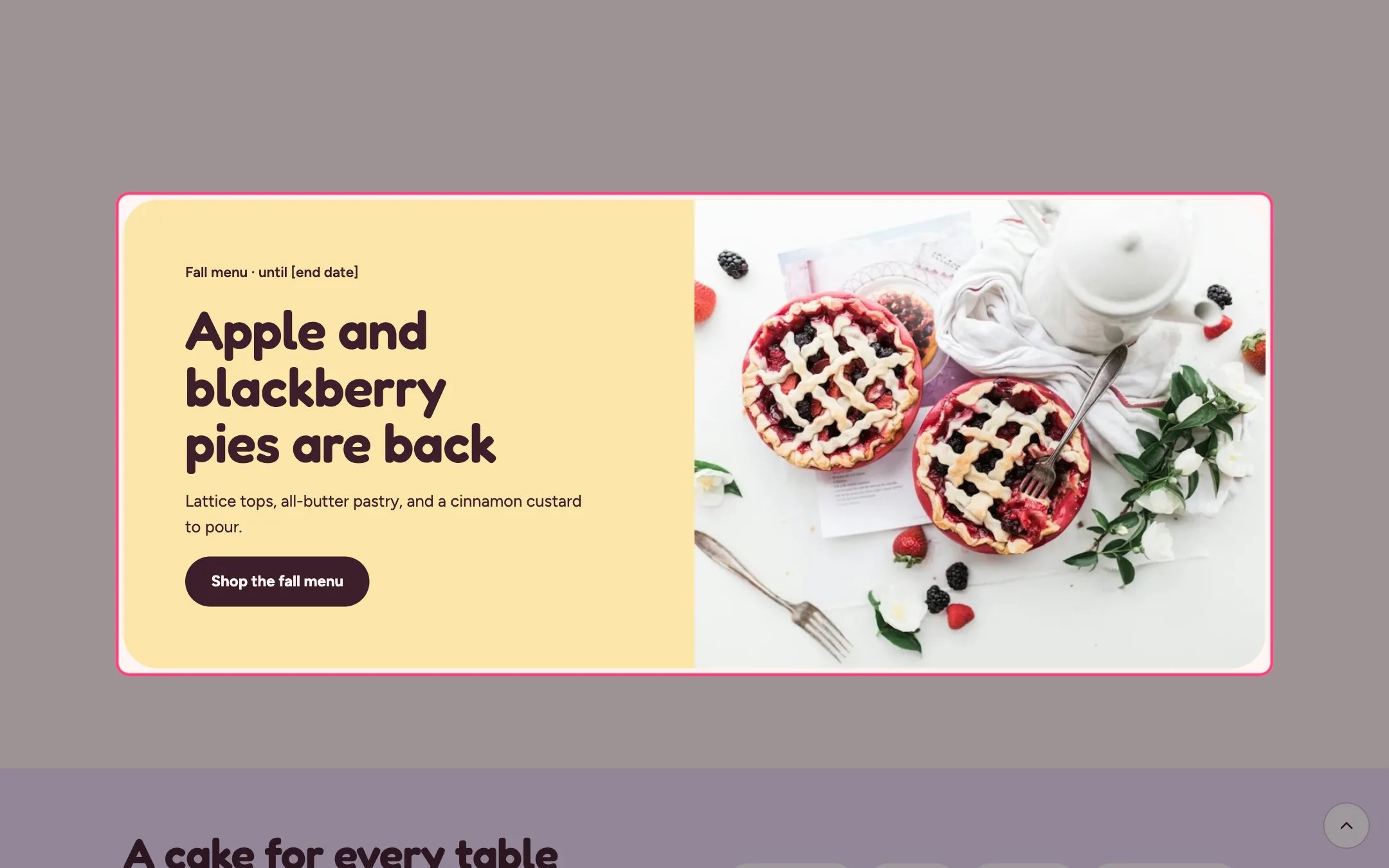
Promo banner, highlighted on the demo store
Where to find it
Home page and the about page. In the theme editor choose Home page, then select Promo banner. Can be added to any page.How it works
- The banner color comes from Banner color scheme; the space around it keeps the page background.
- The photo sits beside the text on wide screens and stacks on phones.
- Without a photo, a placeholder drawing shows until you add one.
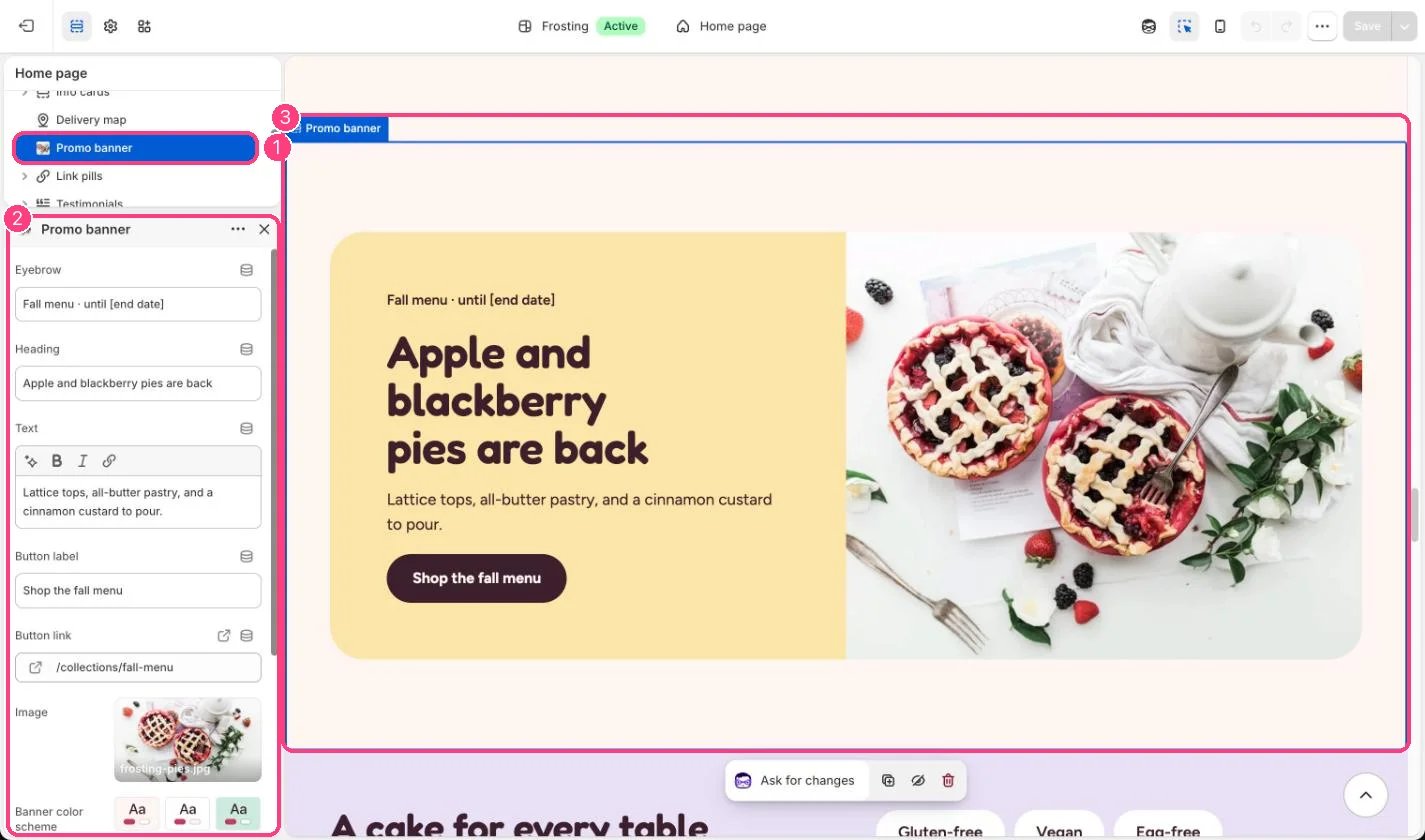
In the theme editor: 1 the section in the sidebar · 2 its settings · 3 the section in the preview
Edit it
- Replace [end date] in the eyebrow with the real date.
- Link the button to the matching collection, for example your seasonal menu.
- Pair it with the Sale timer when the offer has a real end time.