
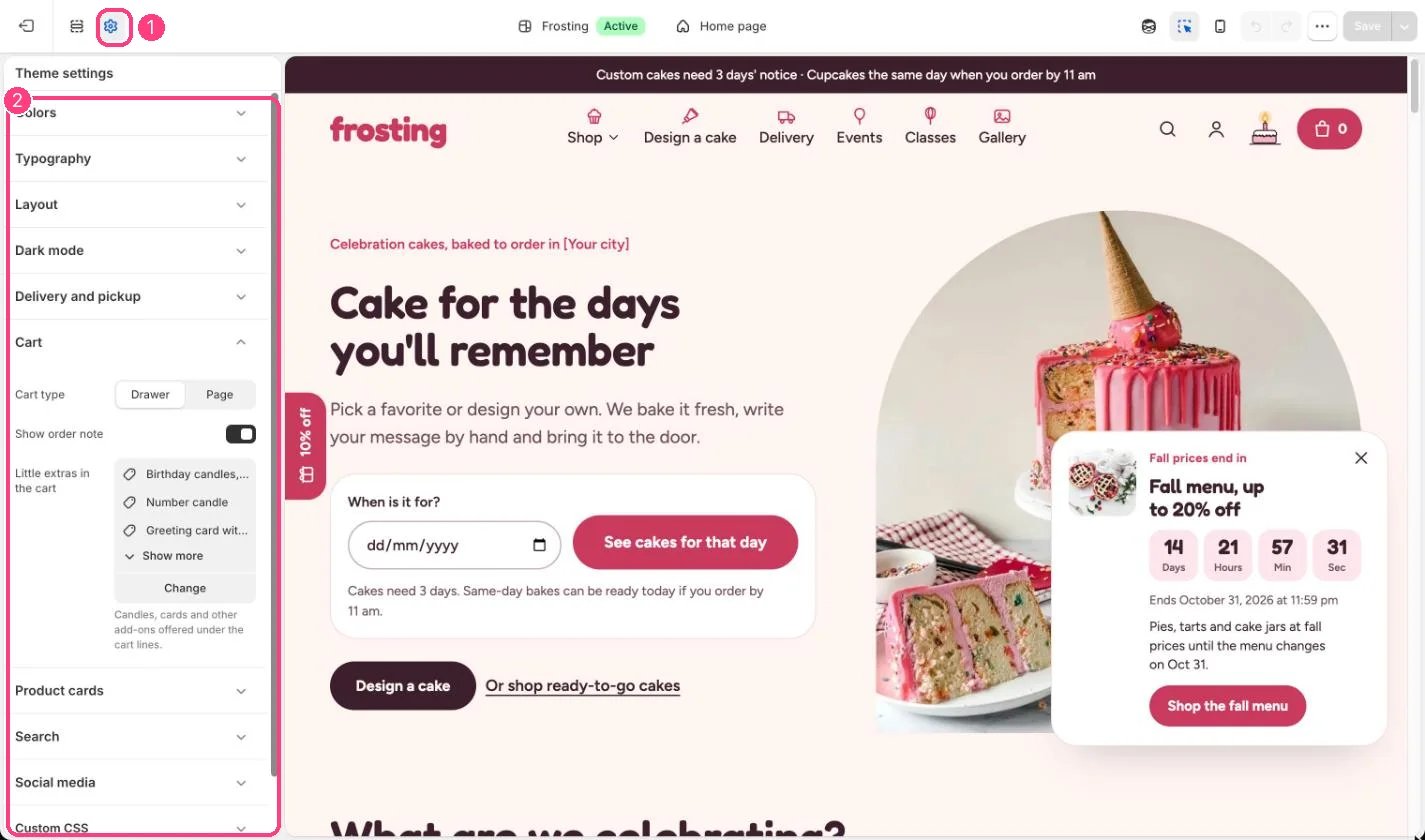
1 Theme settings (the gear icon) · 2 Cart, opened in the sidebar
How it works
- Drawer opens the cart beside the page after every add to cart; Page sends shoppers to the cart page.
- Show order note adds a note box (up to 500 characters) in the drawer and on the cart page.
- Little extras shows up to 4 products, such as candles or cards, under the cart lines with an Add button. Products already in the cart or sold out are left out.
Edit it
- Pick candles, cards and other small add-ons under Little extras in the cart.
- Keep the order note on so shoppers can mention allergies or surprises.