
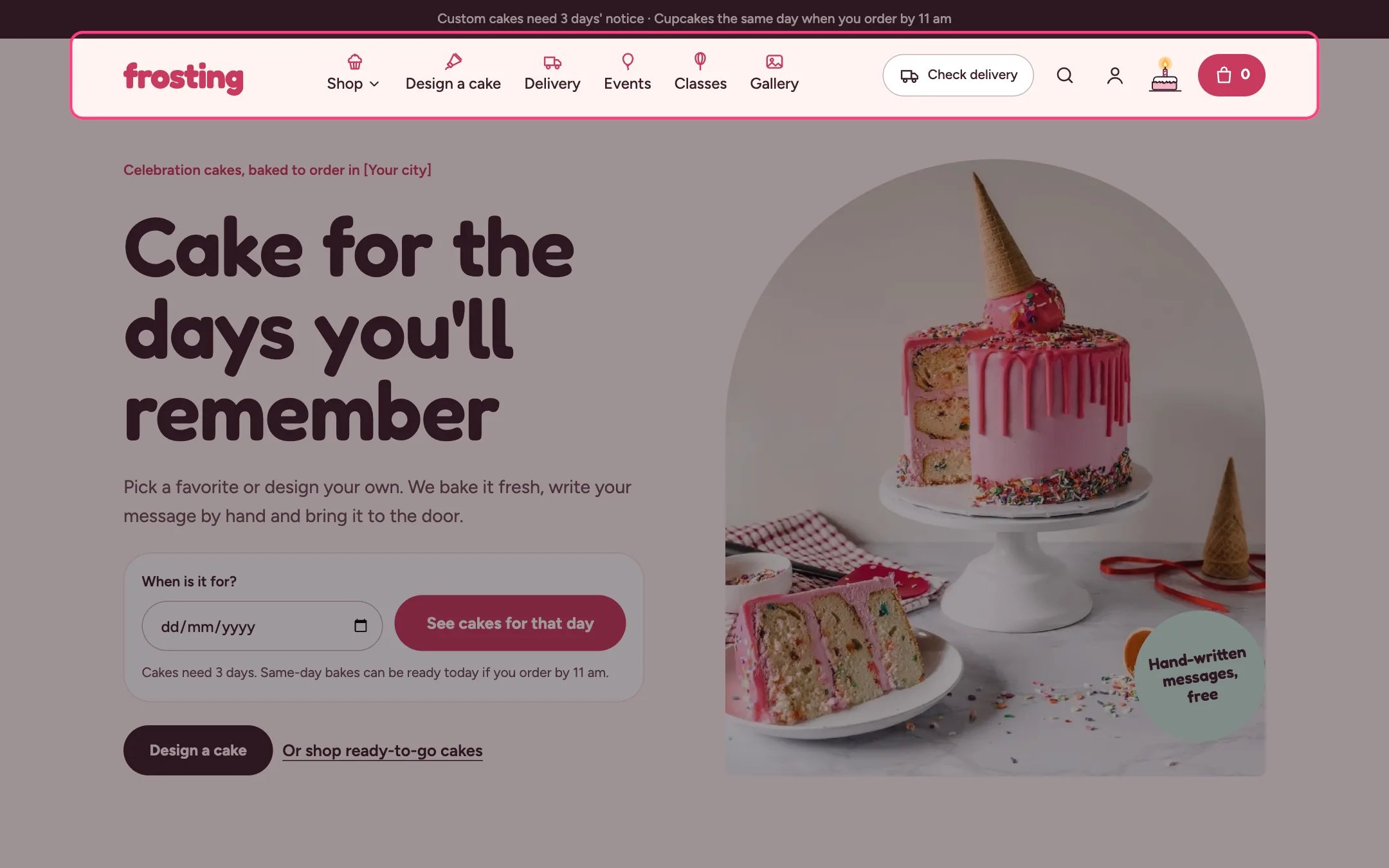
Header, highlighted on the demo store
Where to find it
Every page. In the theme editor open any page, then select Header in the Header area of the sidebar.How it works
- Top-level menu items with child links open a mega menu on hover or click. Third-level links become columns, and a Menu promo block adds a picture card to one dropdown.
- Menu icons sit above each label on desktop and as small tiles in the mobile menu. Icons are picked from the words in each title, and a Menu icon block changes or removes one.
- The Check delivery button opens a postcode check. It shows the zone, fee, same-day option and first delivery date, and remembers the postcode on that device so the button then reads, for example, Zone A · 78704.
- The header never wraps onto a second line. When the logo, menu and buttons do not fit, the delivery button first shrinks to its icon, then the menu moves into the menu drawer. Below about 1060 px wide the menu always lives in the drawer.
- The search button opens a search box with your popular searches and live suggestions.
- With Keep header in view on, the header stays at the top while shoppers scroll.
- With no logo image, the header shows the Logo text from Theme settings, Layout, or your store name.
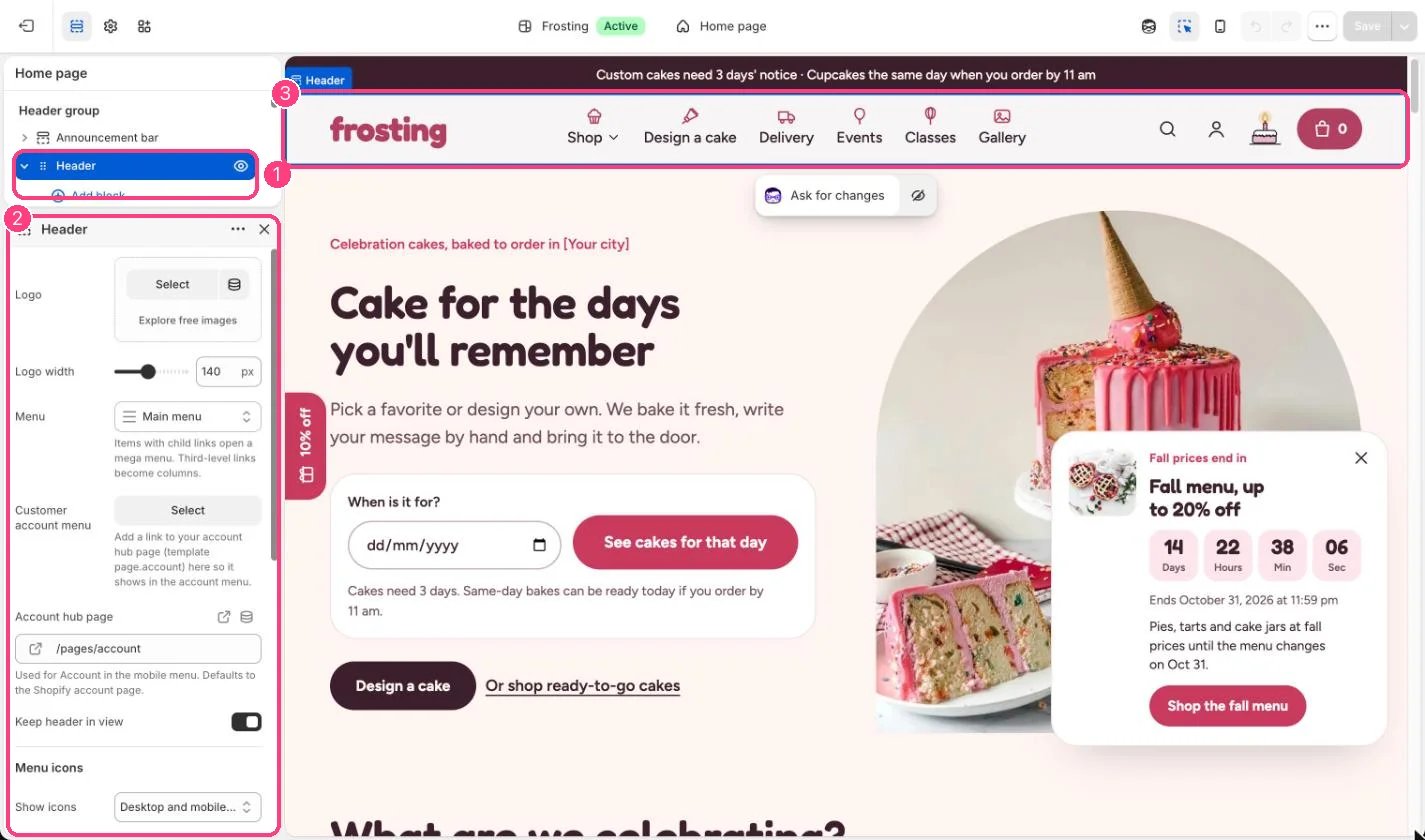
In the theme editor: 1 the section in the sidebar · 2 its settings · 3 the section in the preview
Edit it
- Upload a logo and set Logo width (60 to 240 px). Leave the logo empty to use text.
- Pick the menu under Menu. Build it in Online Store, Navigation.
- Under Menu icons choose Off, Mobile menu only, or Desktop and mobile menus, and tick Choose icons from item titles for automatic icons.
- Add a Menu icon block, type the top-level item title exactly as it appears in Navigation, and pick an icon or No icon.
- Add a Menu promo block and type the title of the dropdown it belongs to, for example Shop, then add an image, heading, text and link.
- Set Delivery page to your delivery page so the check links to all delivery areas.
- Add a link to your account hub page in the Customer account menu, and set Account hub page so the mobile menu’s Account link goes there.
- Type Popular searches as a comma-separated list.
Settings
Menu icons
Delivery check
Search
Blocks
Add a block with Add block under the section in the sidebar; drag blocks to reorder them.Menu icon
Menu promo
The delivery check needs the Local business section in the Overlay group. Without delivery areas every postcode gets the no-delivery answer.On screens about 1060 to 1320 px wide the Check delivery button is hidden from the header. Shoppers on those screens can still check a postcode in the Delivery map section and in the cake builder.The account icon only shows when customer accounts are turned on in Settings, Customer accounts.