
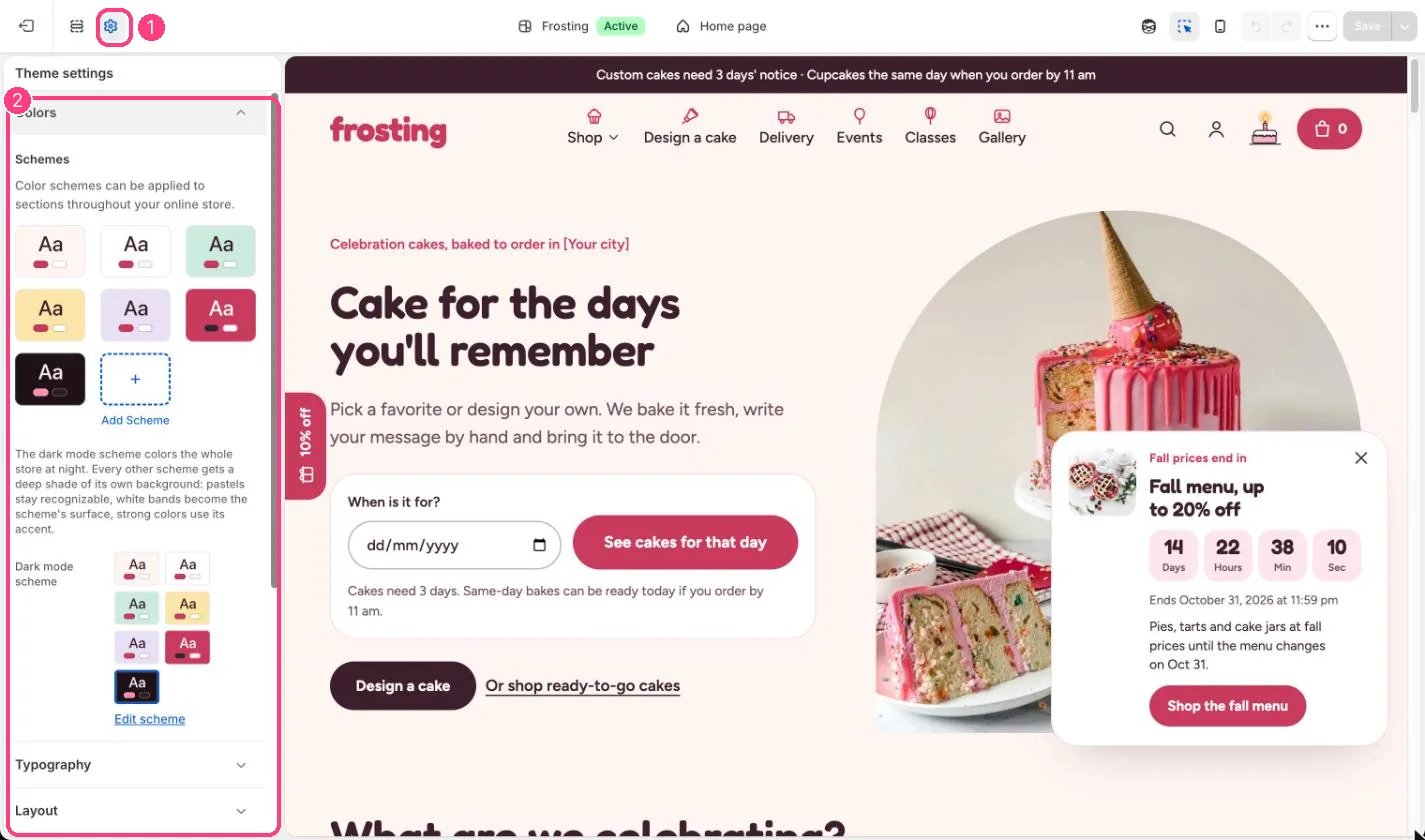
1 Theme settings (the gear icon) · 2 Colors, opened in the sidebar
How it works
- Frosting starts with seven schemes: blush page, white, mint, butter, lilac, strawberry and night.
- Each scheme sets the background, an optional background gradient, cards and fields, a soft highlight, text, secondary text, borders, the accent and primary button, and the dark button.
- Each section picks a scheme with its Color scheme setting.
- In dark mode the Dark mode scheme colors the page. Every other scheme gets a deep shade of its own: near-white page tints become the night background, white bands become the night surface, pastels become a deep shade of their own color, and strong colors use the night accent.
- Background gradients are not used in dark mode.
Edit it
- Change Accent and primary button in every light scheme to your brand color, and check that button labels stay readable.
- Keep the night scheme for dark mode; using it as a section’s color in light mode shows a dark band.
- Pick a different Dark mode scheme only if you have built your own dark scheme.