
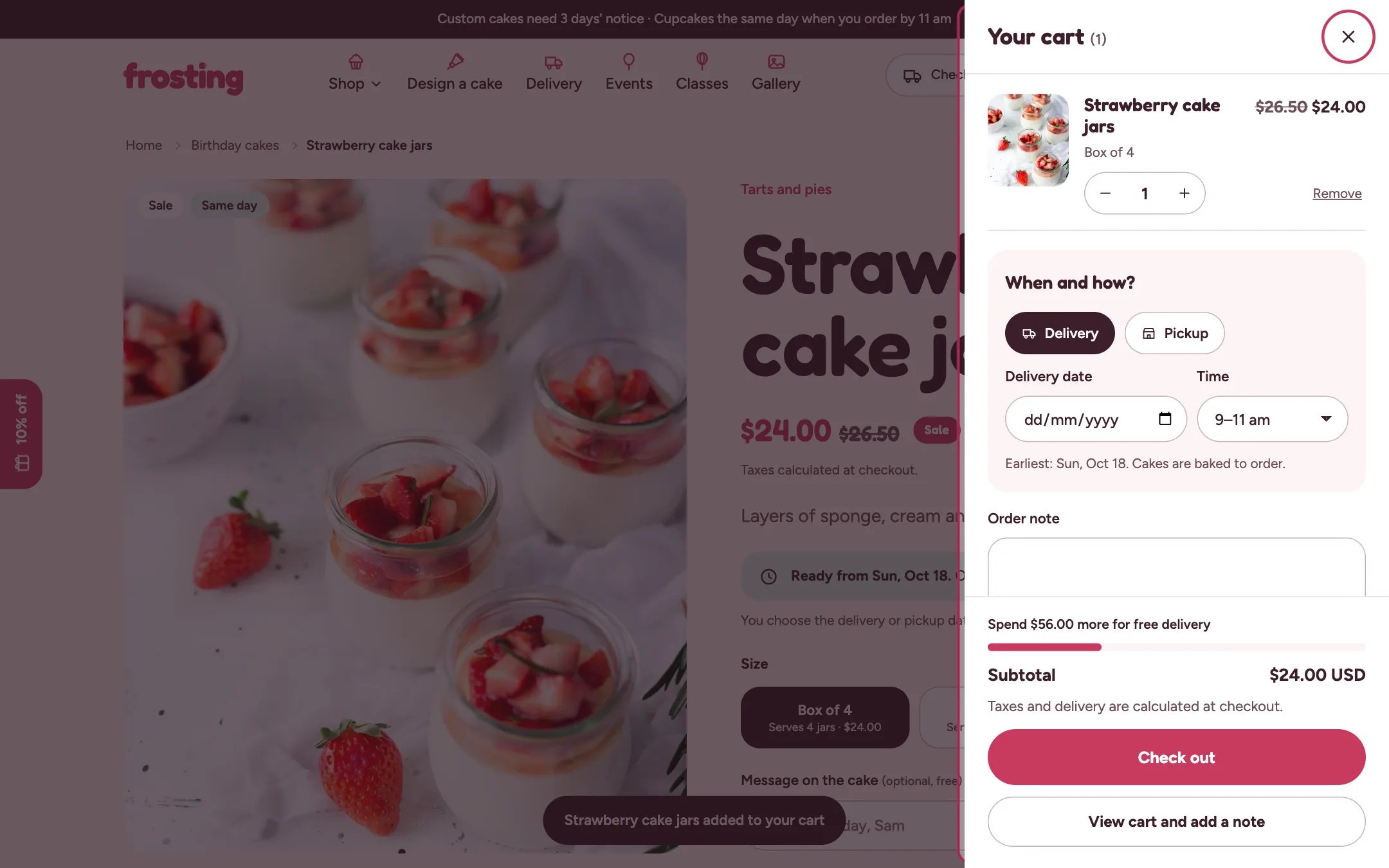
Cart drawer, highlighted on the demo store
Where to find it
Every page except the cart page, when Theme settings, Cart, Cart type is Drawer. It opens from the cart button. In the theme editor it is listed as Cart drawer in the sidebar.How it works
- Opens when a product is added and when the cart button is pressed.
- Shows cart lines with grouped extras, When and how?, the order note, little extras, totals and the checkout button.
- View cart and add a note opens the full cart page.
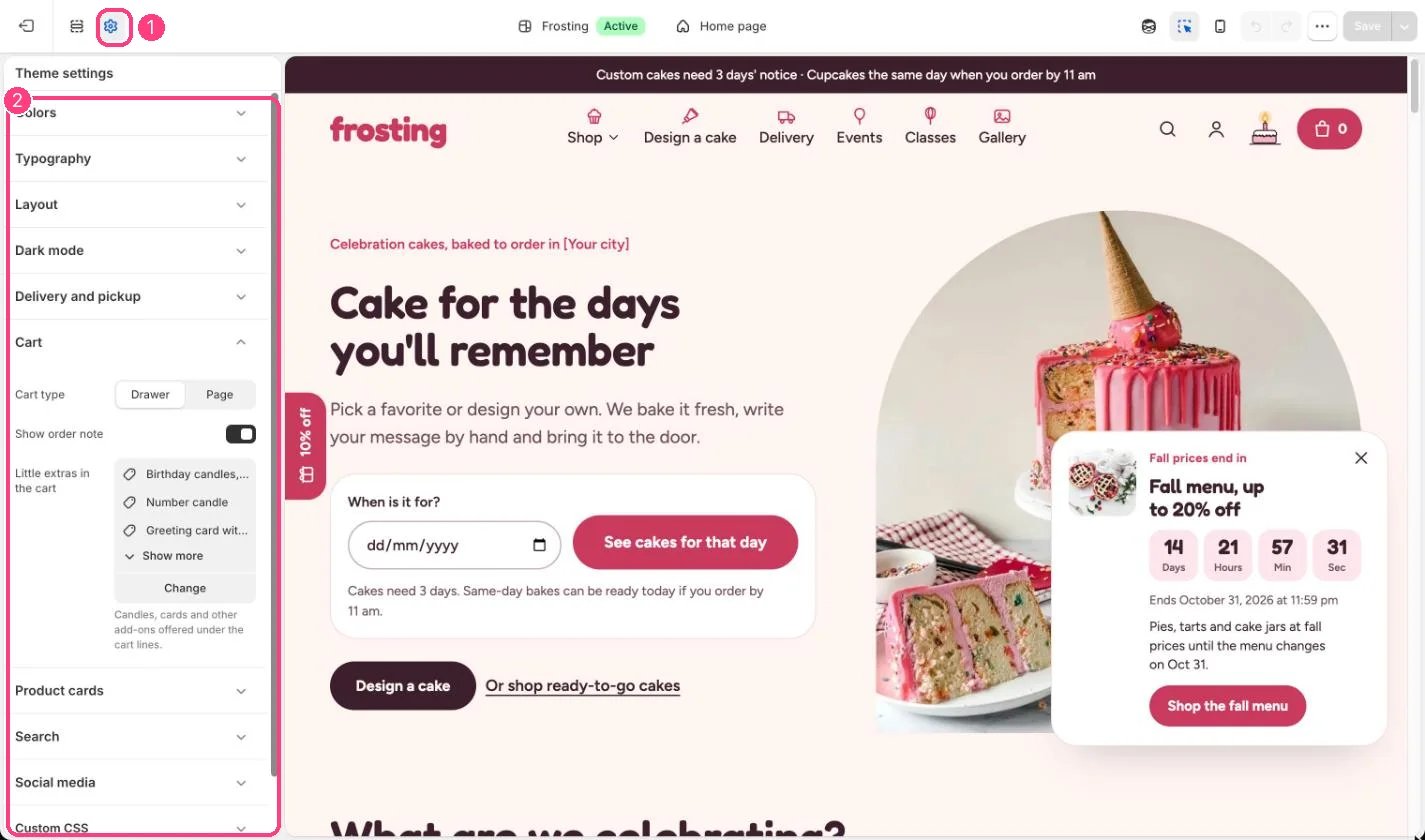
The cart drawer is set in 1 Theme settings · 2 Cart
Edit it
- Untick Show express checkout buttons to hide Shop Pay and similar buttons in the drawer.
- Switch to a cart page instead in Theme settings, Cart.
- Choose the little extras it offers, and turn the order note on or off, in Theme settings, Cart.
Settings
Express checkout buttons skip the delivery date check.