
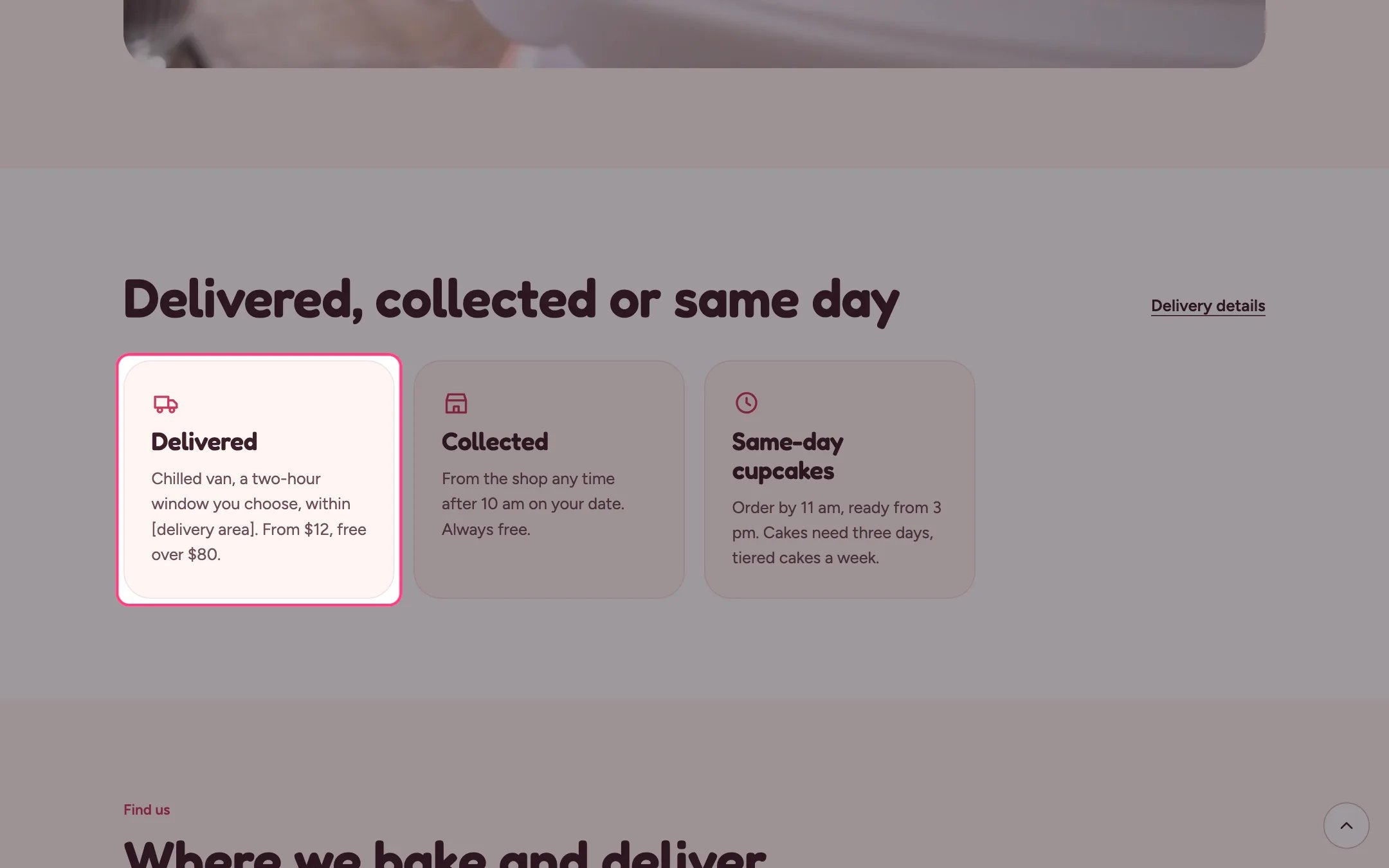
Info cards, highlighted on the demo store
Where to find it
Home page and the about page. In the theme editor choose Home page, then select the section (default heading Delivered, collected or same day). Can be added to any page.How it works
- Cards sit in a responsive grid and stack on phones.
- Each card can use one of 15 icons, or none.
- A link next to the heading can point to more detail.
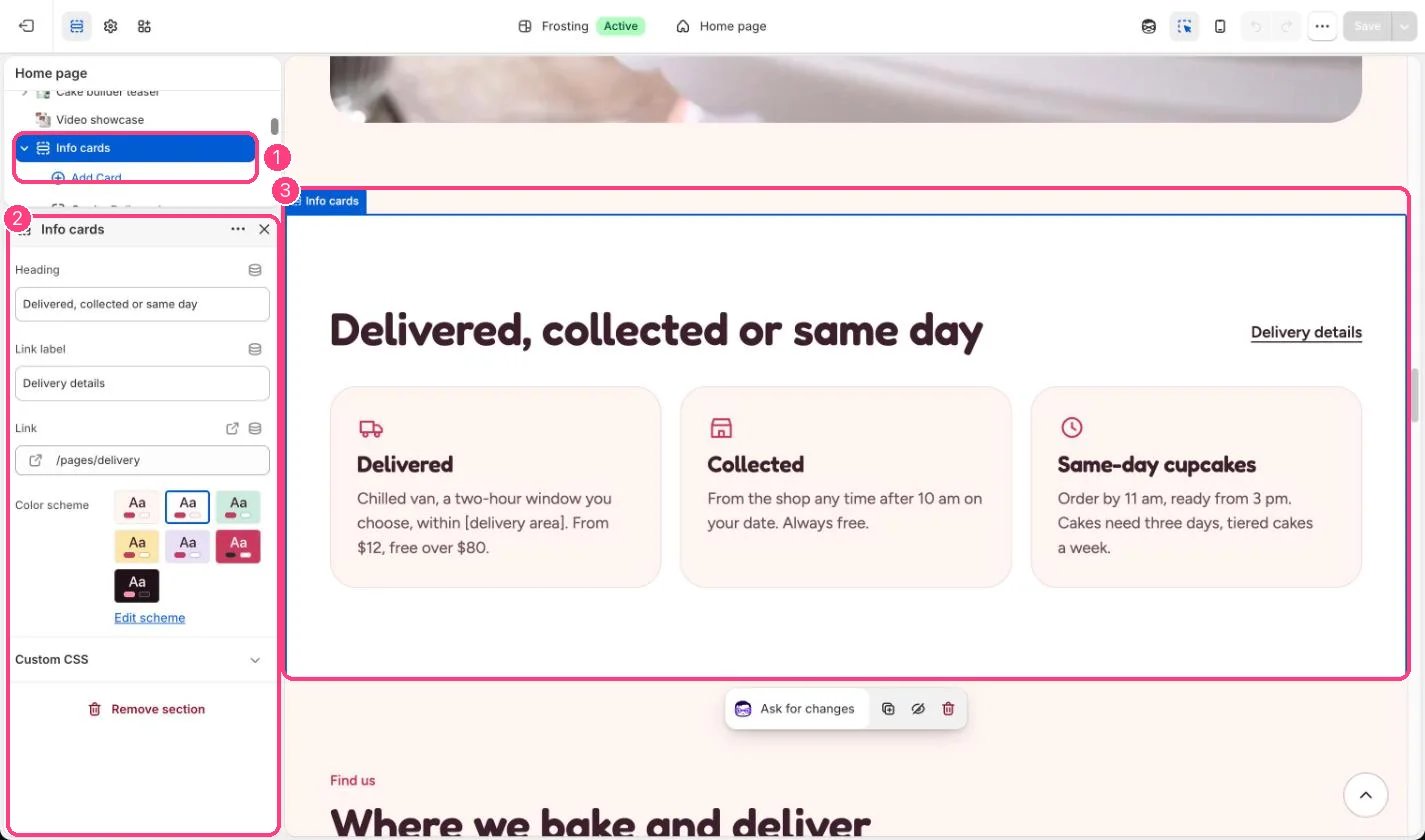
In the theme editor: 1 the section in the sidebar · 2 its settings · 3 the section in the preview
Edit it
- Add up to 6 Card blocks and pick an icon for each.
- Set Link label and Link, or clear the label to hide the link.
- Keep each card to a line or two of text so the cards stay even.