
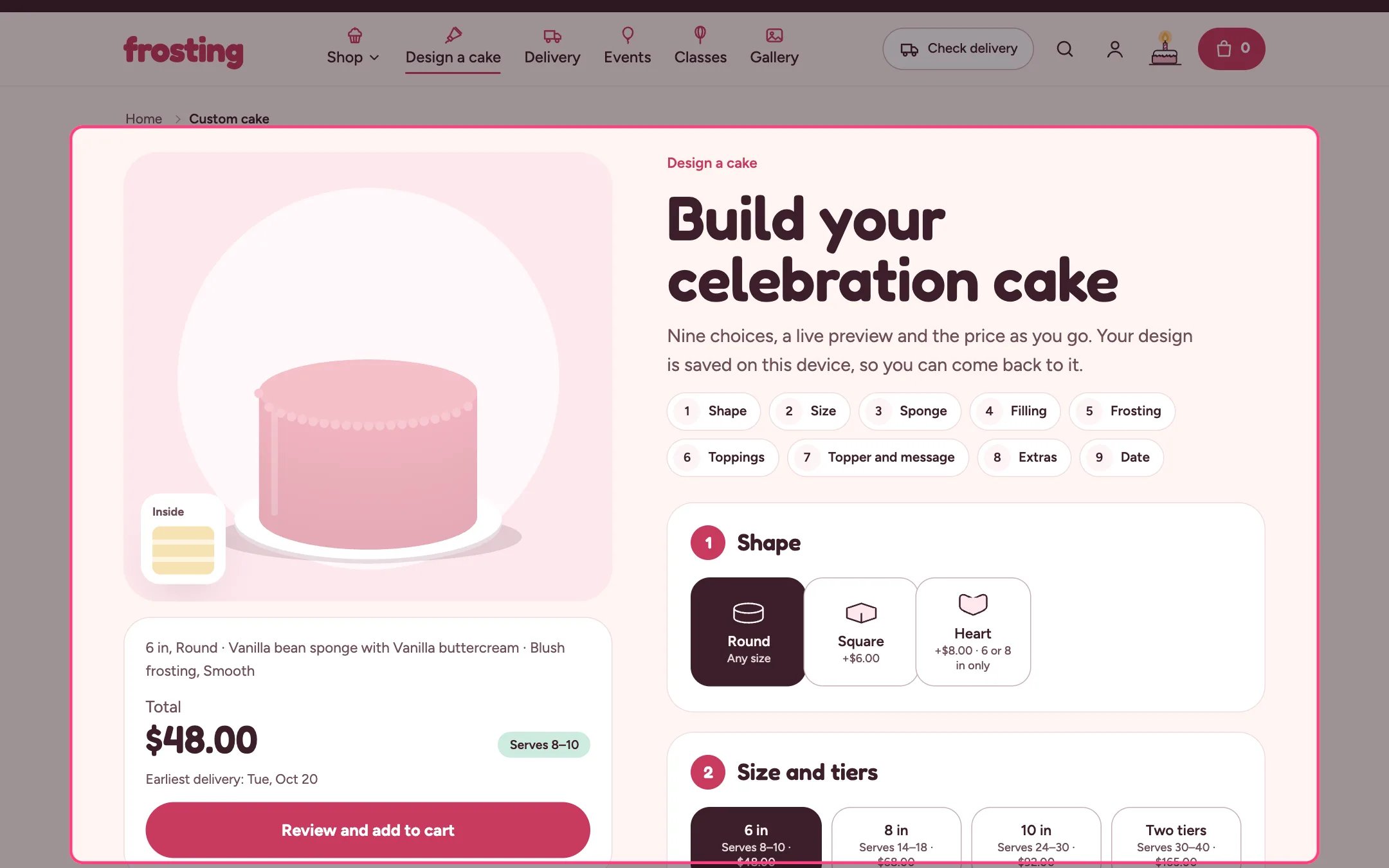
Cake builder, highlighted on the demo store
Where to find it
The product page of the product that uses the cake-builder template. In the theme editor choose Products, then cake-builder in the page selector, and preview it with your Custom cake product.How it works
- Up to nine steps: Shape, Size and tiers, Sponge and dietary needs, Filling, Frosting color and finish, Drip and toppings, Topper and message, Extras, and Date. Option steps show only when you have added choices for them, Size shows when the product has sizes, and Topper and message and Date always show.
- Sizes are the product’s variants. Servings come from the variant metafield custom.servings and tiers from custom.tiers, or from size names that contain two or three.
- Every other option is a Choice block (up to 50 blocks). A choice with a Paid add-on product adds that product’s first variant price to the total and puts it in the cart, grouped under the cake.
- Rules between choices: a shape can be limited to some sizes, a dietary option can be limited to some sponges, and toppings stop at your maximum. Choices that do not fit are greyed out with a reason.
- Toppers can be a sign with your text, a name the shopper types (up to 12 letters), a number priced per digit, or an edible photo print that asks for a photo (PNG, JPG or GIF up to 5 MB).
- The date step offers delivery or pickup, your time windows, and only dates that respect the size’s notice, your closed day and closed dates. Delivery asks for a postcode and stops if you do not deliver there.
- The preview is a drawing that changes with every choice, or your own photos when Preview style uses store photos.
- Progress is saved on the shopper’s device. Save this design keeps up to 12 designs on that device, listed under Saved designs and in the account hub.
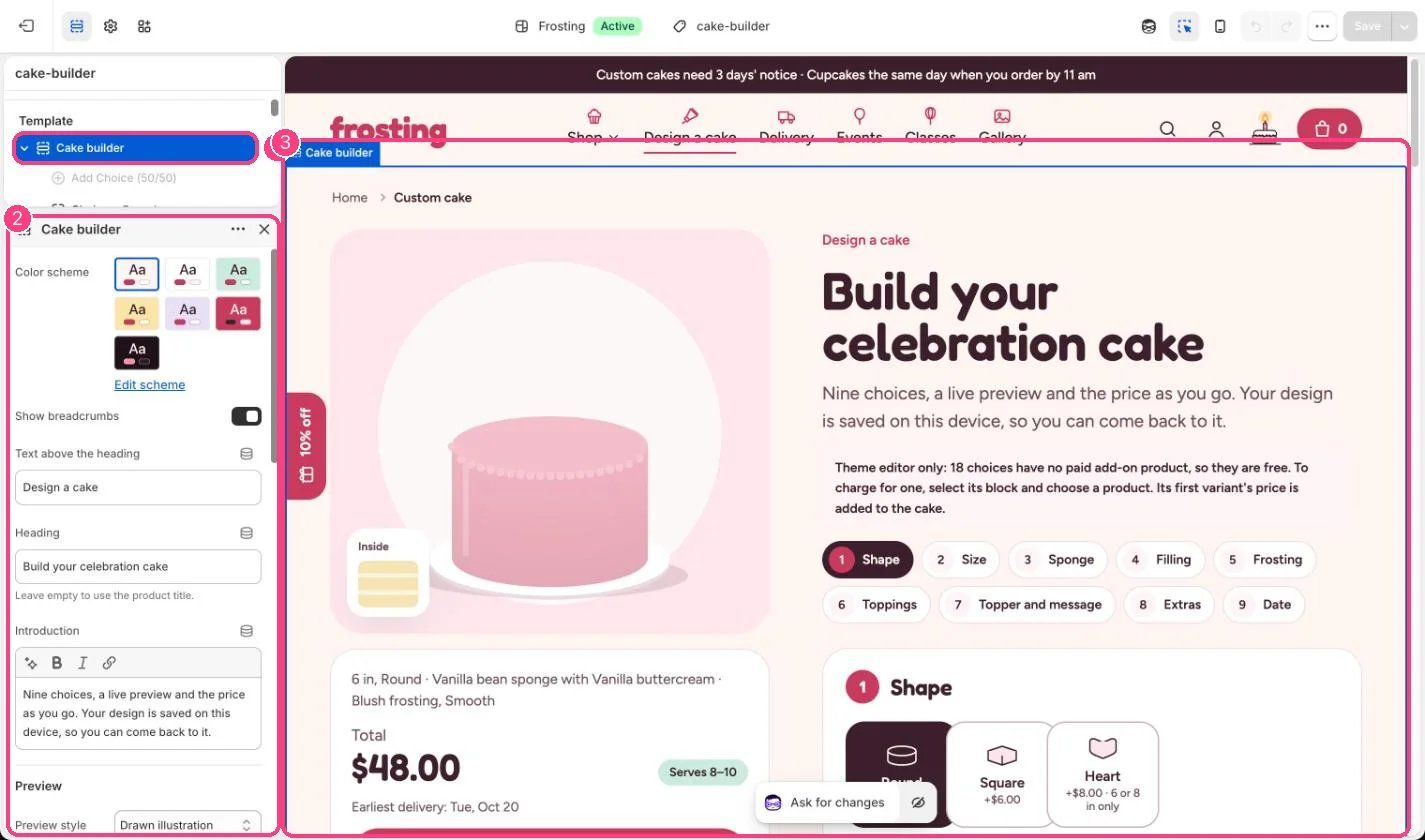
In the theme editor: 1 the section in the sidebar · 2 its settings · 3 the section in the preview
Edit it
- Add a Choice block per option, set its Step and Label, and add a Photo if you have one.
- Pick a Paid add-on product for any choice that costs extra. Leave it empty to make the choice free.
- For sponge, filling, frosting color and drip choices, set Color in the drawing.
- Set Most toppings per cake (1 to 8) and Longest message on the cake (10 to 60 characters).
- Set the extra notice for tiered cakes under Notice (0 to 30 days).
- Edit the note under the buttons to state your change policy.
- In the theme editor the builder warns you when choices are free because they have no product, and when the product has no sizes.
Settings
Preview
Choices
Notice
Review
Blocks
Up to 50 blocks. Add a block with Add block under the section in the sidebar; drag blocks to reorder them.Choice
When a photo is uploaded, the cake is sent to the cart with a regular page load, so the shopper lands on the cart page instead of the cart drawer.Emoji are removed from cake messages because they cannot be piped in icing.Saved designs live in one browser on one device. They are not stored in Shopify.