
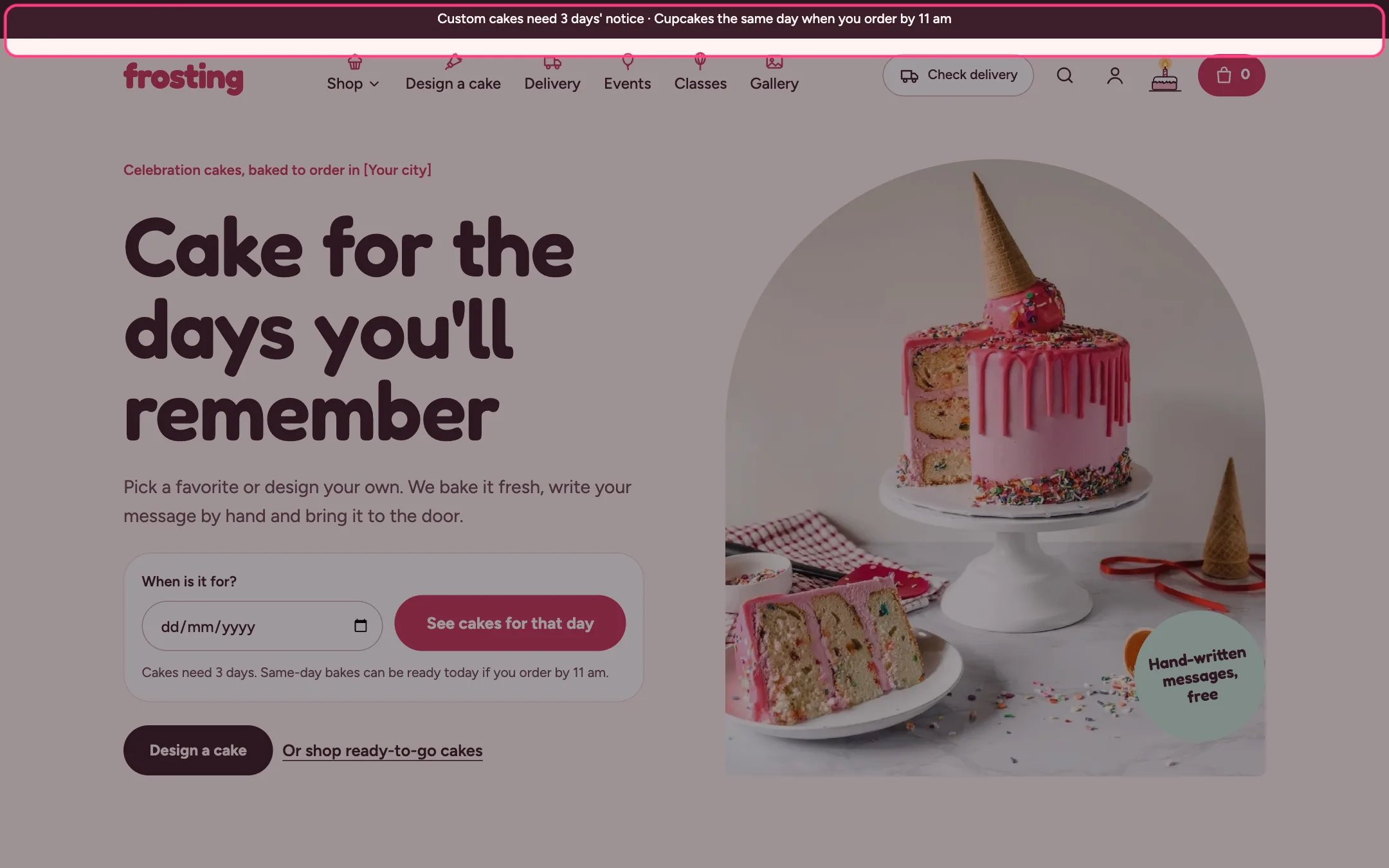
Announcement bar, highlighted on the demo store
Where to find it
Every page, above the header. In the theme editor open any page, then select Announcement bar in the Header area of the sidebar.How it works
- Holds up to 3 announcements. Each one shows as its own centered line.
- An announcement with a link becomes a link; the underline appears on hover or keyboard focus.
- The bar hides itself when it has no announcements.
- In dark mode the bar switches to a soft night shade so it does not glare.
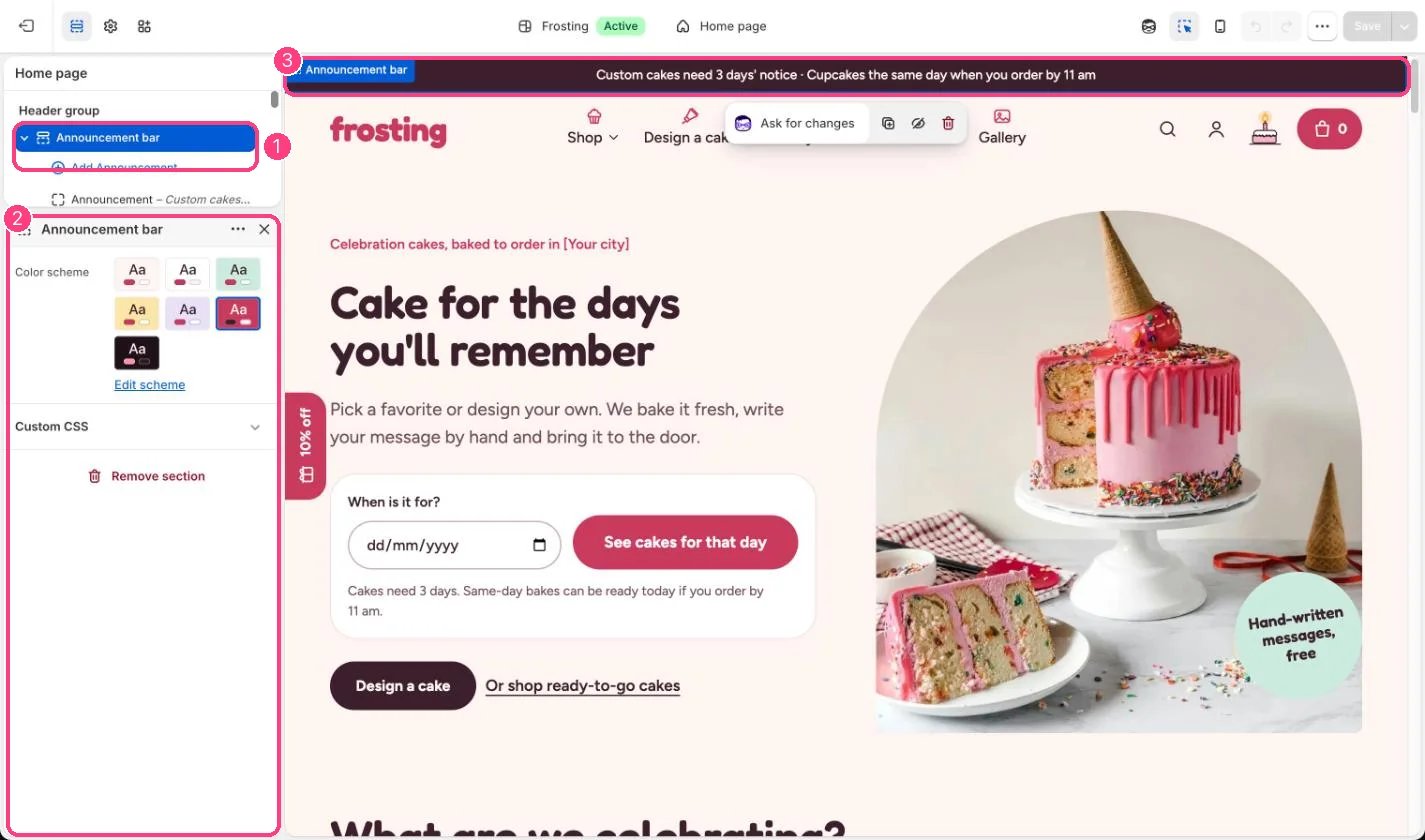
In the theme editor: 1 the section in the sidebar · 2 its settings · 3 the section in the preview
Edit it
- Select an Announcement block and type the text. Keep it to one short line so it does not wrap on phones.
- Add a link to send shoppers to the delivery page, a collection or the cake builder.
- Use Color scheme to change the bar color. The default is the strawberry scheme.
- Update the default text so it matches your real notice time and same-day cut-off.
Settings
Blocks
Up to 3 blocks. Add a block with Add block under the section in the sidebar; drag blocks to reorder them.Announcement
The default text mentions 3 days’ notice and an 11 am cut-off. It does not update itself when you change Theme settings, Delivery and pickup.