
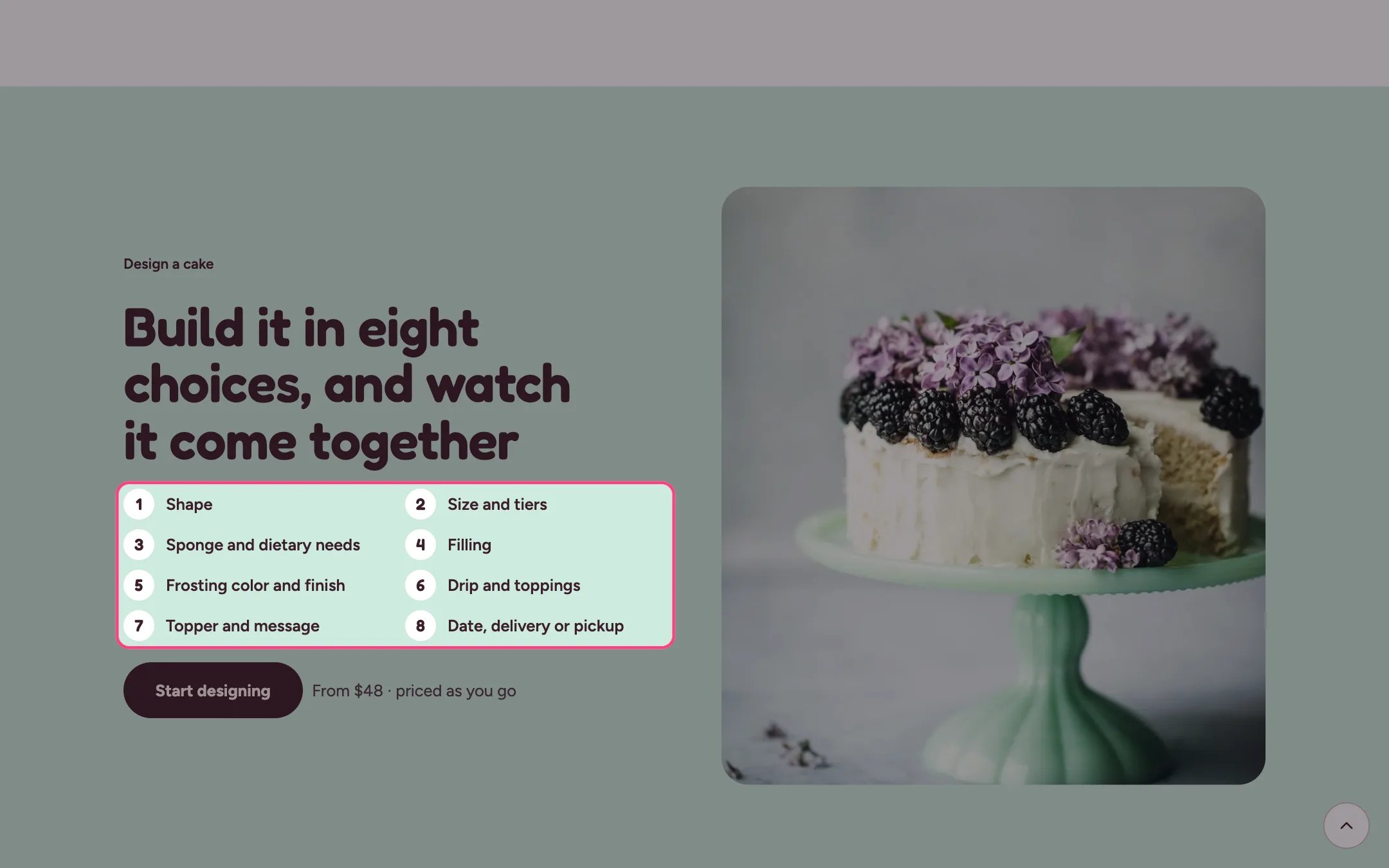
Cake builder teaser, highlighted on the demo store
Where to find it
Home page. In the theme editor choose Home page, then select Cake builder teaser. Can be added to any page.How it works
- Each Step block becomes one numbered line, up to 12.
- The button sits next to a short price note, such as From $48 · priced as you go.
- The photo sits beside the text on wide screens and below it on phones. Without a photo, a placeholder drawing shows.
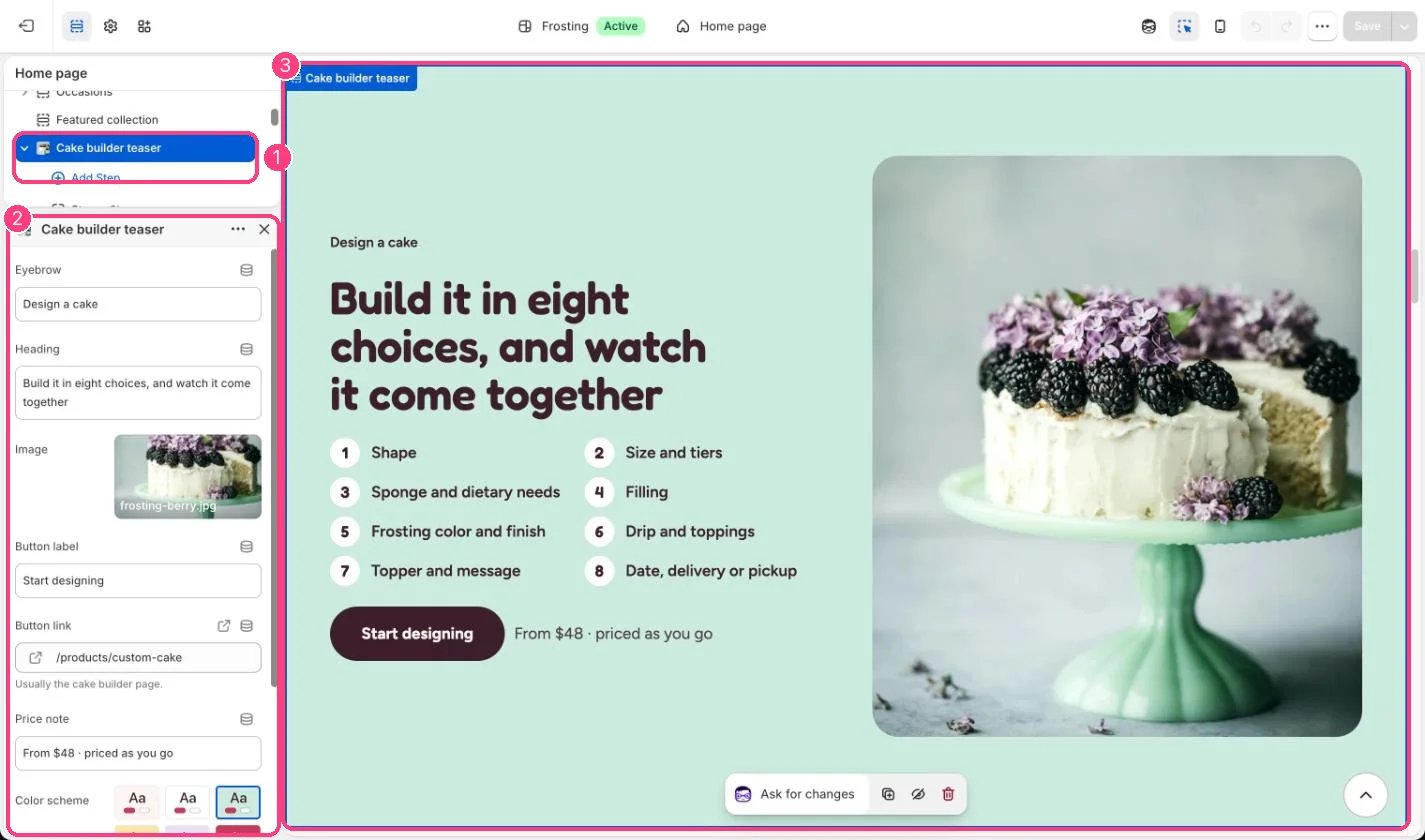
In the theme editor: 1 the section in the sidebar · 2 its settings · 3 the section in the preview
Edit it
- Set Button link to your Custom cake product, the one that uses the cake-builder template.
- Edit the steps to match the choices you actually offer in the builder.
- Update the price note to your real starting price.