
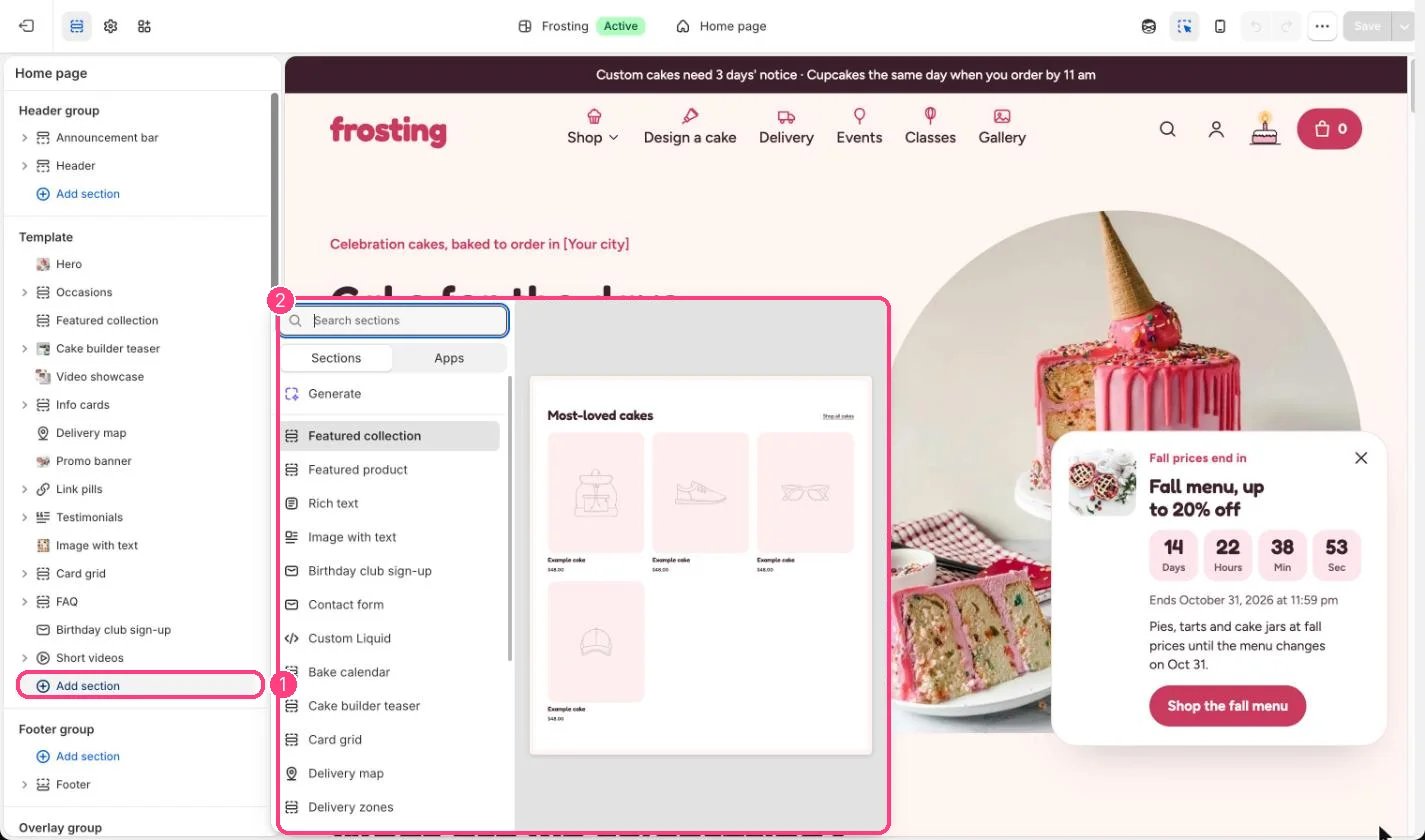
Not on the demo pages: add it with 1 Add section, then pick it in 2 the list
Where to find it
Not on any default template. Add it to any page with Add section, Custom Liquid. Product pages also have a Custom Liquid block.How it works
- Outputs the code you paste, inside the page width or full width.
- Uses the theme’s color schemes and section spacing.
- You can add several Custom Liquid sections to the same page.
Edit it
- Paste the code from your app or developer.
- Untick Keep to page width for full-width content, and untick Add top and bottom spacing to remove the gaps.
- Pick a Color scheme so the area around the code matches the sections next to it.
Settings
Code with errors can break the page layout. Preview before saving.