
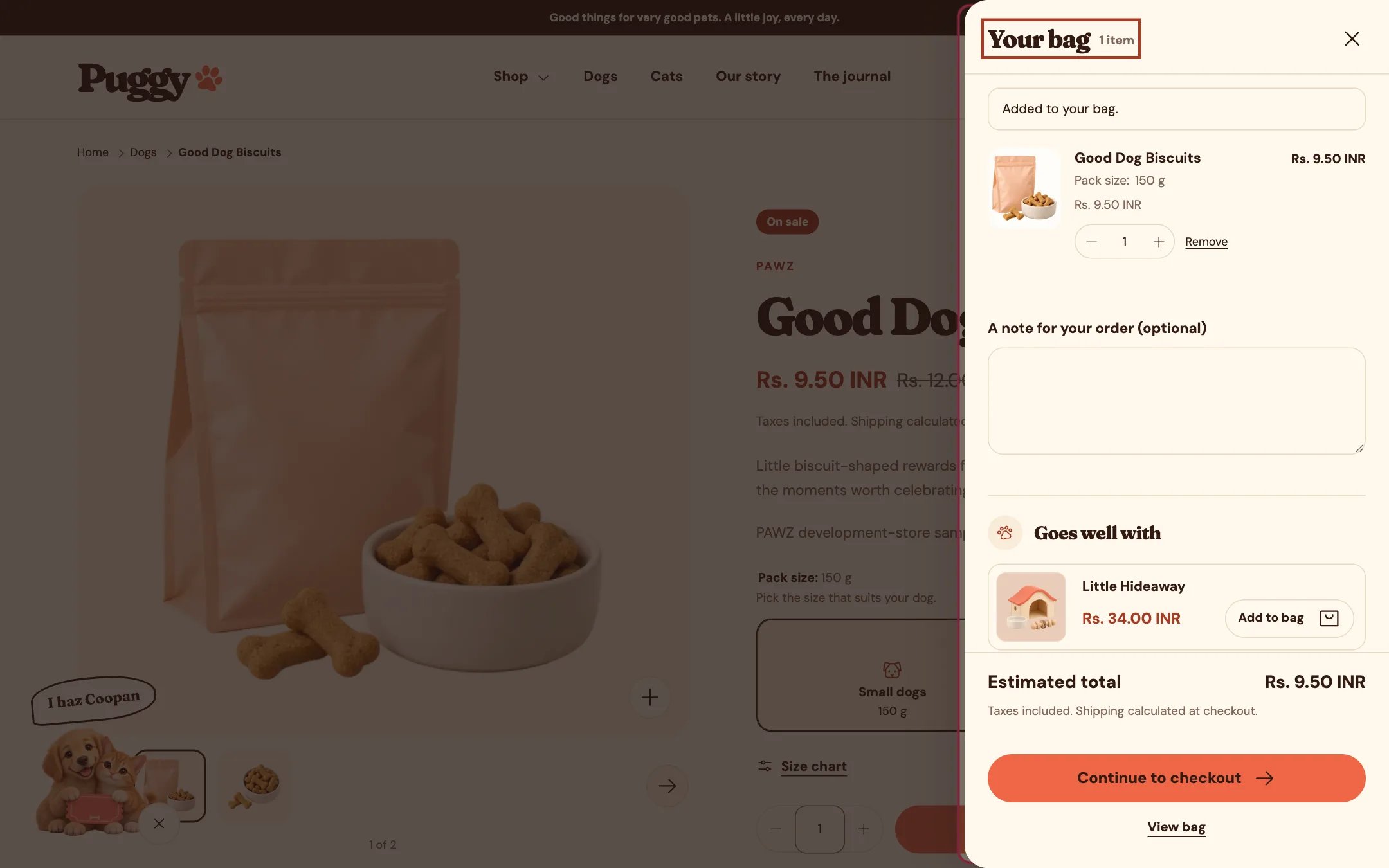
The cart drawer opens after adding a product
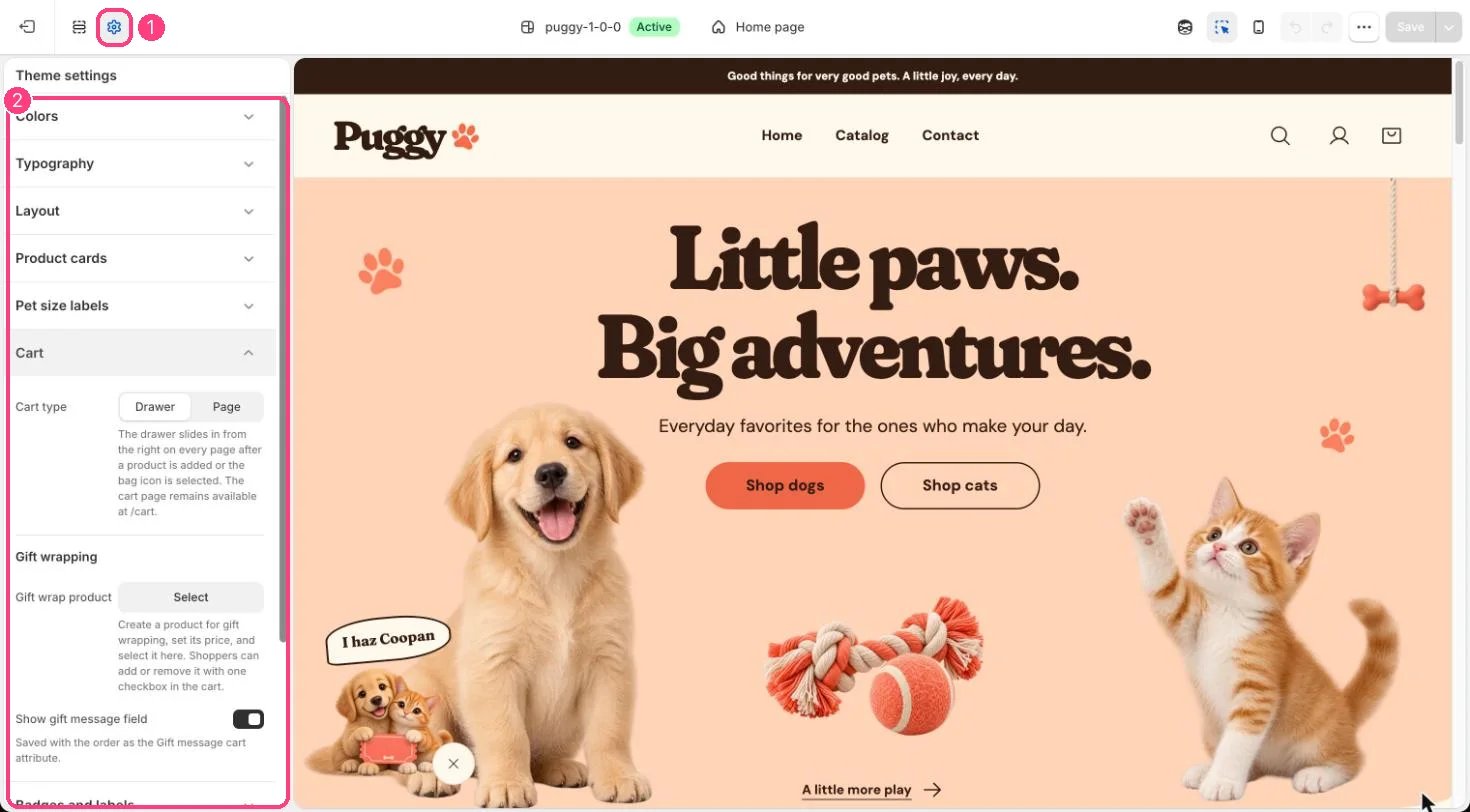
1 Theme settings · 2 Cart
What’s inside
- The same items, quantity controls, discounts and totals as the cart page.
- Goes well with: products related to the newest item in the bag, from Shopify’s recommendations, or your own picks. Items already in the bag are never repeated.
- Gift wrapping, a gift message and an order note, when they are set up.
- Continue to checkout, express payment buttons and a View bag link to the full cart page.
Edit it in the theme editor
Open any page other than Cart and select Cart drawer in the sidebar. The drawer opens in the preview while it’s selected. There you can set:- Heading, Color scheme and Empty bag image.
- Show vendor, Show order note and Show accelerated checkout buttons.
- Related products: Product source (related to the newest bag item, or your selected products), Selected products or fallback, Fallback collection, Products to show (2 to 6) and Show add buttons.
Good to know
- Express buttons such as Shop Pay, Apple Pay, Google Pay or PayPal appear only when an express method is active in Settings > Payments.
- The drawer isn’t used on the cart page itself.
- To skip the drawer, set Cart type to Page. Shoppers then go to the cart page after every add.