
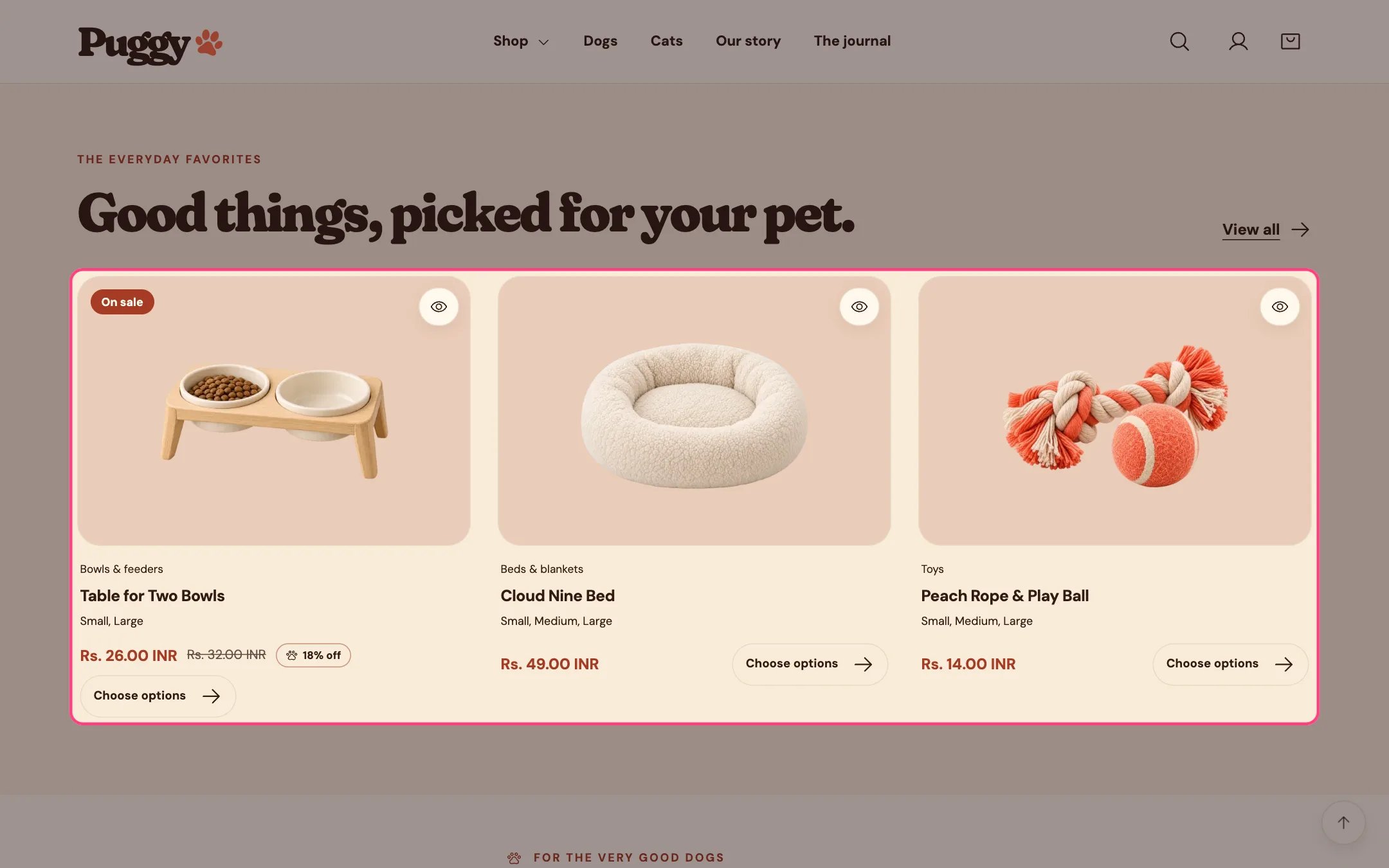
Featured collection, highlighted on the demo store
Where to find it
Home page. Choose Home page in the top page selector, then select Featured collection. Add it to other pages with Add section > Featured collection.How it works
- Shows 2 to 12 products from the chosen collection as product cards with price, badges and quick view.
- With no collection chosen, it shows products from your whole catalog.
- Products with a single variant show an Add to bag button; products with options show Choose options, which opens the product page.
- The heading falls back to the collection title when blank, and View all links to the collection.
- Cards sit three across on large screens and two across on phones. The section background uses the color scheme’s Surface color.
- If the chosen collection has no products, the theme editor shows a reminder and the storefront grid stays empty.
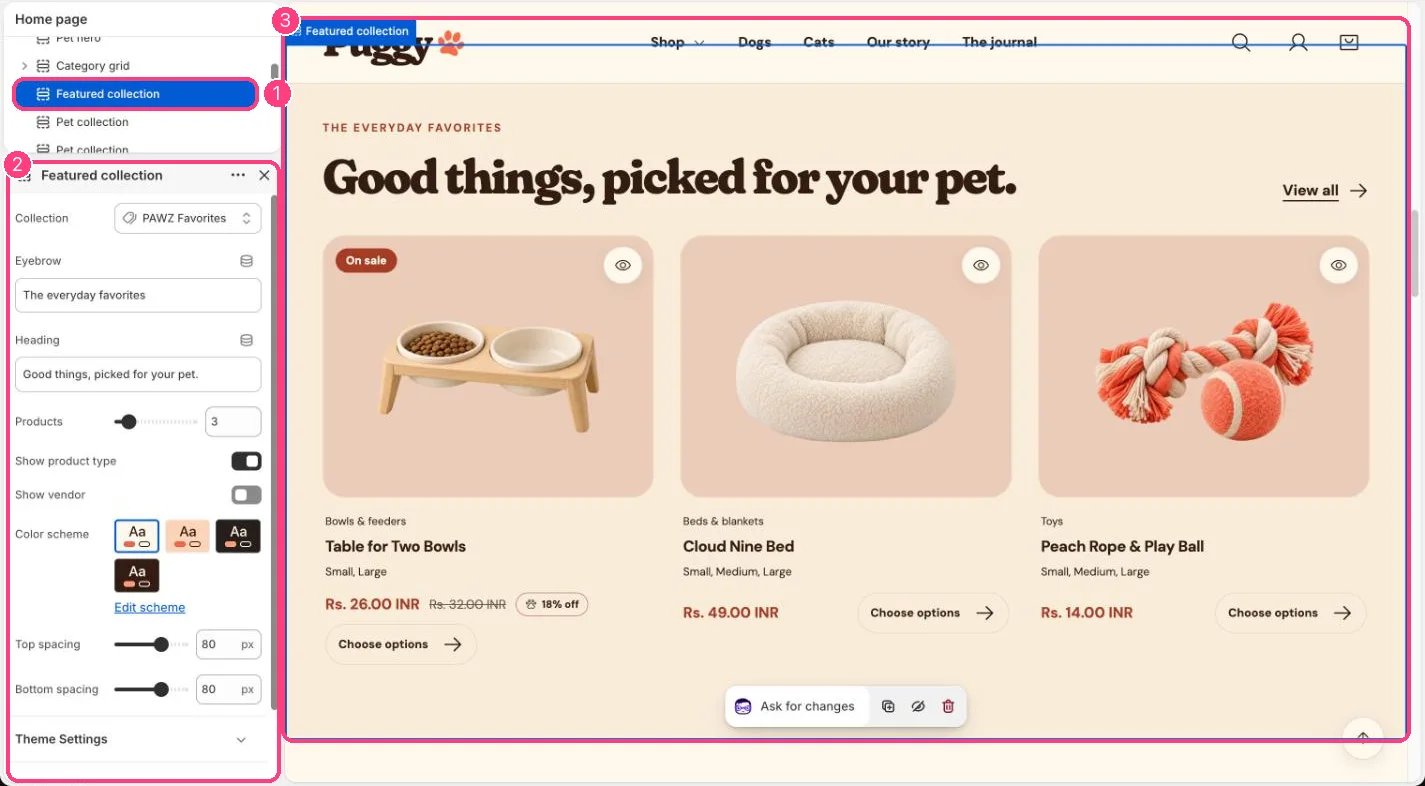
In the theme editor: 1 the section in the sidebar · 2 its settings · 3 the section in the preview
Edit it
- Choose a Collection and set Products (2 to 12).
- Edit Eyebrow and Heading.
- Turn Show product type and Show vendor on or off.
- The card look (hover image, swatches, option values, quick view) is set in Theme settings > Product cards.