
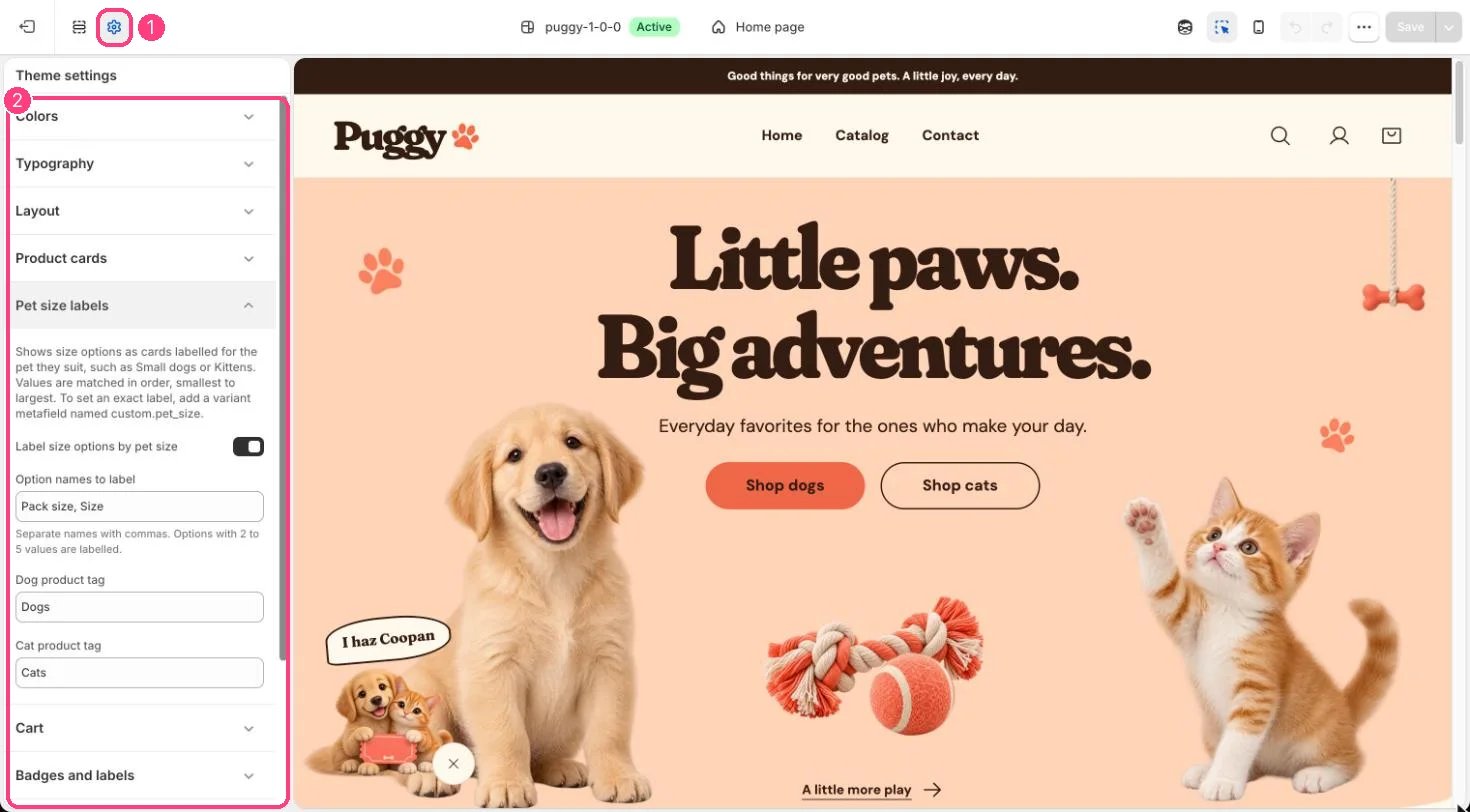
1 Theme settings (the gear icon) · 2 Pet size labels, opened in the sidebar
How it works
- Applies to options named in Option names to label (default Pack size, Size) that have 2 to 5 values, on products tagged with the Dog product tag (Dogs), the Cat product tag (Cats) or both.
- Values are matched in order, smallest first: two values become Small and Large, three add Medium, four add Giant, and five start at Toy.
- Dog wording: Toy breeds, Small dogs, Medium dogs, Large breeds, Giant breeds. Cat wording: Kittens, Kittens & small cats, Adult cats, Large cats, Multi-cat homes. Products with both tags get shared wording and both silhouettes.
- A short hint, such as Pick the size that suits your dog, appears above the cards.
- Options with color swatches, a single value or other names keep the standard picker.
- The cards appear on product pages, in Featured product and in quick view.
Edit it
- Turn Label size options by pet size on or off.
- Change Option names to label, Dog product tag and Cat product tag to match your catalog. Tags match regardless of capital letters.
- For an exact label on one value, add a variant metafield definition named custom.pet_size (single line text) and fill it for that variant.
- Change the wording in Edit default theme content, under Commerce > Pet size.