
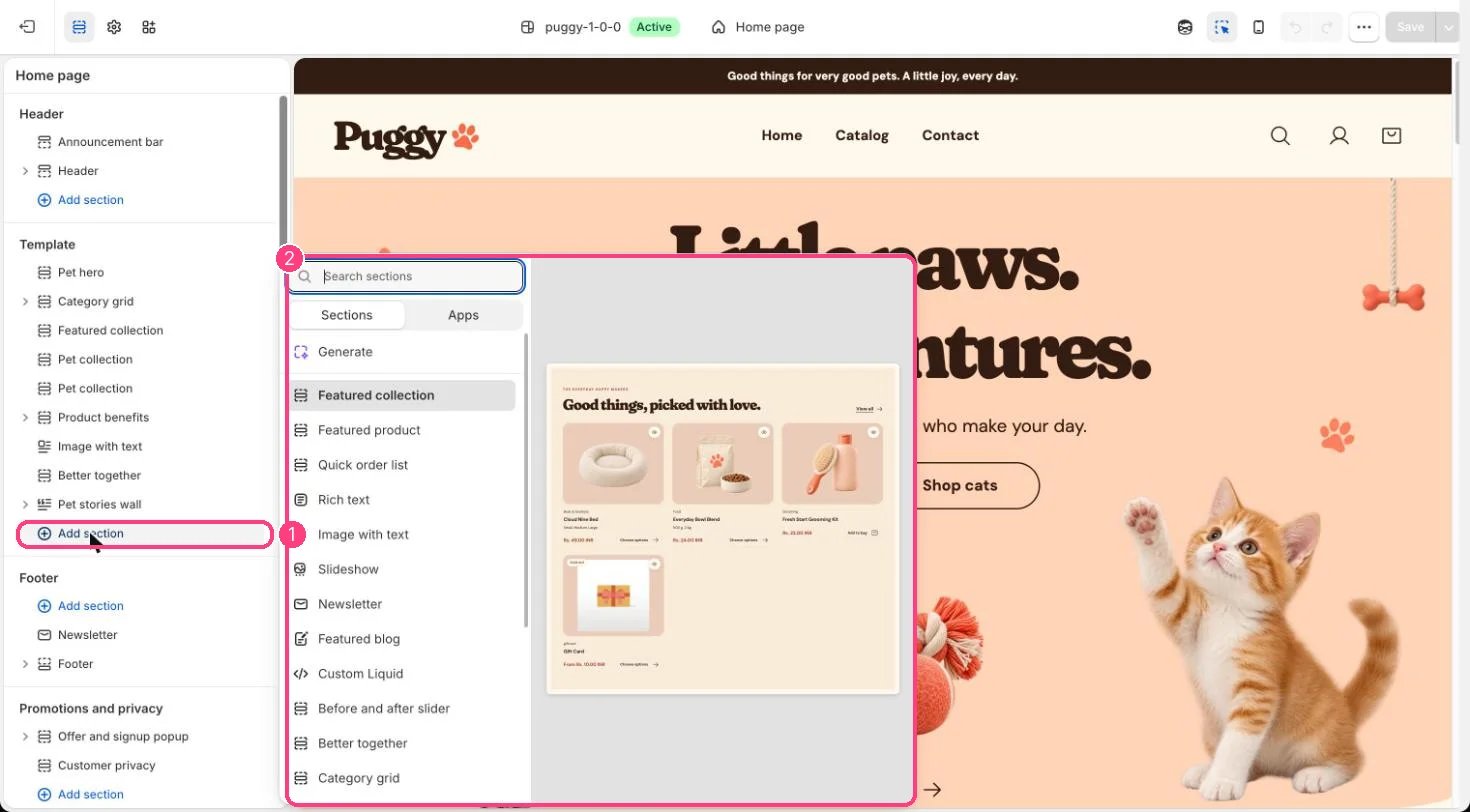
Not on the demo pages: add it with 1 Add section, then pick it in 2 the list
Where to find it
Add it to any page with Add section > Apps.How it works
- Shows app blocks provided by your installed apps inside the theme’s page width, color scheme and spacing.
- Custom Liquid blocks can sit alongside app blocks.
Edit it
- Click Add block and choose an app block or Custom Liquid.
- Set the Color scheme and spacing.
Settings
Blocks
Add a block with Add block under the section in the sidebar; drag blocks to reorder them.App blocks
Blocks from apps you have installed, such as reviews or subscriptions. Click Add block and choose one from the Apps tab; its settings come from the app.Custom Liquid
App blocks are set up inside each app. Puggy’s shopping features work without any app installed.