
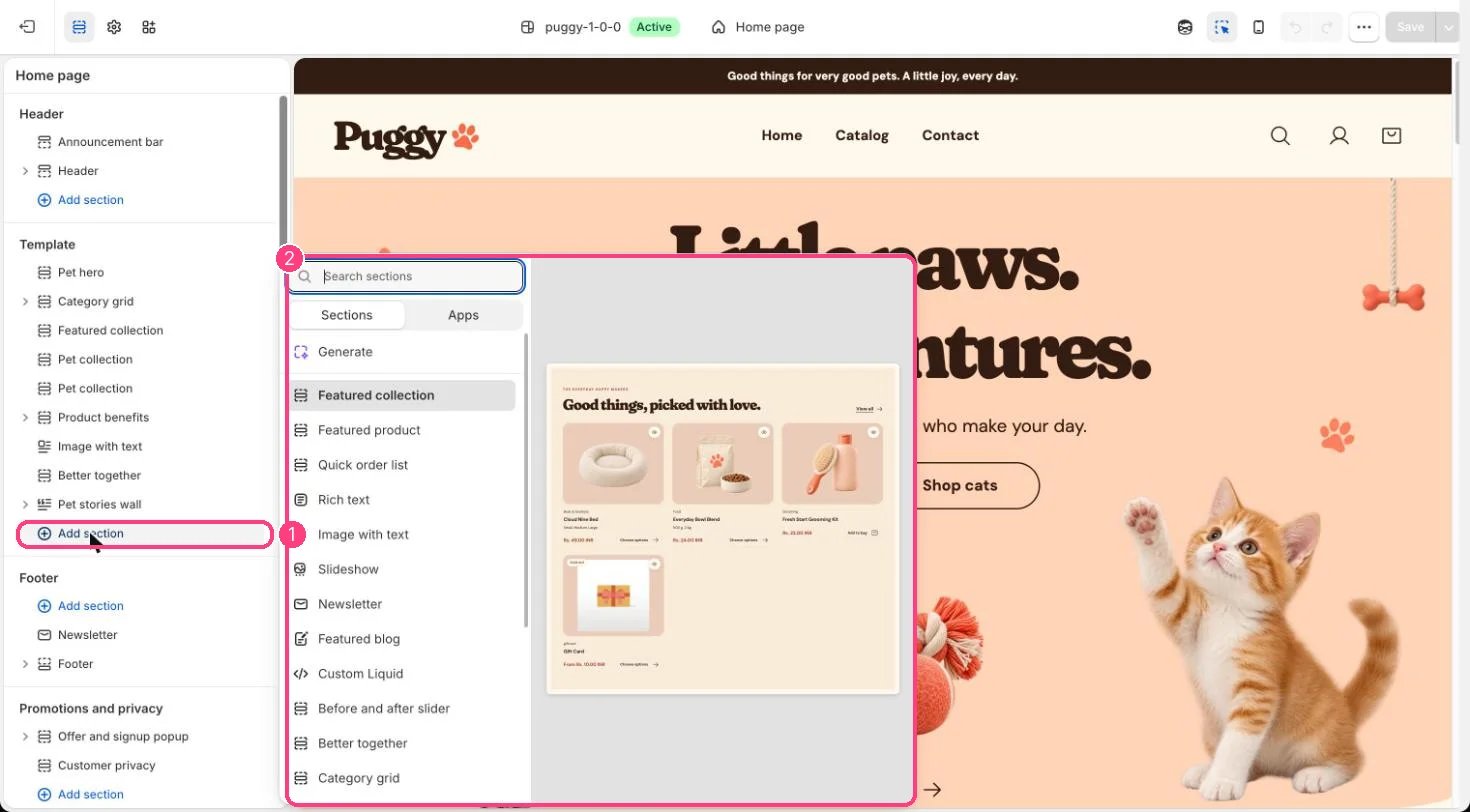
Not on the demo pages: add it with 1 Add section, then pick it in 2 the list
Where to find it
Not on a default template. Add it to the home page or any page with Add section > Featured product, then choose a Product.How it works
- Uses the same building blocks as the product page: Title, Vendor, Price, Description, Variant picker, Quantity, Inventory, Buy buttons, Pickup availability, Collapsible row, Custom Liquid, Complementary products and app blocks. Up to 30 blocks.
- Choosing options updates the price, images and buttons in place without changing the page address.
- The gallery has thumbnails, arrows and a zoom lightbox, and plays videos and 3D models.
- A See all the little details link goes to the full product page.
- Adding to the bag opens the cart drawer.
- Nothing shows on the storefront until a product is chosen.
Edit it
- Choose the Product, then add and reorder blocks. The preset starts with Title, Price, Variant picker, Quantity, Buy buttons and Description.
- Set Media position on desktop, Keep product information in view and the spacing.
- Under Product gallery, choose Main image fit, Thumbnail size (56 to 96 px) and whether to show image arrows.
Settings
Product gallery
Blocks
Up to 30 blocks. Add a block with Add block under the section in the sidebar; drag blocks to reorder them.App blocks
Blocks from apps you have installed, such as reviews or subscriptions. Click Add block and choose one from the Apps tab; its settings come from the app.Title (up to 1)
No settings: add or remove it, and drag it into place.Vendor (up to 1)
No settings: add or remove it, and drag it into place.Price (up to 1)
No settings: add or remove it, and drag it into place.Description (up to 1)
No settings: add or remove it, and drag it into place.Variant picker (up to 1)
Quantity (up to 1)
Inventory (up to 1)
Buy buttons (up to 1)
Pickup availability (up to 1)
No settings: add or remove it, and drag it into place.Collapsible row
Custom Liquid
Complementary products (up to 1)
Product badges, size chart, back in stock and trust badge blocks are only available in the main Product information section.