
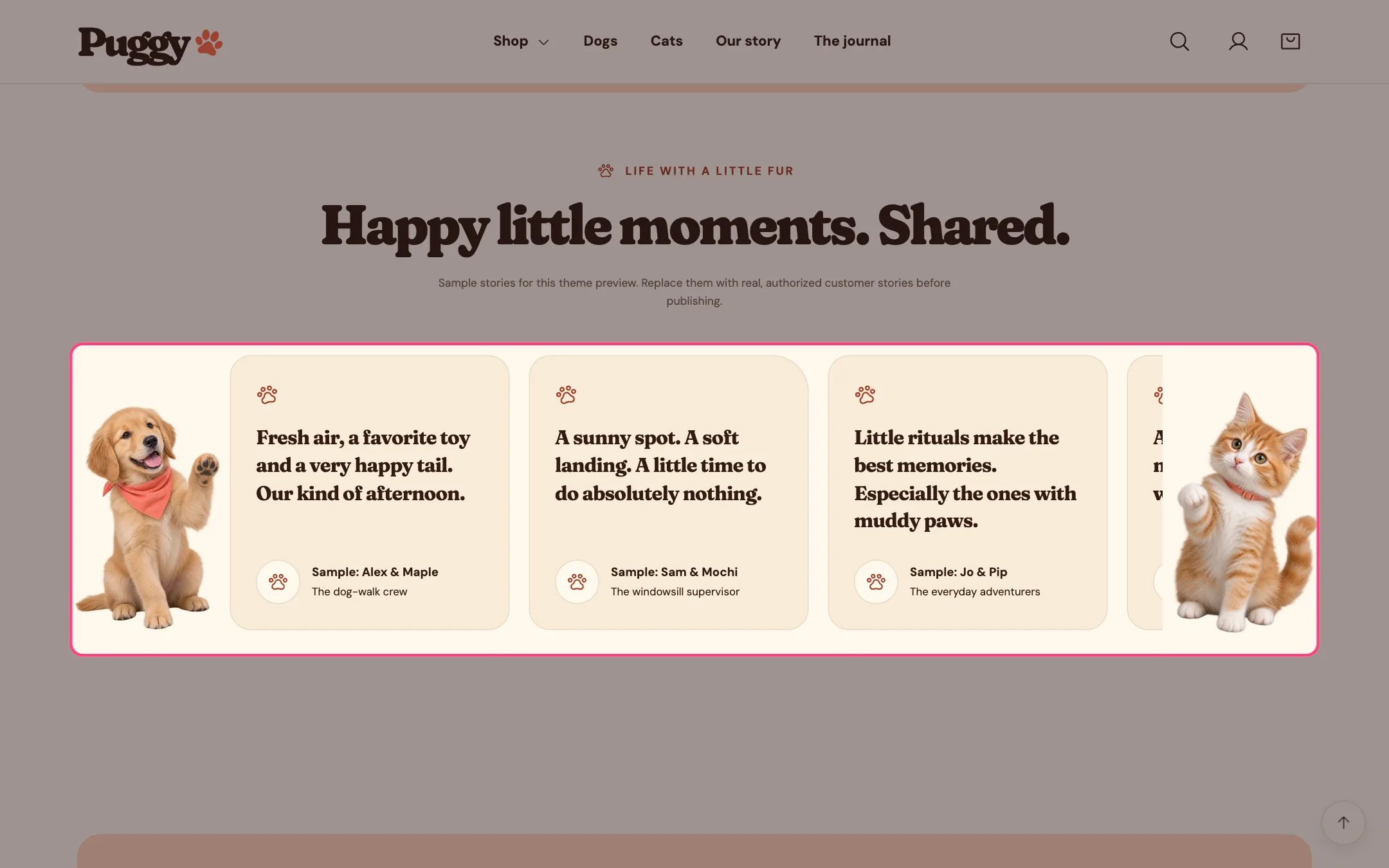
Pet stories wall, highlighted on the demo store
Where to find it
Home page. Choose Home page in the top page selector, then select Pet stories wall.How it works
- When the stories don’t all fit, they loop sideways. The loop pauses on hover or keyboard focus, and a Pause the stories button stops it.
- Shoppers who prefer reduced motion see a still list they can scroll.
- The dog and cat appear only on screens 1200 px and wider.
- Stories without an avatar show a paw instead.
- With Label these as sample stories on, a note under the heading says the stories are samples.
- Holds up to 12 stories. It shows quotes only; no star ratings or review data are added.
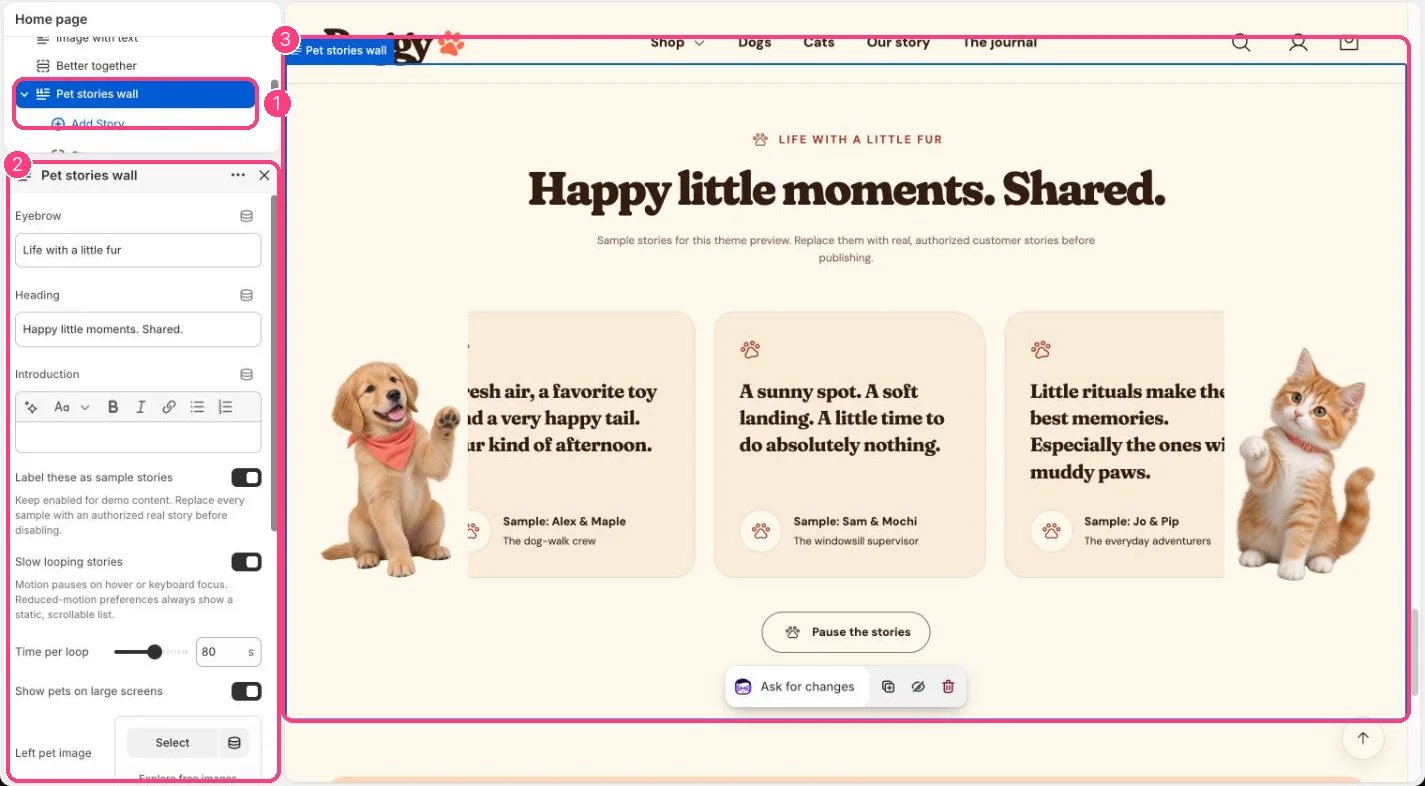
In the theme editor: 1 the section in the sidebar · 2 its settings · 3 the section in the preview
Edit it
- Click Add block > Story, then write the Quote, Name and Pet name or additional detail, and add an Avatar.
- Set Time per loop (30 to 120 seconds), or turn off Slow looping stories.
- Replace the side pets with Left pet image and Right pet image, or turn off Show pets on large screens.
- Turn off Label these as sample stories only after every story is real.
Settings
Blocks
Up to 12 blocks. Add a block with Add block under the section in the sidebar; drag blocks to reorder them.Story
Only publish stories customers agreed to share. The default stories are placeholders.