
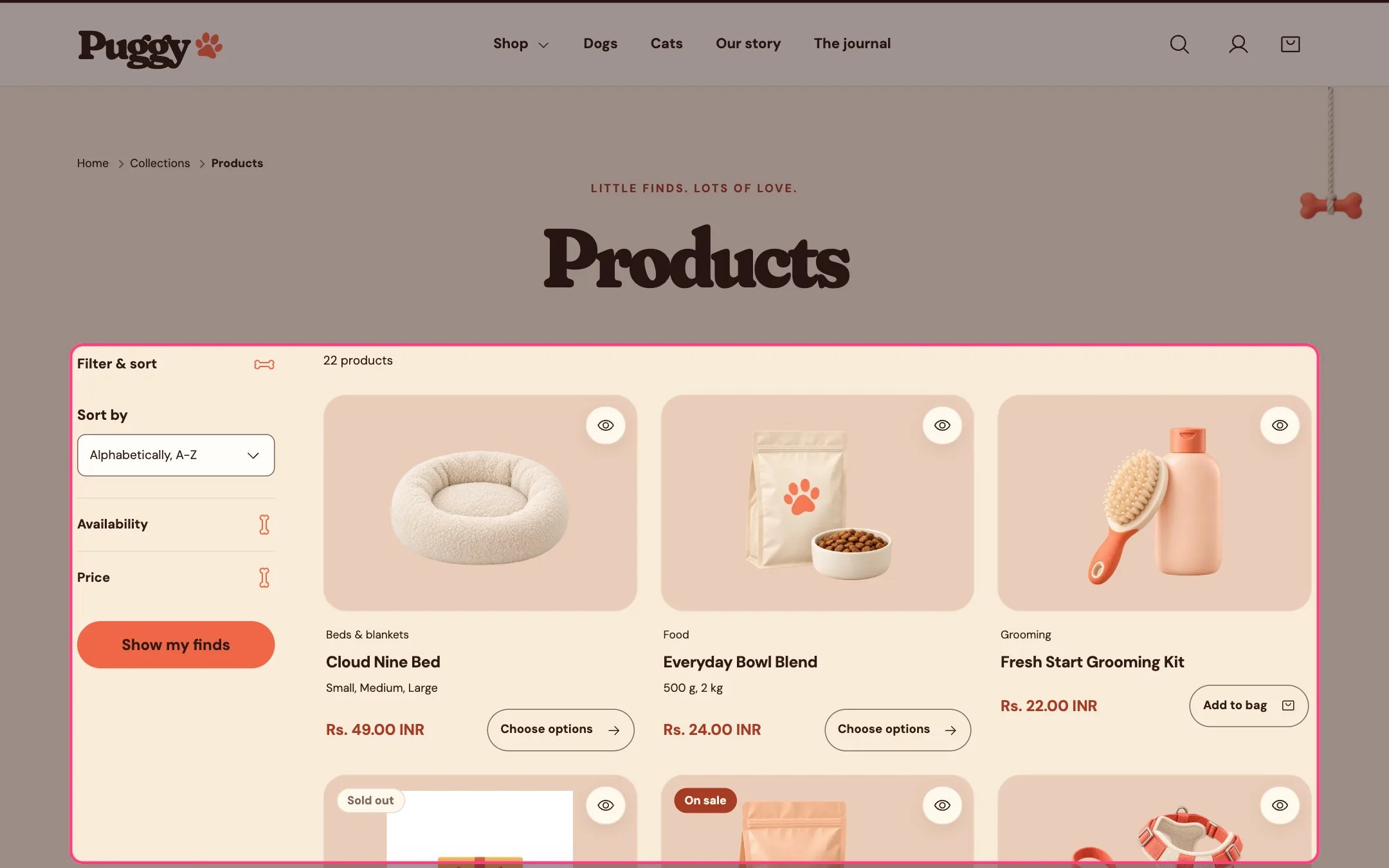
Collection products, highlighted on the demo store
Where to find it
Collection pages. In the theme editor, choose Collections > Default collection in the top page selector, then select Collection products.How it works
- Shows breadcrumbs, the collection title, its description and optionally its image, then the number of products.
- Filters and sorting sit in a Filter & sort panel beside the products on desktop and above them on phones. Shoppers tick filters, then select Show my finds. Active filters appear as removable chips with a Clear all filters link.
- Filter values with no matching products are grayed out, and color filters can show swatches.
- Pagination can be page numbers, a Load more button or infinite scroll. Infinite scroll loads up to four more pages on its own, then shows Load more so the footer stays reachable. A Showing X of Y count sits above the button.
- Promo tiles appear between products on the first page only, at the position you set.
- Collection navigation lists the links of a menu you choose, in the sidebar or above the products, with the current collection marked.
- When filters match nothing, a message and a Clear all filters button appear.
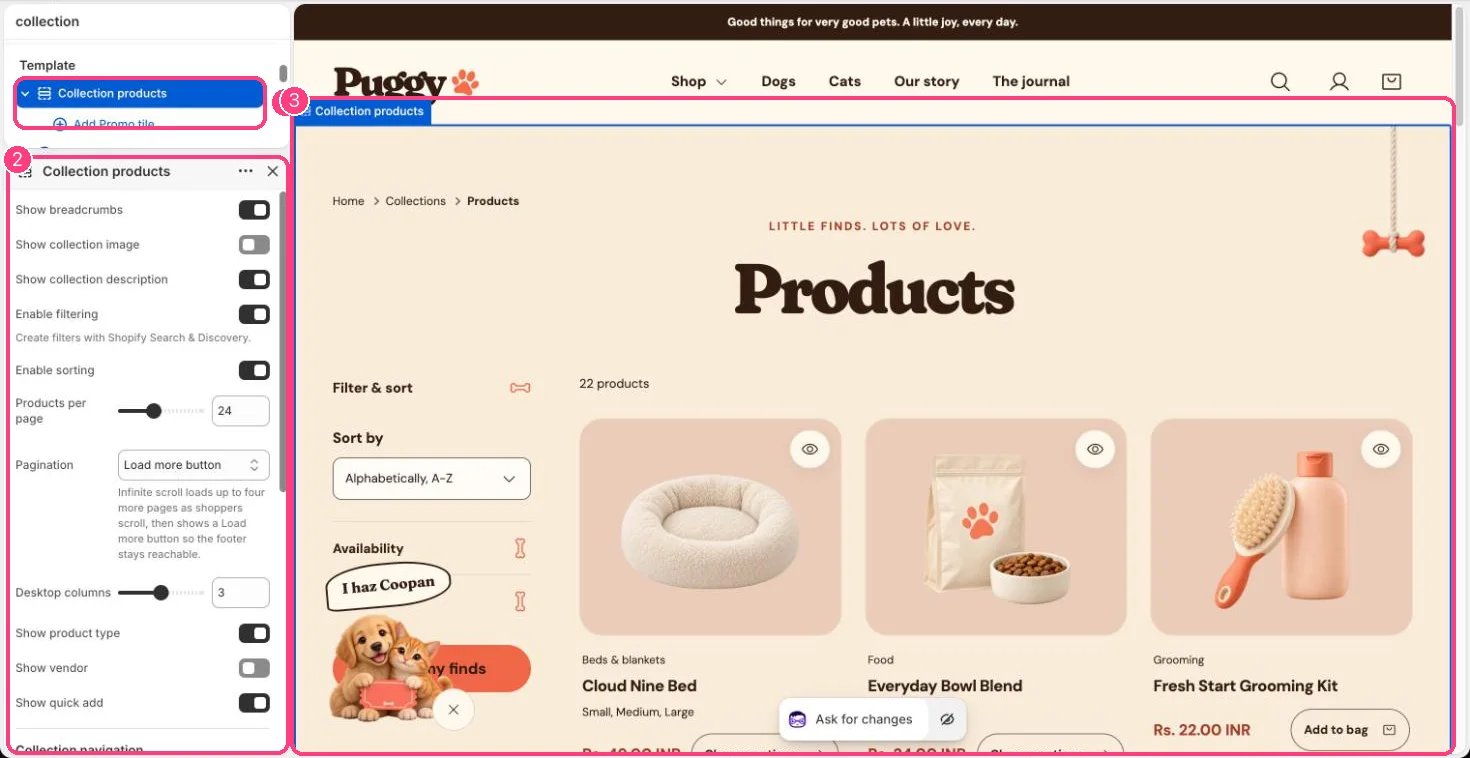
In the theme editor: 1 the section in the sidebar · 2 its settings · 3 the section in the preview
Edit it
- Set Products per page (8 to 48), Desktop columns (2 to 4) and Pagination.
- Turn Enable filtering and Enable sorting on or off. Create and order filters in the Shopify Search & Discovery app.
- Click Add block > Promo tile (up to 6). Set Position in grid (1 to 24), Span two columns, image, text and color scheme. Its button shows only when both Button label and Button link are set.
- For collection navigation, choose a Menu, such as a Dogs menu with Food, Toys and Beds, and a Menu position (Sidebar or Above products).
- Turn Show collection image, Show collection description, Show breadcrumbs, Show product type, Show vendor and Show quick add on or off.
- Edit collection titles, descriptions and images in Shopify admin under Products > Collections.
Settings
Collection navigation
Blocks
Add a block with Add block under the section in the sidebar; drag blocks to reorder them.Promo tile (up to 6)
Filters come from the Search & Discovery app and your product data. The theme can’t show a filter your catalog has no data for.