
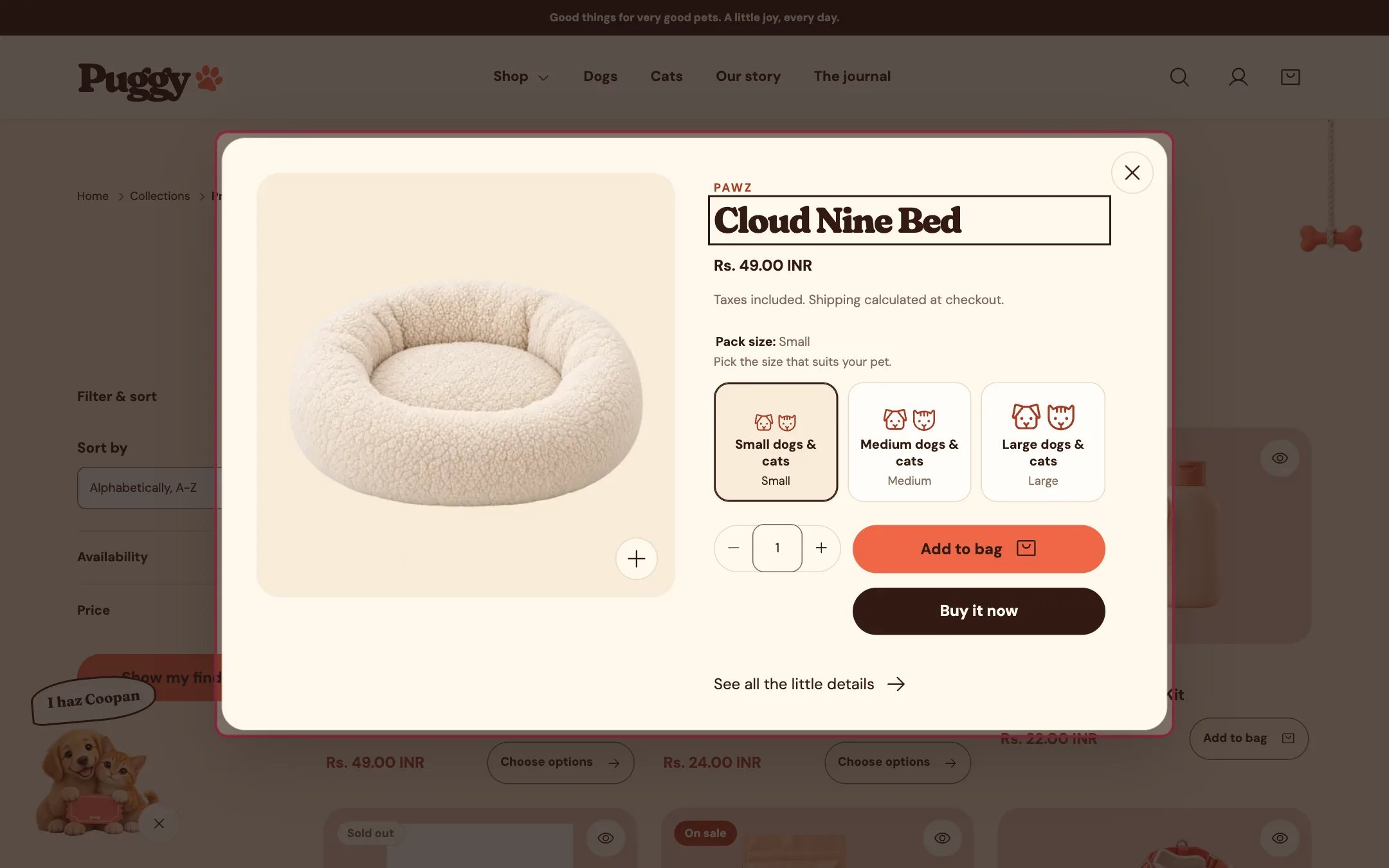
Quick view, highlighted on the demo store
Where to find it
You don’t place this one. Turn it on or off in Theme settings > Product cards > Show quick view. It works on product cards in home page sections, collections, search, recommendations, recently viewed and the cart page.How it works
- To open it, select the eye button in the top corner of any product card. On hover the button widens to read Quick view.
- Shows the product’s photos, videos and 3D models, vendor, title, price, options as buttons, quantity, Add to bag and, when turned on, Buy it now.
- On phones it slides up from the bottom as a sheet.
- Adding to the bag closes quick view and opens the cart drawer, or goes to the cart page when Cart type is Page.
- See all the little details links to the full product page.
- Escape, the close button or a click outside closes it and returns focus to the card. Any playing video stops.
- If the product can’t load, a message and a link to the product page appear.
- It isn’t offered on the product cards inside the cart drawer.
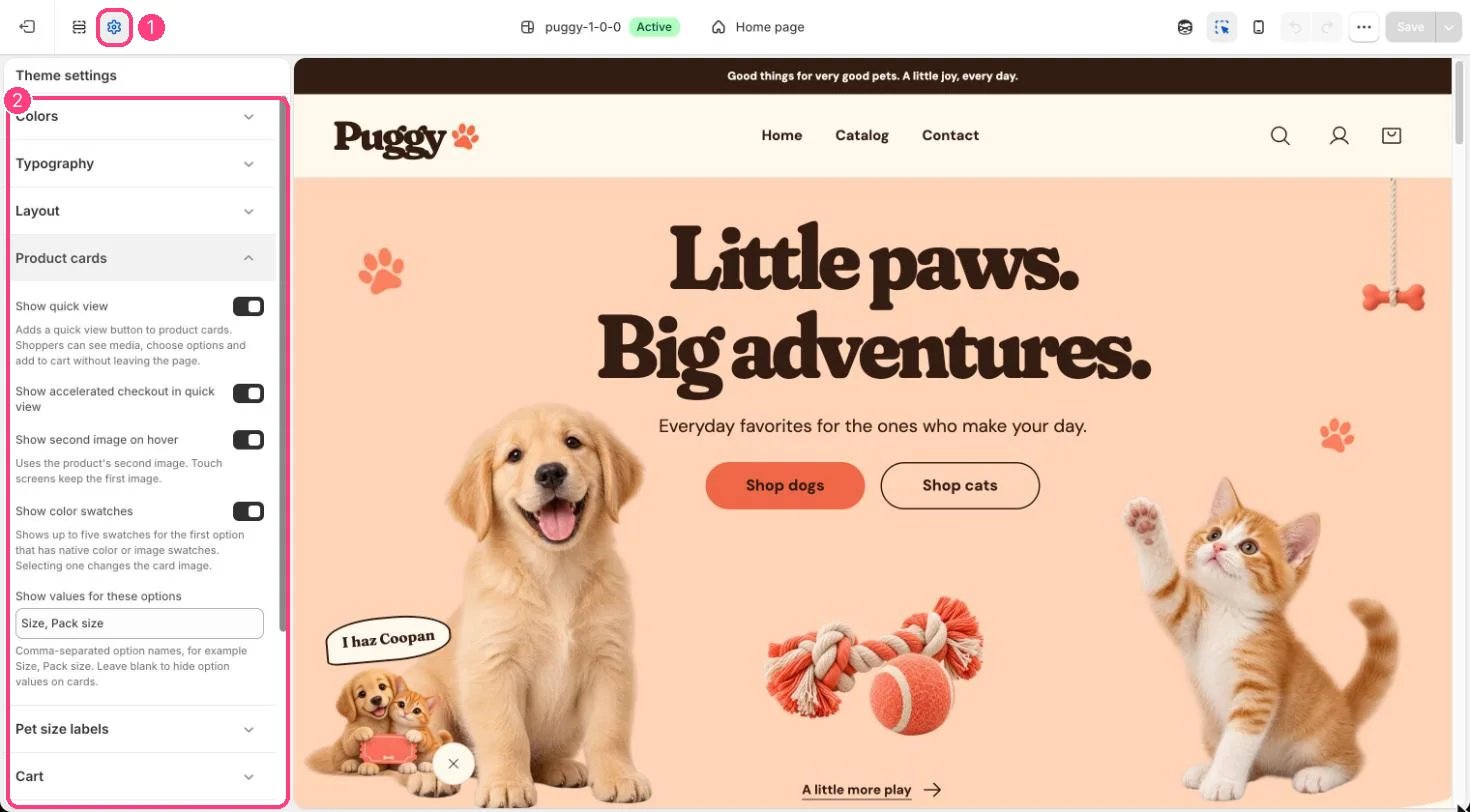
Quick view is set in 1 Theme settings · 2 Product cards
Edit it
- Theme settings > Product cards > Show quick view turns the eye button on or off everywhere.
- Show accelerated checkout in quick view controls the Buy it now and express buttons.
- Pet size cards and swatches follow the same settings as product pages.
Settings
There is nothing to set up per product. Quick view uses the media, options and prices from Shopify admin.