
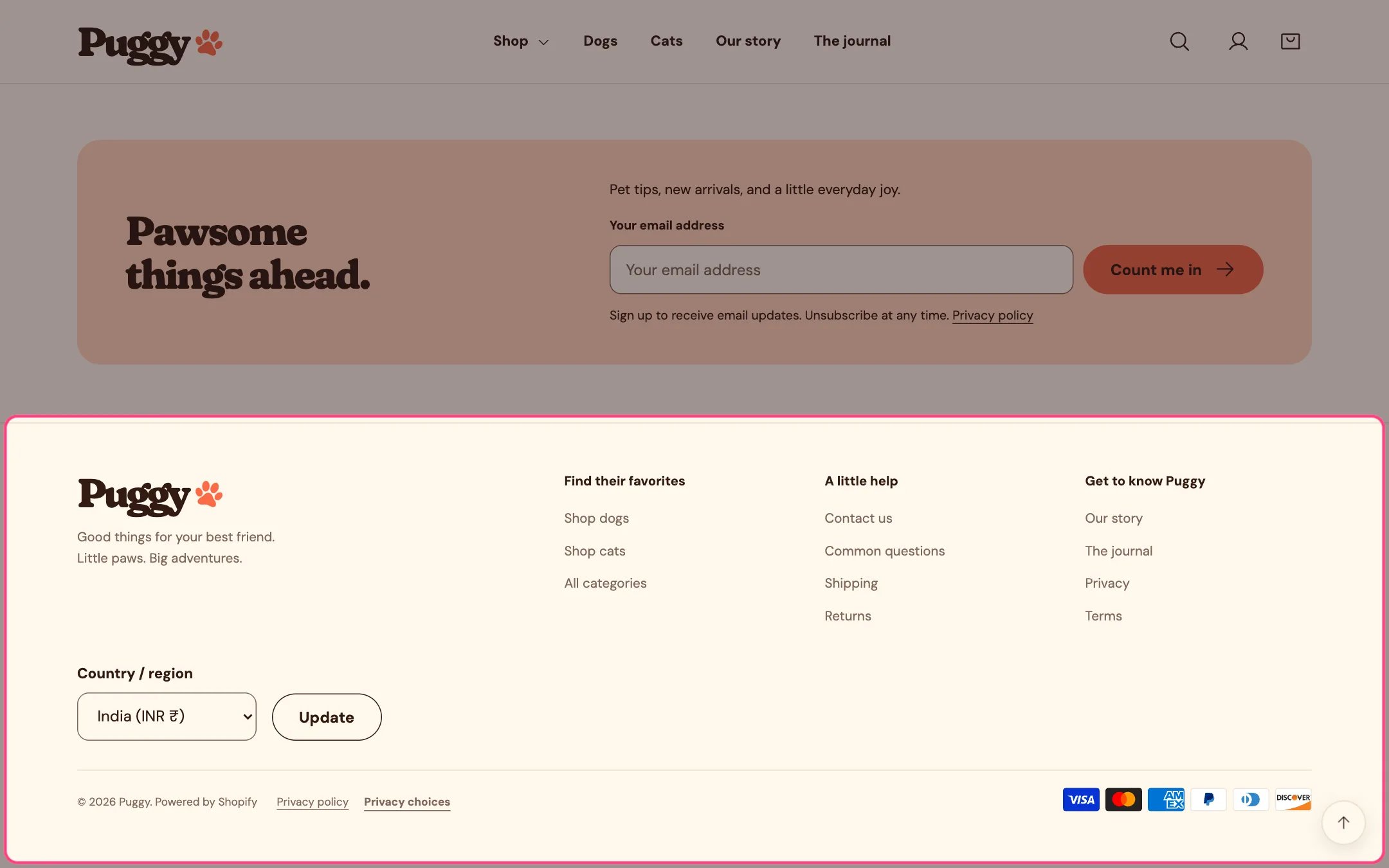
The footer with the country selector

The footer, with the country and language selectors

Built-in translations

Puggy’s own storefront words (buttons, labels and messages) come translated into English, French, German, Italian and Spanish.

Add a language

  1. In Shopify admin, go to Settings > Languages, add the language and publish it.
  2. Translate your own content, such as products, collections, pages and the text you typed in theme sections, with Shopify’s Translate & Adapt app.
  3. To adjust Puggy’s words in any language, go to Online Store > Themes, open the … menu beside Puggy, choose Edit default theme content and pick the language.

Country and language selectors

The footer shows country and language selectors when your store has more than one country or language available. Turn them off with Footer > Show country and language selectors. Countries and currencies are set up in Settings > Markets; the theme doesn’t create them.

Right-to-left languages

For Arabic, Hebrew, Persian, Urdu and other right-to-left languages, the page direction flips automatically. The layout, menus, drawers, sliders, arrows and slide-out panels mirror, and text aligns to the right. In the Slideshow, left and right text positions swap. Test a real language and currency change on your storefront before you launch.