
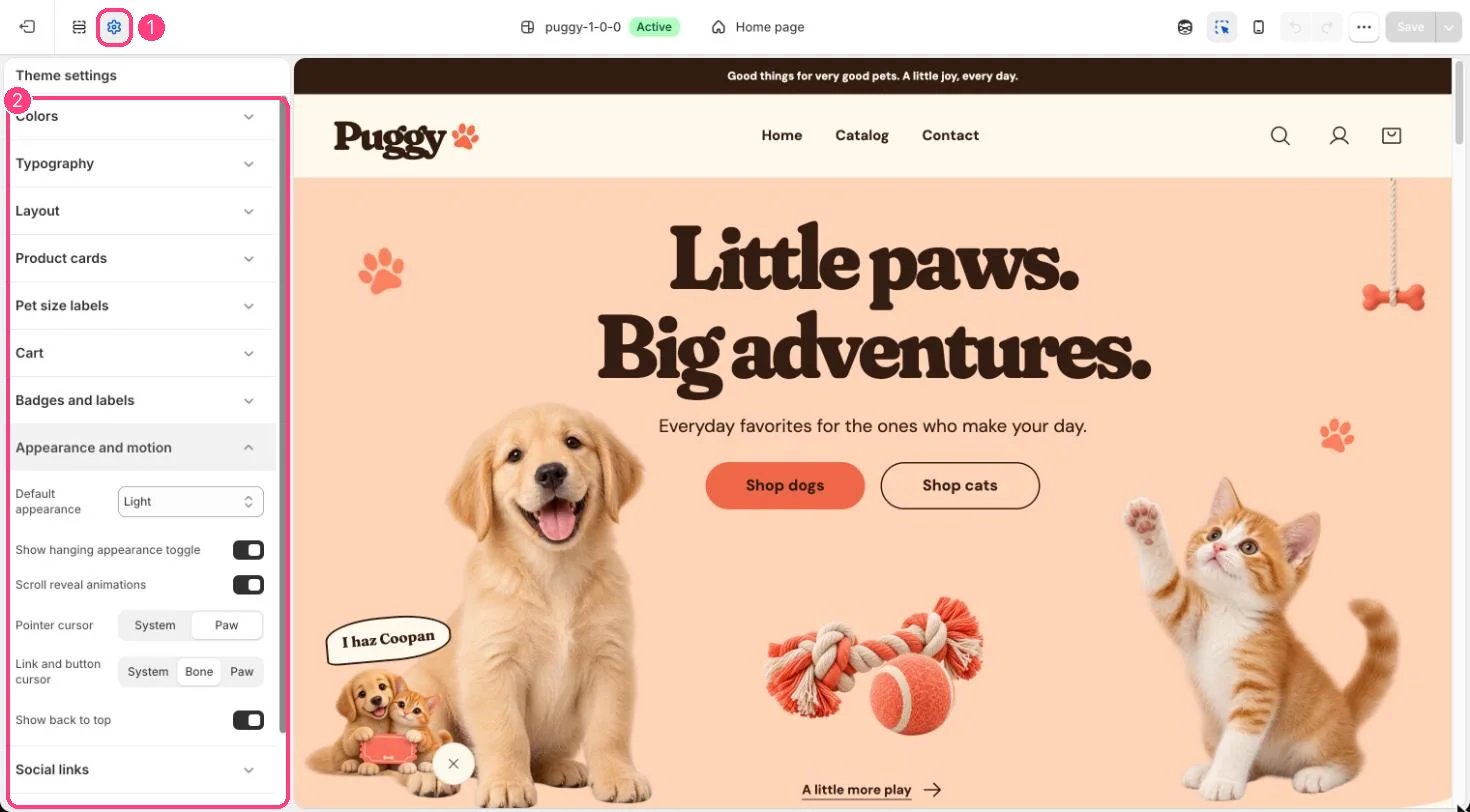
1 Theme settings (the gear icon) · 2 Appearance and motion, opened in the sidebar
How it works
- Default appearance is Light, Dark or Follow device.
- Show hanging appearance toggle shows the rope with a bone at the top corner that switches between day and night.
- Scroll reveal animations fade content gently up as it scrolls into view. Content already on screen doesn’t move, and shoppers who prefer reduced motion see no animation.
- Pointer cursor (System or Paw) and Link and button cursor (System, Bone or Paw) apply on devices with a mouse. Touch screens are unaffected.
- Show back to top adds a small round button that appears once shoppers scroll down the page.
Edit it
- Pick a Default appearance. Follow device uses the shopper’s device setting until they use the rope.
- Turn Show hanging appearance toggle off to hide the rope.
- Turn Scroll reveal animations off for a completely still page.
- Set Pointer cursor and Link and button cursor to System for standard cursors.