
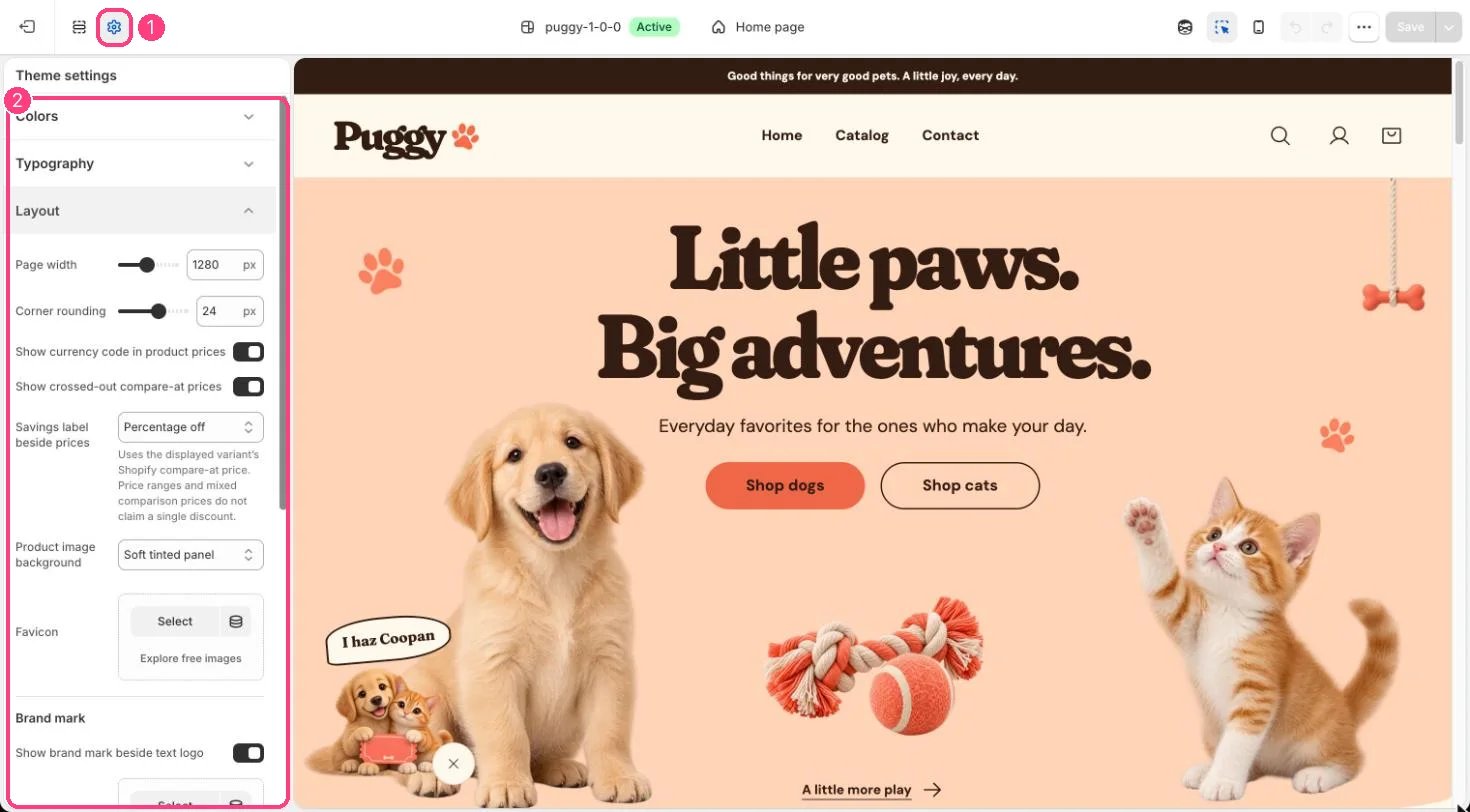
1 Theme settings (the gear icon) · 2 Layout, opened in the sidebar
How it works
- Page width (1000 to 1600 px) sets how wide content can grow on large screens.
- Corner rounding (0 to 40 px) rounds cards, images, buttons and panels.
- Show currency code in product prices adds the code, such as USD, after product prices.
- Show crossed-out compare-at prices strikes through the old price when a variant’s compare-at price is higher. Turning it off also hides sale badges.
- Savings label beside prices shows Percentage off (rounded down), Amount saved, a simple On sale label, or nothing. Cards for products with a price range don’t claim a single discount.
- Product image background puts product card images on a Soft tinted panel, Peach, or Transparent.
- Favicon shows as a small square icon in the browser tab. Without one, a paw print is used.
- Brand mark shows or hides the small mark beside a text logo, and can replace the default paw with your own square image.
Edit it
- Set compare-at prices on each variant in Shopify admin. The compare-at price must be higher than the price to count as a saving.
- Upload a square Favicon image.
- For Brand mark image, a 72 x 72 px PNG is recommended. Turn off Show brand mark beside text logo to show the store name alone.
Settings
Brand mark