
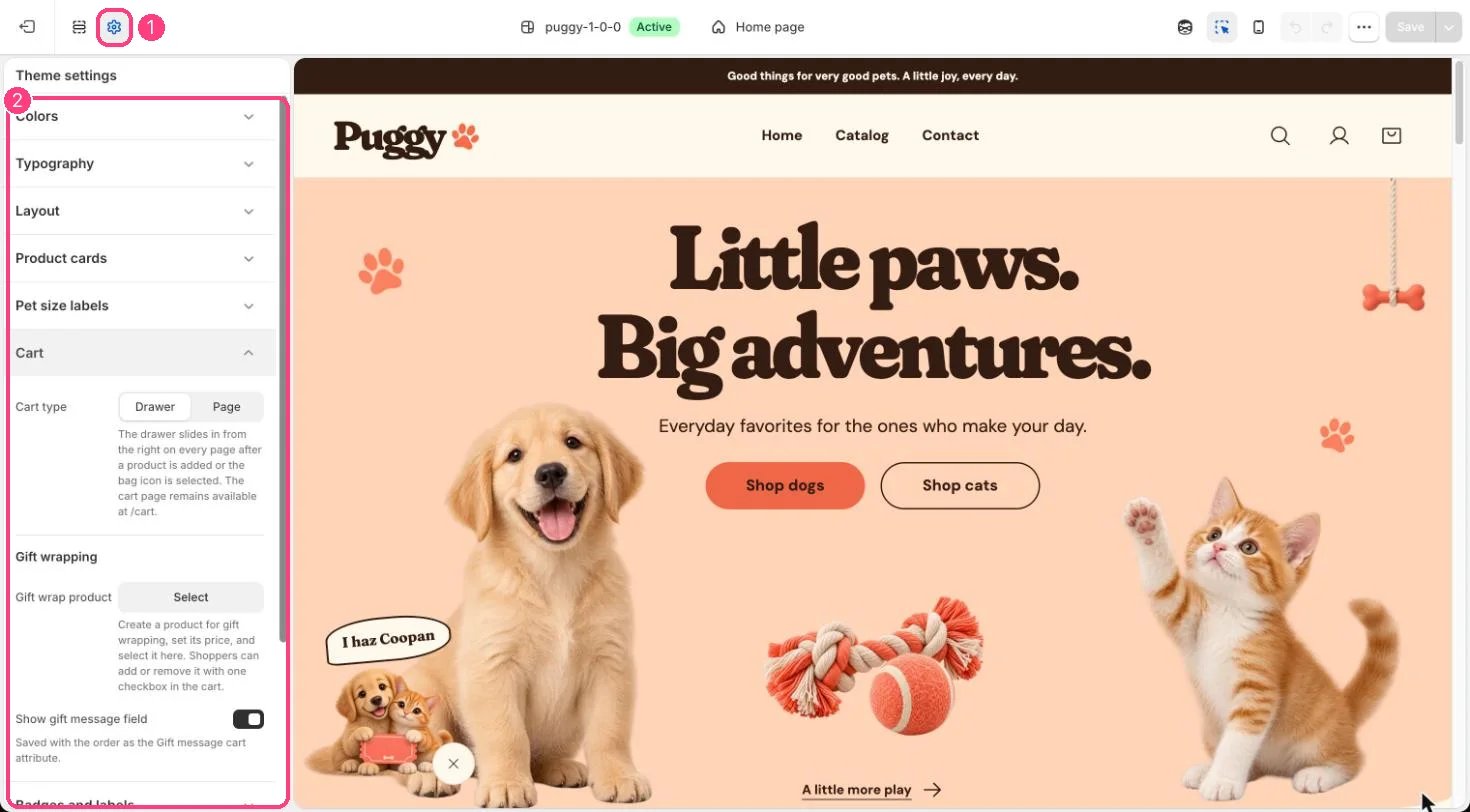
1 Theme settings (the gear icon) · 2 Cart, opened in the sidebar
How it works
- Cart type Drawer (the default) slides the bag in from the side after every add and when the bag icon is selected. Page sends shoppers to the cart page instead.
- The cart page at /cart stays available either way.
- Gift wrap product adds an Add gift wrapping checkbox, with its price, to the cart page and the drawer. Ticking it adds the product; unticking removes it.
- Show gift message field adds a Gift message box that is saved on the order as the Gift message detail (up to 300 characters).
Edit it
- Create a gift wrap product with its price in Shopify admin, then choose it in Gift wrap product.
- Leave Gift wrap product empty to hide both gift wrapping and the gift message.
Settings
Gift wrapping