
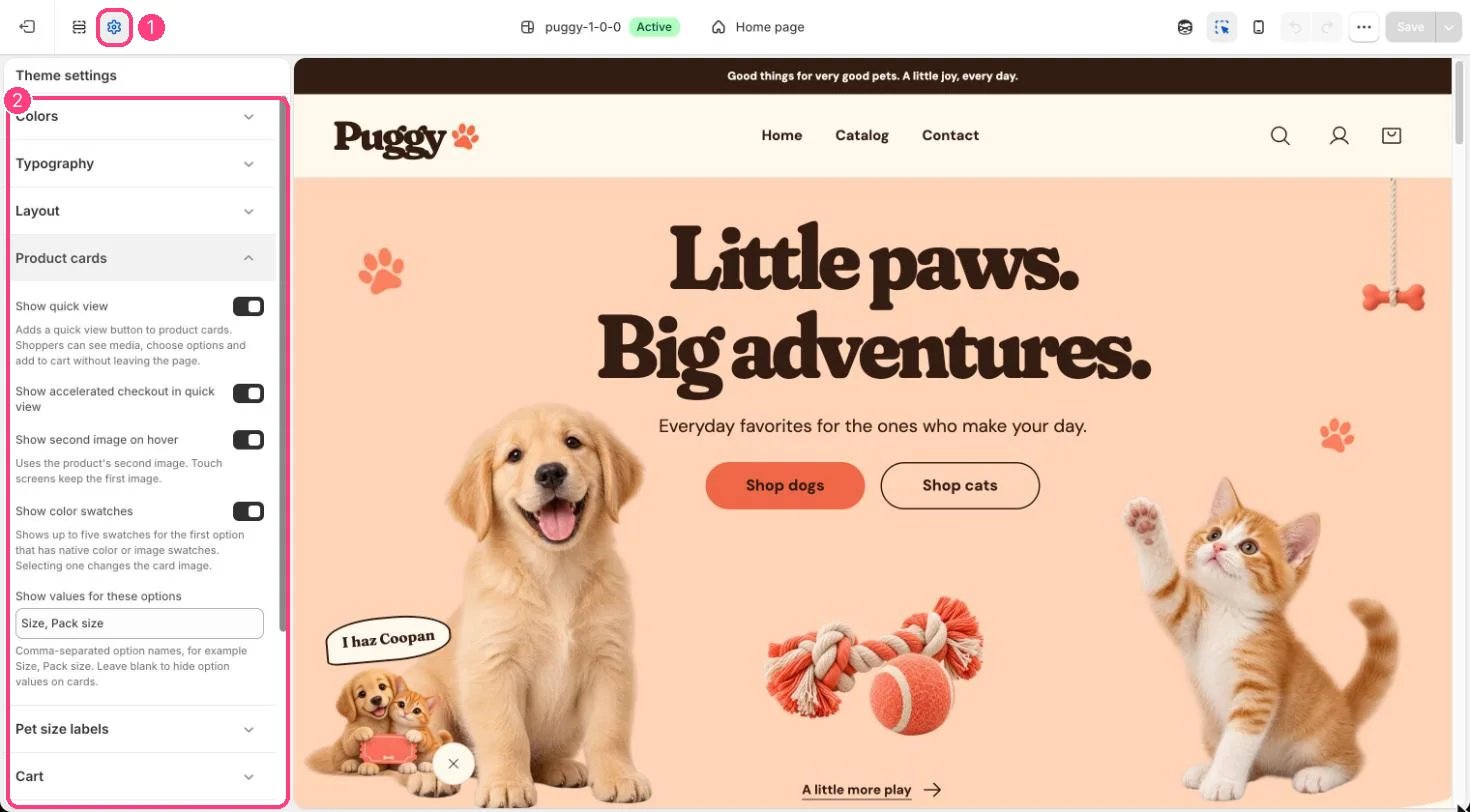
1 Theme settings (the gear icon) · 2 Product cards, opened in the sidebar
How it works
- Show quick view adds an eye button to each card that opens the product in a pop-up.
- Show accelerated checkout in quick view adds Buy it now and other express buttons inside quick view.
- Show second image on hover switches to the product’s second image on devices with a mouse. Touch screens keep the first image.
- Show color swatches shows up to five swatches for the first option that has color or image swatches, plus a +N more note. Selecting a swatch changes the card image and links to that variant.
- Show values for these options lists up to four values (such as sizes) of the first matching option, then +N more.
- When a section has quick add on, cards for single-variant products show Add to bag and other cards show Choose options.
Edit it
- Add color or image swatches to option values in Shopify admin on the product.
- Type option names separated by commas in Show values for these options, for example Size, Pack size. Leave it blank to hide option values.