
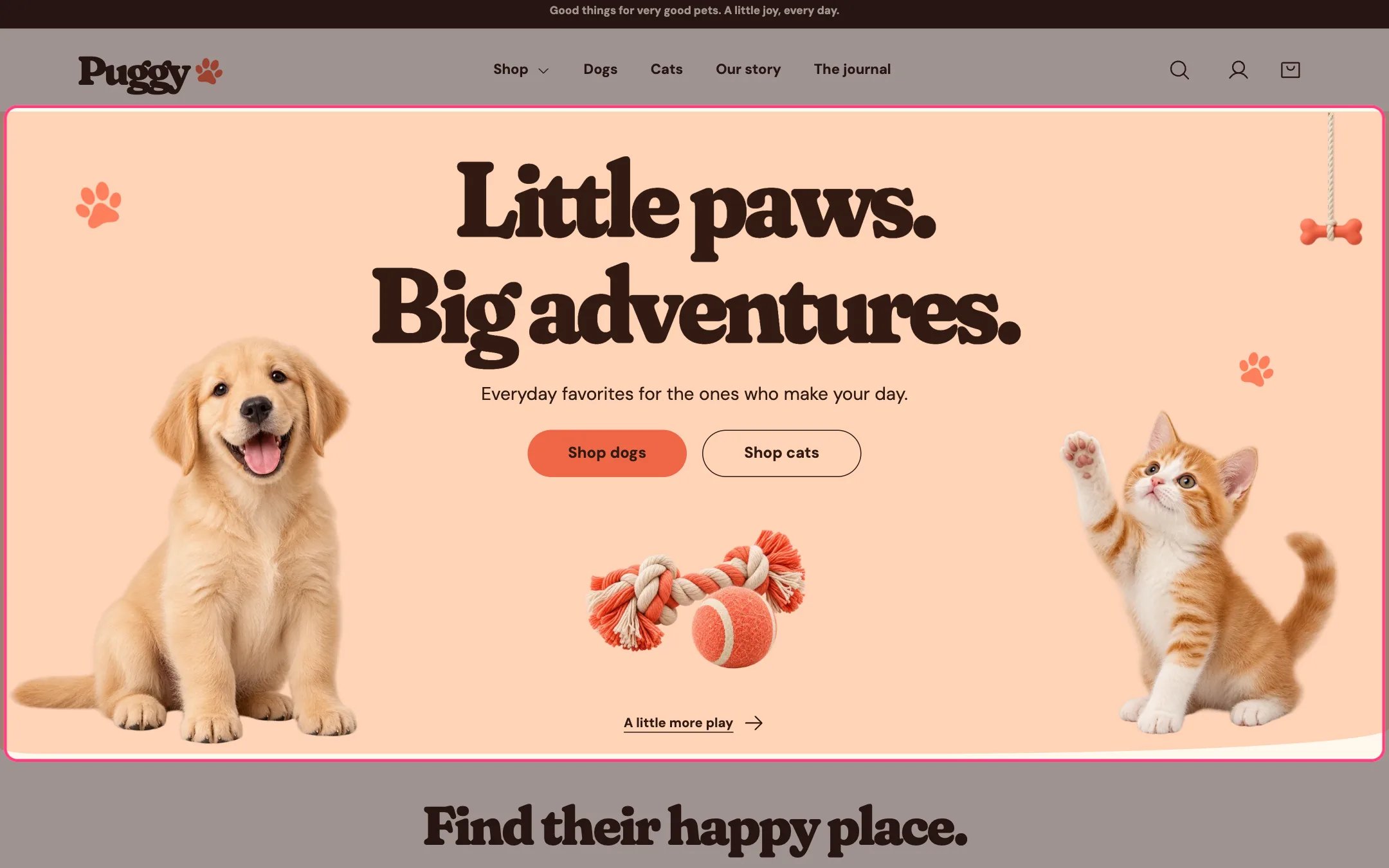
Pet hero, highlighted on the demo store
Where to find it
Home page. In the theme editor, choose Home page in the top page selector, then select Pet hero in the sidebar.How it works
- The split layout shows the left half of one wide image on the left and its right half on the right, with a toy image and a small link in the middle.
- The Single centered image layout shows one image under the text instead.
- With no images chosen, the built-in puppy, kitten and toy artwork appears.
- A button without a link goes to your all products page. A button with an empty label is hidden.
- The toy link appears when Toy link label has text. Without a Toy link it goes to your collections list.
- The heading is the page’s main title. Press Enter in Heading to start a new line.
- Decorative paw prints sit beside the text unless you turn them off.
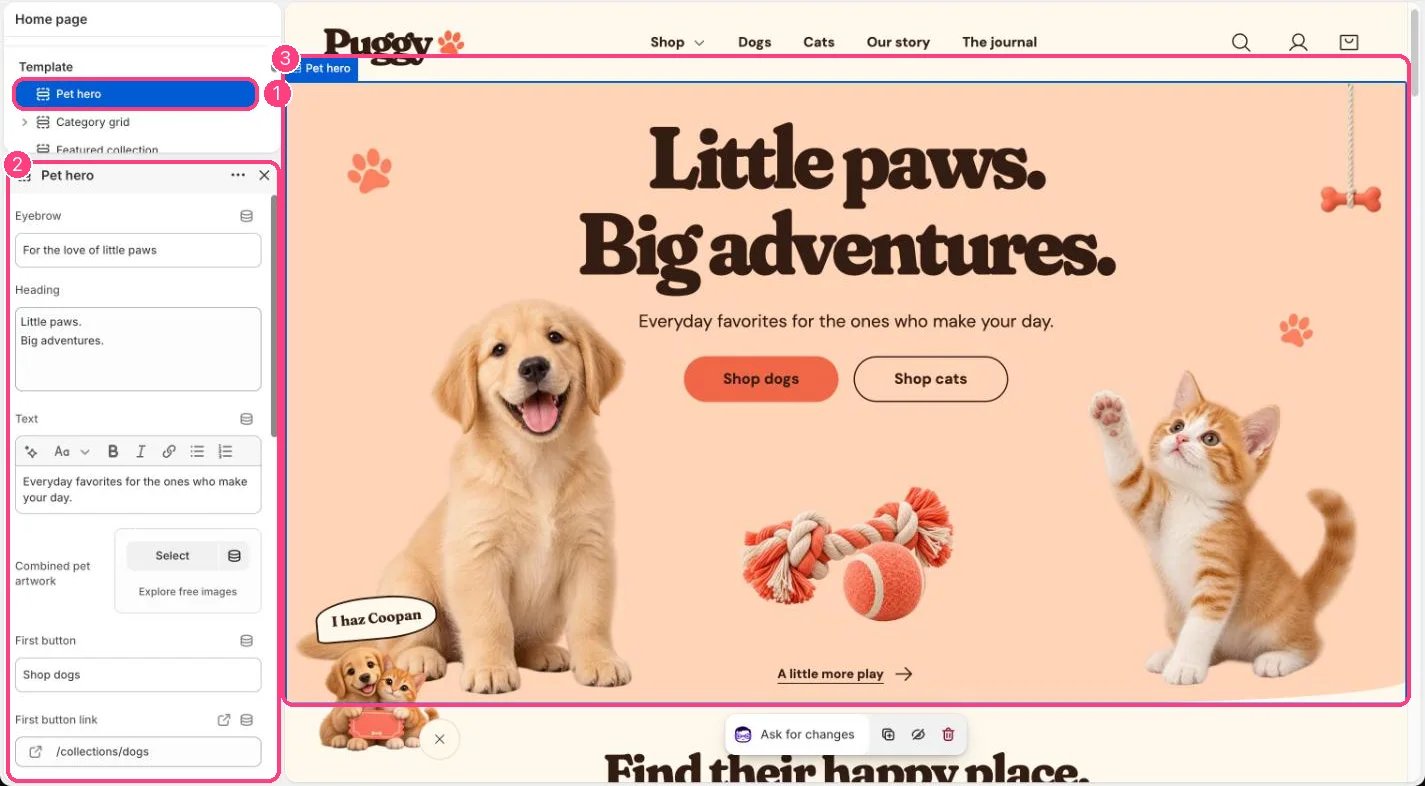
In the theme editor: 1 the section in the sidebar · 2 its settings · 3 the section in the preview
Edit it
- Write the Heading and Text, and edit the First button and Second button labels.
- Set First button link and Second button link, for example to your Dogs and Cats collections.
- For your own pets, upload a wide image to Combined pet artwork with one pet near each side. In the split layout the same image is shown in two halves.
- Choose Pet image layout: Puppy left / kitten right, or Single centered image.
- Replace the middle toy with Center toy image, and set Toy link label and Toy link.
- Turn on Show eyebrow to show the small line above the heading.
Settings
Preview the hero on a phone after changing images. The split windows crop the artwork at fixed sizes.