
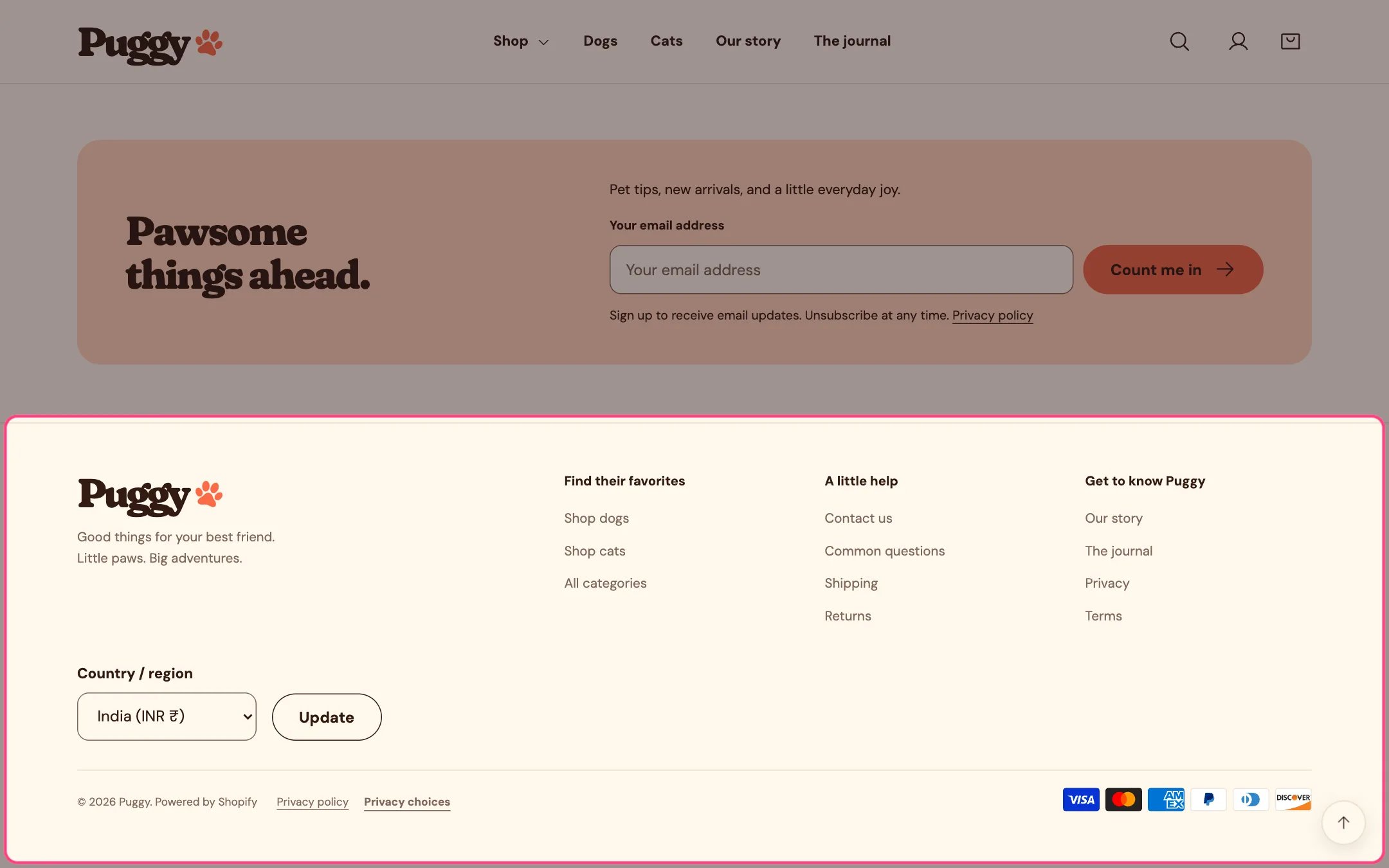
Footer, highlighted on the demo store
Where to find it
Every page. In the theme editor, select Footer in the Footer area of the sidebar.How it works
- Has its own logo setting, so you can use a version that reads well on the footer colors. Without one, it shows the text logo or your store name.
- Social icons appear for every profile URL you fill in under Theme settings > Social links.
- Menu blocks list the links of a chosen menu under a heading. Text blocks show a heading and formatted text. A Menu block with no menu chosen shows only its heading.
- Country and language selectors appear only when your store has more than one country or language available. Shoppers choose and select Update.
- Policy links come from Settings > Policies; only policies with content are listed. A Privacy choices link next to them reopens the cookie choices panel.
- Payment icons reflect the payment methods enabled for your store.
- Follow on Shop shows Shopify’s Follow button so shoppers can follow your store in the Shop app.
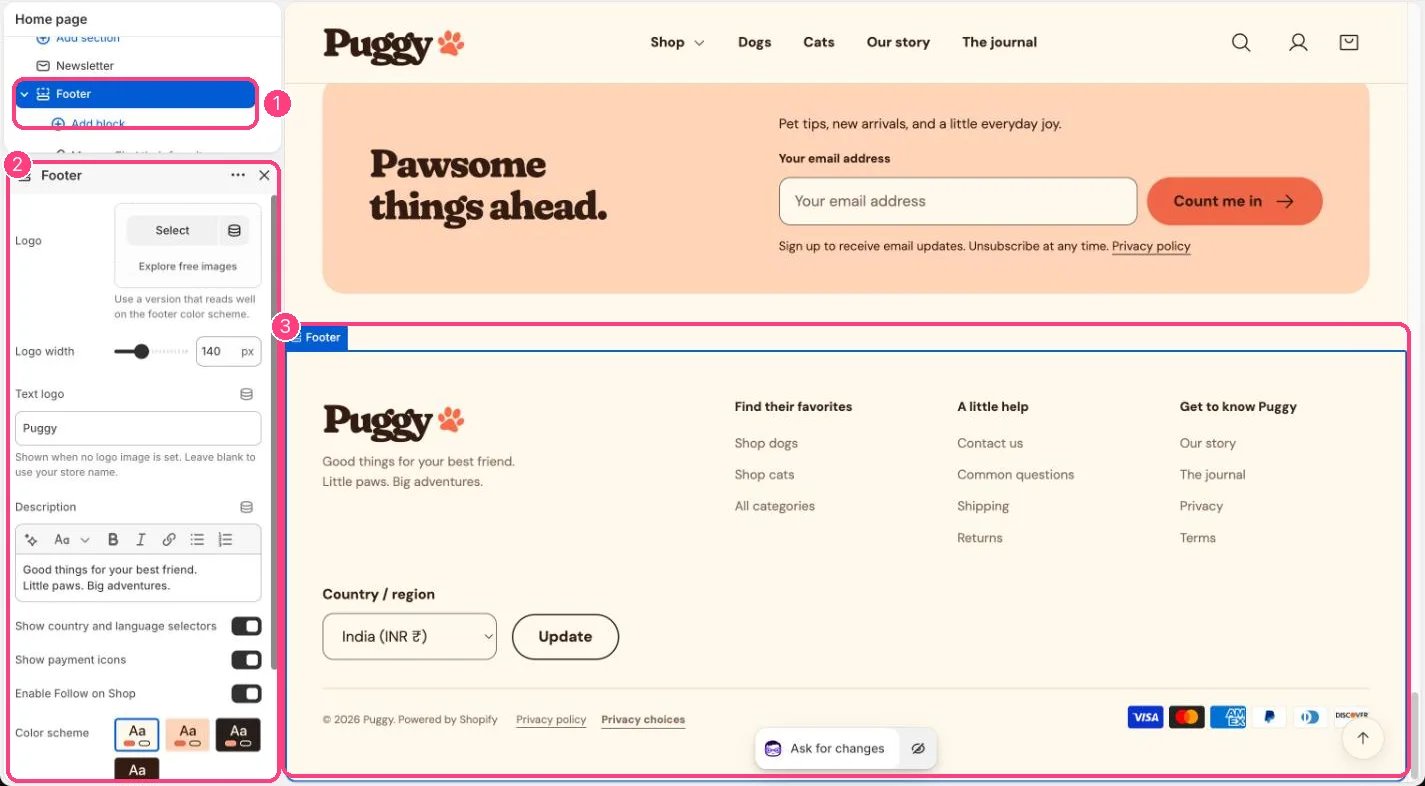
In the theme editor: 1 the section in the sidebar · 2 its settings · 3 the section in the preview
Edit it
- Click Add block to add a Menu, Text, Custom Liquid or app block, then drag blocks to reorder the columns.
- Edit Description for the short text under the logo.
- Upload a footer Logo and set Logo width (60 to 300 px), or fill Text logo.
- Turn Show country and language selectors, Show payment icons and Enable Follow on Shop on or off.
- Pick a Color scheme for the whole footer.
Settings
Blocks
Add a block with Add block under the section in the sidebar; drag blocks to reorder them.Menu
Text
App blocks
Blocks from apps you have installed, such as reviews or subscriptions. Click Add block and choose one from the Apps tab; its settings come from the app.Custom Liquid
The Privacy choices link opens the panel from the Customer privacy section in Promotions and privacy. Keep that section in place, even with its banner turned off, or the link has nothing to open.Shopify shows the Follow on Shop button only when your store is eligible for it, for example with Shop Pay turned on.