
Options
Give each product its options in this order:- Metal, for example 18k yellow gold, 18k white gold, 18k rose gold, Platinum. Link it to the Color category metafield for swatches; see Metal swatches.
- Ring size or Size, if it has one, with one value per size. See Ring sizes and the size guide.
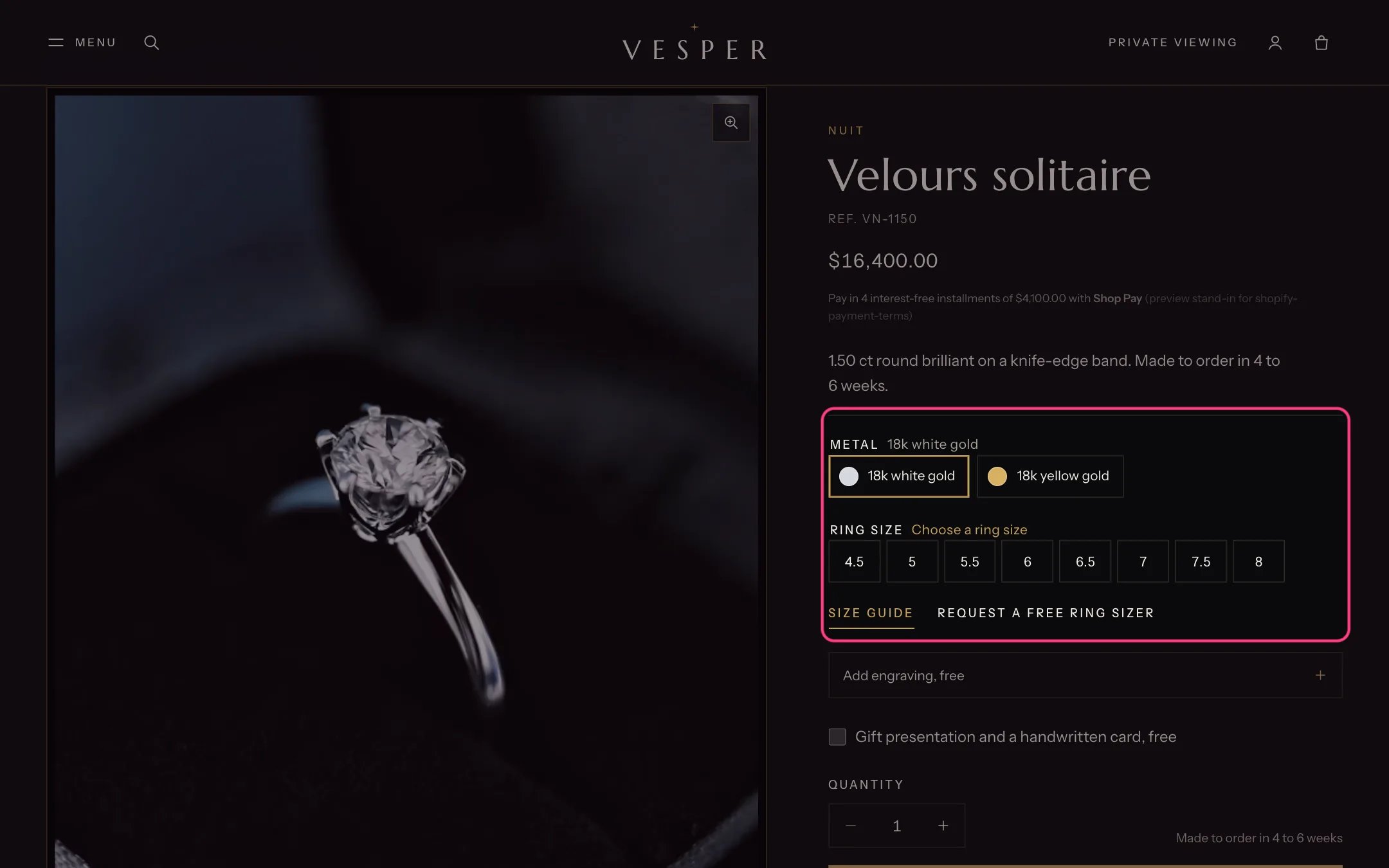
Metal swatches and ring sizes on the product page
Create the custom fields once
In Settings → Custom data → Products, add these definitions with namespacecustom and storefront access on. Start with the ones you need; the Metafields reference lists every one.
Fill them in
Open a product and scroll to Metafields to fill in each field. For the multi-line fields, put one item per line.Badges and stock
- Sale: set a Compare-at price higher than the price. Cards show the sale badge chosen in Theme settings → Product cards → Sale badge.
- New: set New badge for products published in the last to a number of days. It is off (0) on install.
- Only N left: set Show “Only N left” at or below to 1, 2 or 3. It reads the real inventory of tracked variants and is off (0) on install.
- Pre-order and Price on request: see Pre-order and Price on request.
Photographs and films
- Use the same shape for every product photograph, ideally portrait 4:5. Cards crop to Theme settings → Product cards → Image shape.
- The first photograph is used for the Up close row, so make it sharp and well lit.
- Product videos and 3D models go in the product’s media like photographs. The product page plays videos muted on a loop or with controls, set in Product information.
- For the worn gallery, add a product metafield
custom.wornof type List of files and add photographs of the piece being worn.