
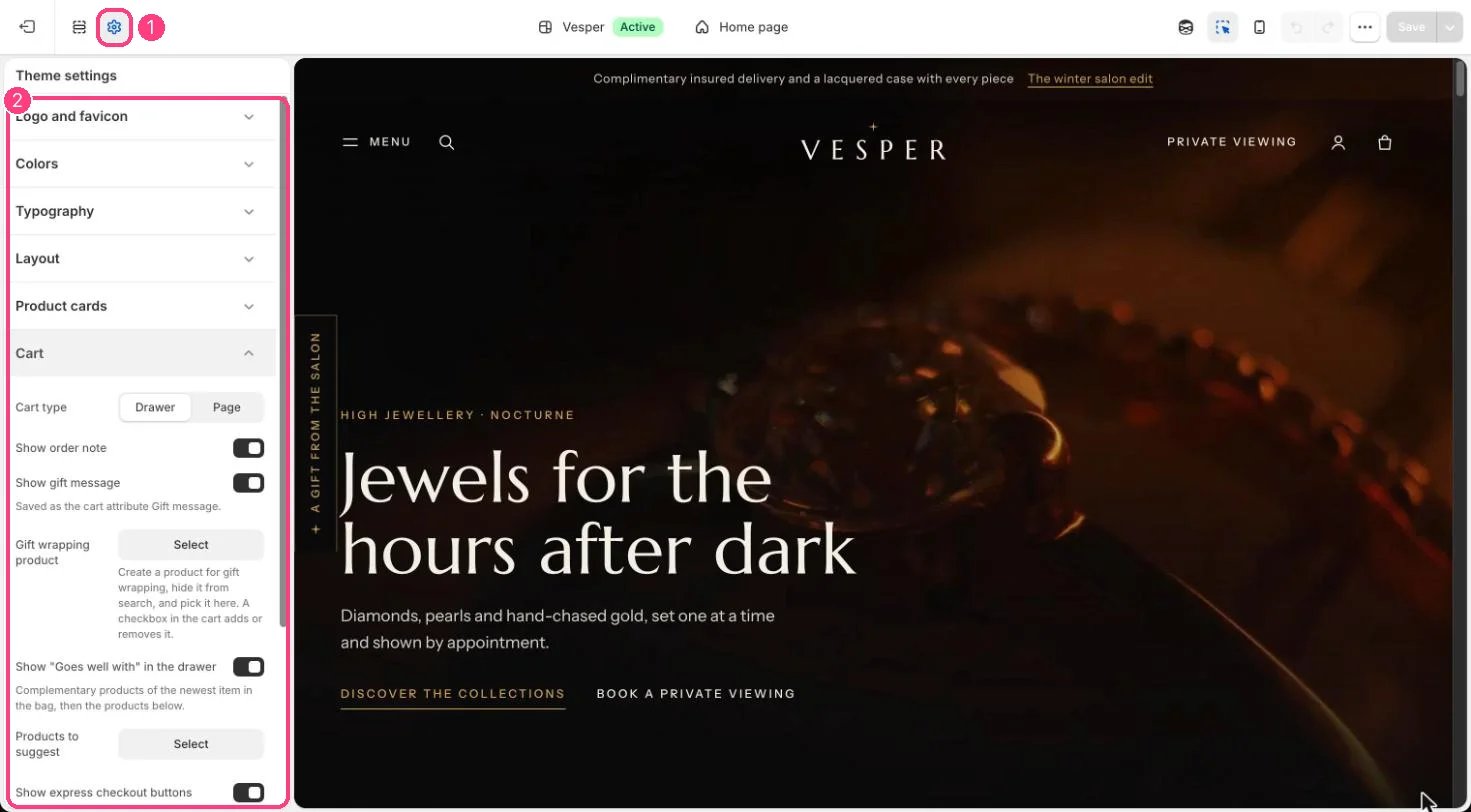
1 Theme settings (the gear icon) · 2 Cart, opened in the sidebar
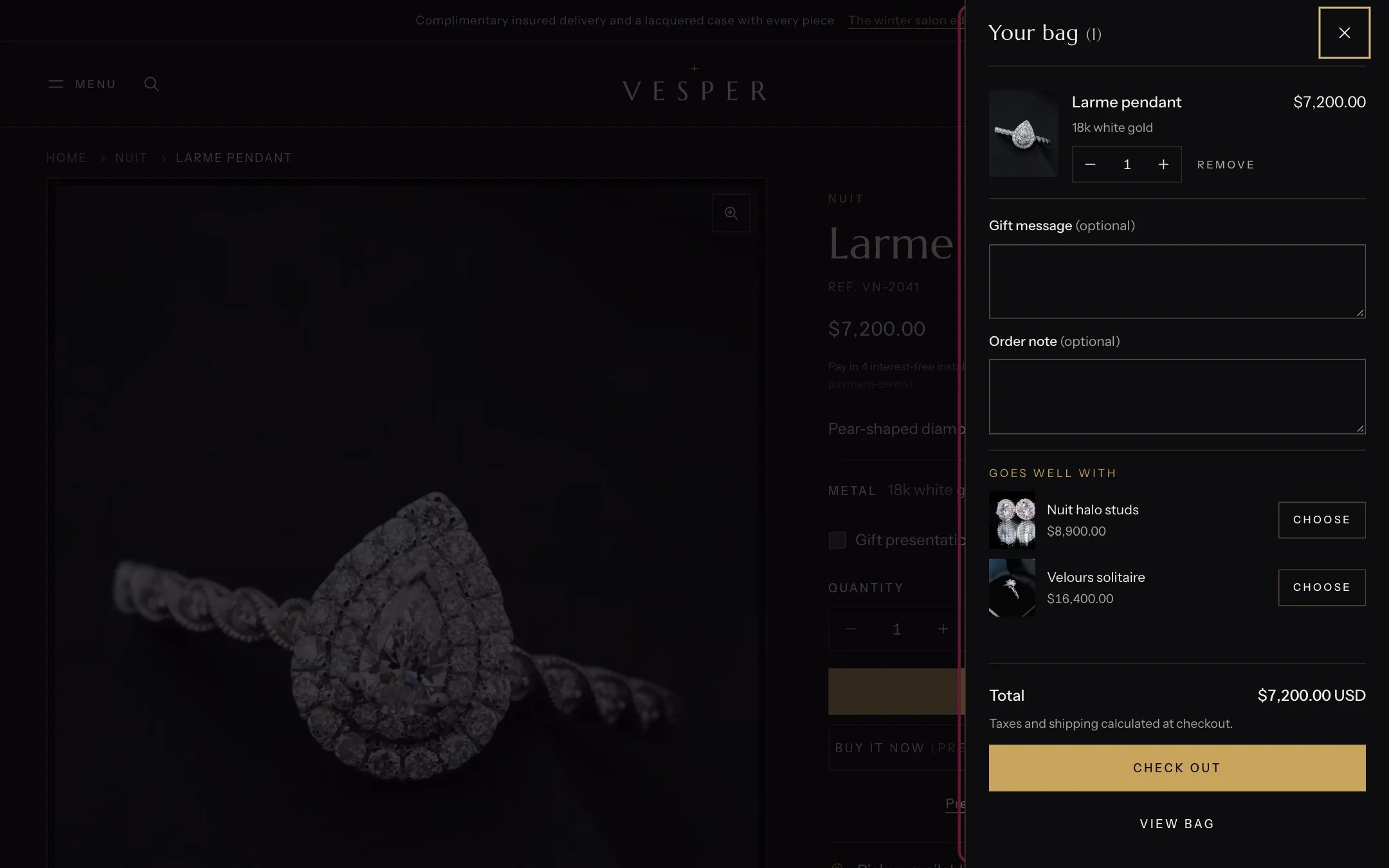
The bag drawer with the gift message, the order note and Goes well with
How it works
- Cart type Drawer opens the bag drawer when a piece is added; Page goes to the cart page.
- Show order note adds a note field that saves with the order.
- Show gift message adds a message field saved as the cart attribute Gift message.
- Gift wrapping product adds a checkbox in the bag that adds or removes that product.
- Show “Goes well with” in the drawer suggests complementary products of the newest item in the bag, then the Products to suggest.
- Show express checkout buttons shows Shop Pay, Apple Pay and the others you turn on in Settings, Payments.
Edit it
- For gift wrapping, create a product such as Gift wrapping with its price, keep it out of your collections and search, and choose it under Gift wrapping product.
- Pick up to a few Products to suggest that suit most orders, such as a care kit or a gift card.
- See Gift wrapping, notes and suggestions.