
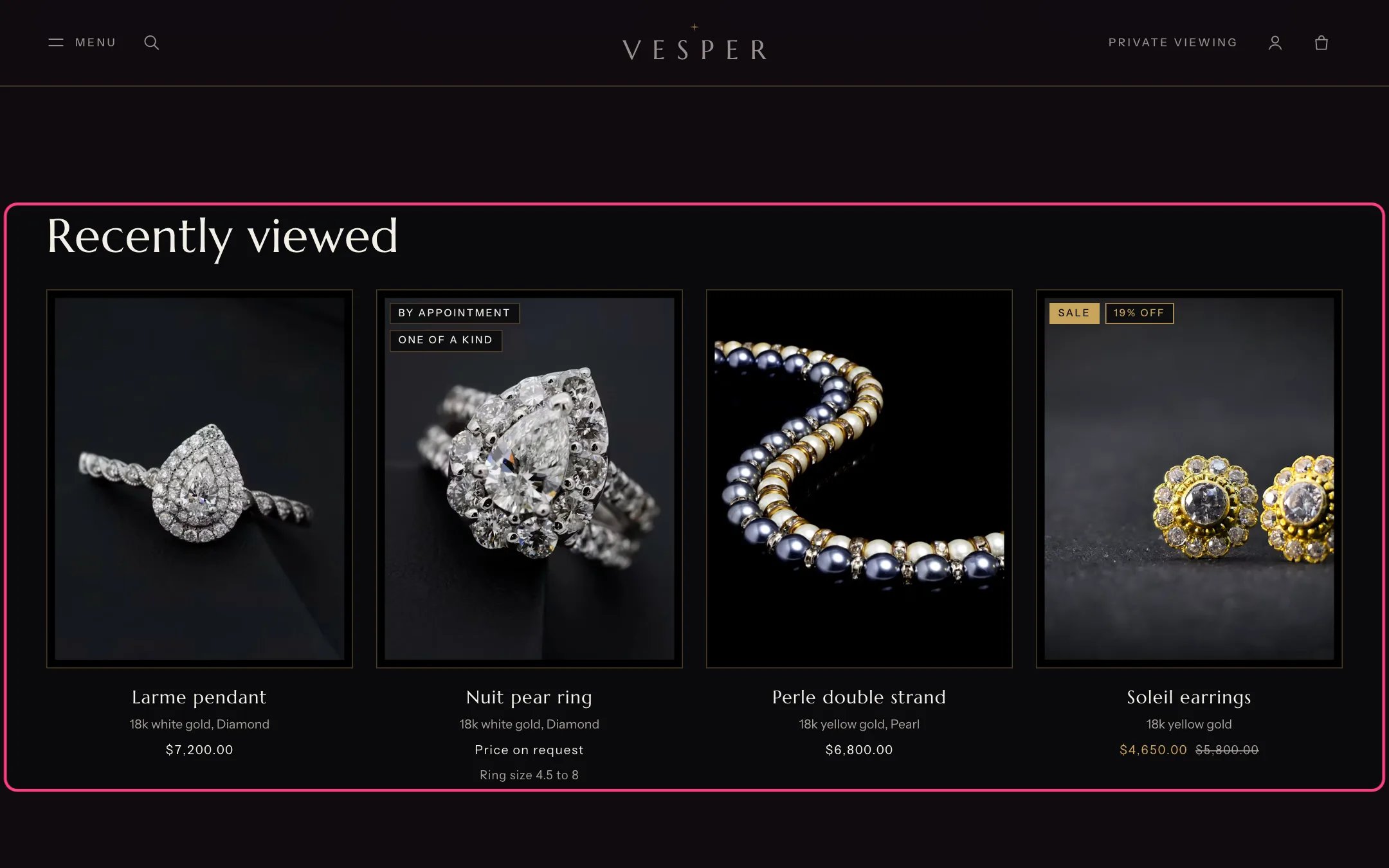
Recently viewed, highlighted with the demo content
Where to find it
Home page and product pages. In the theme editor choose Home page or Products, then select Recently viewed.How it works
- Product pages remember the last 12 products a visitor opened, in that visitor’s browser only.
- The section stays hidden until the visitor has viewed a product, and leaves out the product on its own page.
- Cards load only when the section comes near the screen. Products that no longer exist are skipped.
- In the theme editor it shows a note instead of staying hidden.
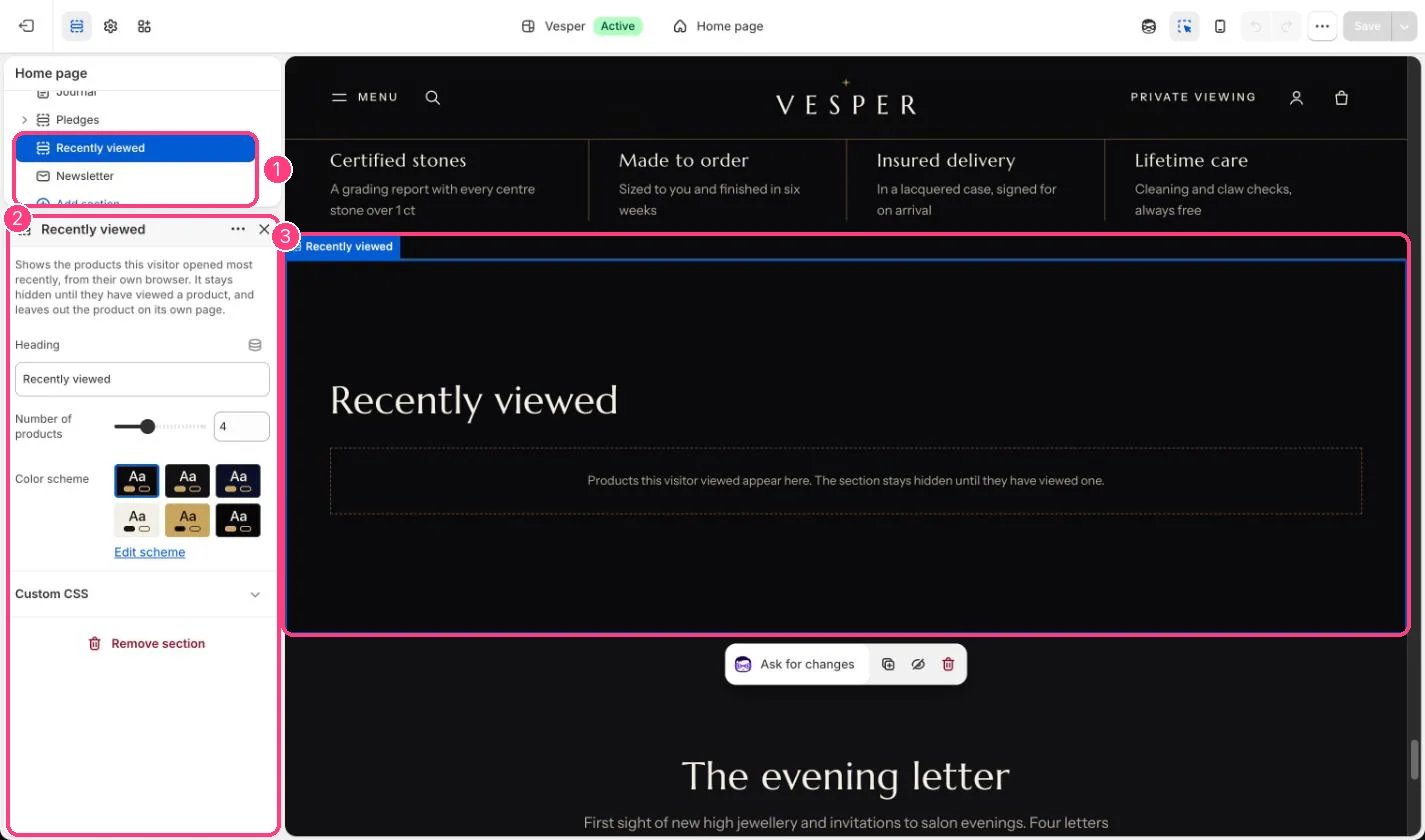
In the theme editor: 1 the section in the sidebar · 2 its settings · 3 the section in the preview
Edit it
- Edit Heading and set Number of products (2 to 8).